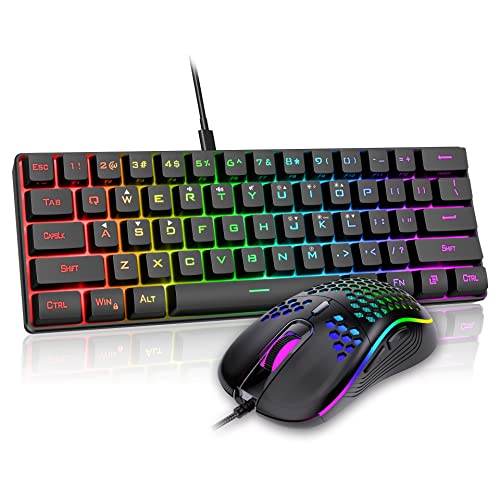
Small Wireless Keyboard and Mouse for Laptops
 By Theo LangUpdated
A small wireless keyboard for a laptop is a compact layout, such as a 60% board or a compact 98-key layout, that connects by Bluetooth or 2.4 GHz and leaves room on a small desk or in a bag. Pair it with a small wireless mouse on the same kind of link, and check the layout, the connection and the weight first.
Pick the layout size first
Layout size decides how much desk and bag space the keyboard takes. The DIERYA DK63 is a 60% board with 63 keys, and its FN key executes all functions while retaining full functionality. The Logitech K98M keeps a numpad in a compact 98-key 1800-style layout, which is more compact than a 104-key board. The Keychron K10 HE is a full-size 100% board and the Redragon K556 PRO is a 104-key board, so both keep every key and take more room. Choose a layout with the keys you use every day.
Check the wireless connection
Each keyboard here connects without a cable, but the link differs. The Keychron K10 HE pairs up to three devices by Bluetooth 5.2 and also offers 2.4 GHz wireless and a Type-C wired mode. The Redragon K556 PRO jumps between USB-C, Bluetooth and 2.4 GHz wireless. The Logitech K98M connects by Bluetooth and its Logi Bolt USB receiver, and it works with Windows and macOS. The DIERYA DK63 supports 2.4G, Bluetooth 5.0 and wired USB. Check that your laptop has Bluetooth or a free USB port for the link you plan to use.
Compare the weights
Weight matters when the keyboard travels in a laptop bag. The DIERYA DK63 weighs 1.41 pounds, the Keychron K10 HE weighs 2.2 pounds, the Redragon K556 PRO weighs 2.37 pounds and the Logitech K98M weighs 2.43 pounds. A lighter board is easier to carry, but a heavier board stays put on a desk. Match the weight to how often the keyboard leaves the house.
Look at the keys and backlight
Switches and backlight change how the keyboard feels at night and at work. The Keychron K10 HE uses Hall Effect magnetic switches with adjustable actuation, and the Redragon K556 PRO uses quiet linear red switches. The Logitech K98M uses clicky Marble switches with a gasket mount that absorbs vibrations, and the DIERYA DK63 uses red switches. For light, the K10 HE and K556 PRO have RGB backlighting, the DK63 has RGB backlighting with 18 lighting modes, and the K98M has white backlighting only.
What you need

Keychron K10 HE Full-Size Hall Effect Keyboard Wireless
A full-size 100% keyboard with Hall Effect switches and three connection modes, for a desk where a full layout fits.
View on Amazon
Redragon K556 PRO Wireless RGB Mechanical Gaming Keyboard
A 104-key aluminum keyboard with quiet linear red switches, tri-mode Bluetooth, 2.4 GHz and USB-C links, and 20 preset RGB lighting modes.
View on Amazon
Logitech Alto Keys K98M Wireless Mechanical Gasket Keyboard
A 98-key compact 1800-style keyboard with a numpad, hot-swappable Marble switches, white backlighting, and Bluetooth and Logi Bolt links.
View on Amazon
DIERYA DK63 60% Wireless Mechanical Gaming Keyboard
A compact 60% keyboard with 63 keys, a 1.41-pound weight, and 2.4G, Bluetooth 5.0 and wired USB links for a small laptop bag.
View on AmazonThese come from our ranked list Best Wireless Keyboard for PC, which compares them spec by spec.
FAQ
Does a 60% keyboard work for laptop typing?
Yes. The DIERYA DK63 has 63 keys including directional keys, and its FN key runs the functions of the keys it leaves out, so it keeps full functionality in a smaller board.
Can I use these keyboards without Bluetooth?
Yes. The Keychron K10 HE, Redragon K556 PRO and DIERYA DK63 each has a 2.4 GHz wireless mode and a wired USB connection, and the Logitech K98M connects through its Logi Bolt USB receiver.
Which keyboard here has a 60% layout?
The DIERYA DK63. It has a 60% layout with 63 keys and a 1.41-pound weight.