
What Monitor for Sim Racing?
 By Theo LangUpdated
For sim racing, a wide curved monitor with a high refresh rate gives you a view of the track that fills your peripheral vision. A 34-inch ultrawide at 1440p with a 144 Hz refresh rate is a solid starting point, with room to see the cars beside you. Match the resolution and refresh rate to what your graphics card and game support.
Choose the size and curve
Sim racing rewards a wide view, so an ultrawide or super ultrawide curved monitor fits the task better than a flat screen. A 34-inch ultrawide shows more of the track and the cars beside you, and a curved panel wraps that view around your field of vision. Sit close enough that the screen fills your view without turning your head to read the edges. Before you buy, measure the desk depth and check the stand or arm holds the monitor at eye level.
Match resolution and refresh rate
Resolution sets how sharp the picture looks, and refresh rate sets how many times per second the picture updates. A 1440p panel at 144 Hz is a common pairing for sim racing, while a 4K panel at the same refresh rate asks more of your graphics card. Check the requirements published for your game and the outputs on your graphics card before you choose. A monitor cannot show more detail or more frames than the card and game send it.
Check the ports on both ends
Check the monitor's inputs against the outputs on your graphics card. HDMI and DisplayPort are the common inputs on gaming monitors, and HDMI 2.1 carries higher resolutions and refresh rates than older HDMI versions. A port name alone does not prove video output, so check that your card's port supports the resolution and refresh rate you want. If you plan a second screen later, count the spare outputs now.
Plan the mount and desk space
A wide curved monitor takes more desk depth than a flat one, and the stand needs room behind it for the curve. Check the monitor's weight against the limit of any arm you plan to use, and check that the mount pattern on the back of the monitor matches the arm or wall mount. Leave space for the wheel base in front of the screen so your hands clear the bottom edge.
Set the seating and field of view
Sit at the same distance you would sit from a real wheel, with the screen centered and its middle near eye level. Then set the field of view in your game to match the screen size and your seating distance, so the cockpit view lines up with the edges of the display. Small changes to the seat position matter more than a new setting, so adjust the seat first and the game setting second.
What you need

SAMSUNG 49-inch Odyssey G9 (G95C) DQHD 1000R Curved Gaming Monitor
A 49-inch curved monitor with Dual QHD resolution, a 240 Hz refresh rate, AMD FreeSync, and a stand that adjusts height, tilt, and swivel.
View on Amazon
ASUS TUF Gaming VG34VQL1B 34-inch Ultrawide HDR Gaming Monitor
A 34-inch 1440p ultrawide monitor with a 1500R curve, a 165 Hz refresh rate, FreeSync, and a height-adjustable stand.
View on Amazon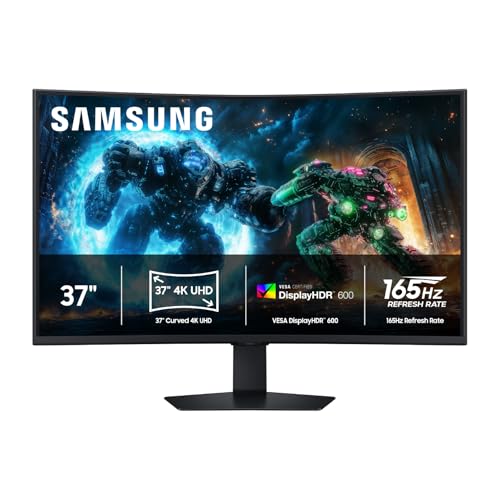
Samsung 37-inch Odyssey G7 (G75F) 4K UHD Curved Gaming Monitor
A 37-inch 4K UHD curved monitor with a 1000R curve, a 165 Hz refresh rate, AMD FreeSync, and DisplayHDR 600.
View on Amazon
Gawfolk 44.5-inch Curved Gaming Monitor Dual PC Screen
A 44.5-inch super ultrawide monitor with Dual QHD resolution, a 185 Hz refresh rate, FreeSync, built-in speakers, and PBP and PIP.
View on AmazonThese come from our ranked list Best Gaming Monitor for Sim Racing, which compares them spec by spec.
FAQ
Do I need an ultrawide monitor for sim racing?
No. A 27-inch or 32-inch monitor works for sim racing, but a wider screen shows more of the track and the cars beside you. Start with the screen you have and check what your graphics card supports before buying a wider one.
What refresh rate is good for sim racing?
A 120 Hz or 144 Hz panel updates the picture more often than a 60 Hz panel, which helps fast scenes read clearly. Check that your graphics card and game support the refresh rate you pick, since the monitor cannot show more than they send.
Can I use a TV for sim racing instead?
A TV works as a display, and a larger screen needs more desk distance. Check the TV's HDMI inputs and the refresh rate it lists, and compare them with your graphics card before you use it for sim racing.
Should I use one monitor or three?
One wide monitor is simpler to set up and needs one output on your graphics card. Three monitors give a wider view around you, but they need three outputs, matched screens, and more desk space, so check your card and desk first.


