
What Is a Webcam in a Laptop?
 By Theo LangUpdated
A webcam in a laptop is a camera built into the top edge of the screen, above the display, that records video and sound for calls and meetings. It pairs a lens and a sensor with a microphone, and the laptop sends that video and audio to apps for video calls. When the laptop camera does not suit a call, a webcam plugs into a USB port and takes over.
What the built-in camera does
The built-in camera sits in the top edge of the screen and points at the person in front of the laptop. Its lens and sensor turn light into a video picture, and the built-in microphone picks up the voice for the call. Video call apps use that video and audio, and the same camera works for recordings. The camera stays in place, so there is nothing to plug in or carry.
Resolution and frame rate
Resolution names describe how much detail the picture holds: 720p, 1080p and 4K. The Logitech C270 records at 720p, the Lenovo webcam records at 1080p, and the Logitech Brio and the OBSBOT Meet 2 record at 4K. Frame rate names describe how many frames the camera records each second.
Microphones, focus and framing
Microphones, focus and field of view shape how a call looks and sounds. The OBSBOT, Brio and Lenovo webcams have dual microphones, and the C270 has a noise-reducing mic. The OBSBOT and Brio have autofocus, and the OBSBOT adds AI framing that adjusts the composition of each frame. Field of view names how much of the room the camera shows: the C270 shows 55 degrees, the Lenovo shows 85 degrees, and the Brio offers 65, 78 or 90 degrees.
Using an external webcam instead
An external webcam plugs into a USB port and takes over from the built-in camera. The OBSBOT connects with a single USB-C connection and is ready for use. The C270 has an adjustable universal clip that attaches to a screen or laptop, or folds to set the webcam on a shelf. The 1080p webcam has a built-in manual privacy shutter that slides closed when the camera is not in use.
What you need

OBSBOT Meet 2-4K Webcam for PC
A 4K webcam with a 1/2 inch sensor, AI framing and autofocus, dual microphones and a USB-C connection.
View on Amazon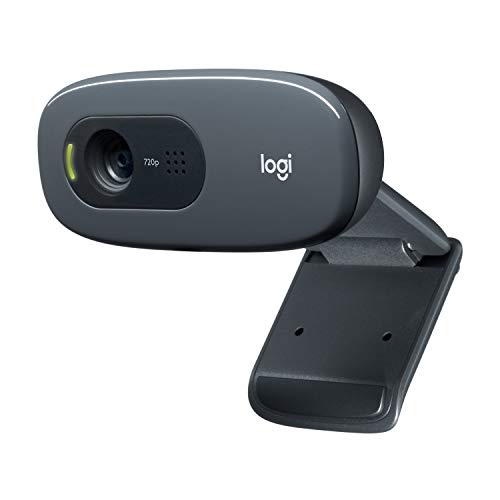
Logitech C270 Webcam Plug-and-Play Wide Screen Video Calling
A 720p webcam with a 55 degree field of view, auto light correction and a noise-reducing mic.
View on Amazon
Logitech Brio 4K Webcam
A 4K webcam with autofocus, 5x digital zoom, dual noise-cancelling microphones and a field of view of 65, 78 or 90 degrees.
View on Amazon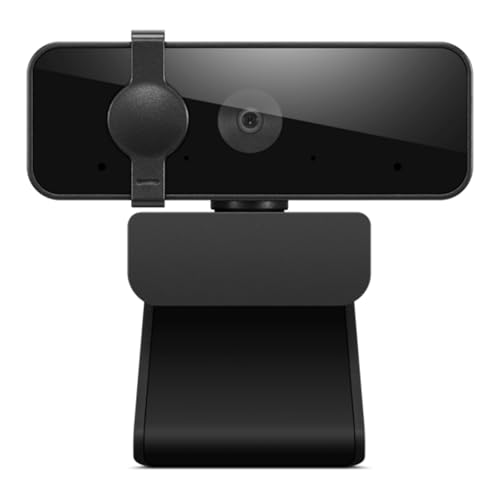
Lenovo Essential Webcam Gen 2
A 1080p webcam with dual microphones, an 85 degree field of view, a USB-A connection and a built-in manual privacy shutter.
View on AmazonThese come from our ranked list Best Webcam for Laptop, which compares them spec by spec.
FAQ
Do laptops have a built-in webcam?
A laptop webcam is the camera built into the top edge of the screen, above the display. When the built-in camera does not suit a call, an external webcam plugs into a USB port and takes over from it.
What resolution do webcams record at?
Resolution names describe detail in the picture. The Logitech C270 records at 720p, the Lenovo webcam records at 1080p, and the OBSBOT Meet 2 and Logitech Brio record at 4K.
How do I cover a laptop webcam?
Use the privacy shutter when the webcam has one. The Lenovo webcam has a built-in manual privacy shutter: slide it closed when the camera is not in use.


