What Is a Home Computer?
 By Theo LangUpdated
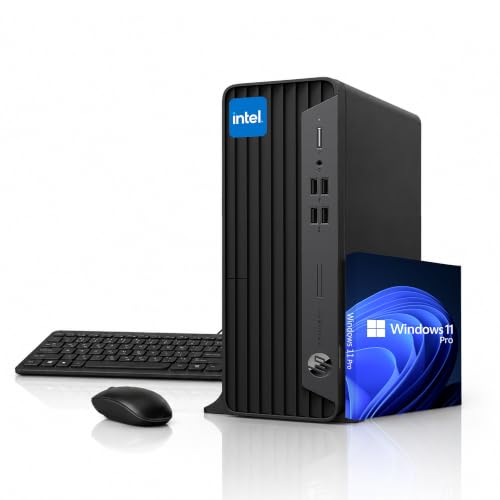
A home computer is a desktop or laptop computer you keep at home for browsing the web, email, schoolwork, video calls, and media. It has a processor, memory, storage, and a screen or a monitor, and it runs an operating system such as Windows 11. You can use one computer for work, study, and entertainment, and add a keyboard, mouse, and monitor to suit your desk.
What sits inside a home computer
A home computer has a processor that runs your programs, memory that holds what you are working on, and storage that keeps your files, photos, and apps. It also has ports for a keyboard, mouse, monitor, and other devices, plus Wi-Fi for a wireless connection to your home network. Desktops keep these parts in a tower case, while laptops pack them behind the screen. Check the spec sheet for the parts a computer has before you buy it, so you know what you are getting.
What a home computer does at home
You can use a home computer to write documents, send email, join video calls, follow online classes, pay bills, and watch films or listen to music. It also stores your photos and files in one place, so you can find them again without digging through a phone. A desktop with a large monitor suits a fixed desk, while a laptop moves between rooms. Pick the form that fits where you plan to sit and work each day.
Choosing a desktop for your home
Start with what you plan to do on the computer. For documents, email, and video calls, a desktop with an Intel Core or AMD Ryzen processor and a solid-state drive handles daily work. If you edit video or play games, check the graphics card and the memory listed for that machine, and check the requirements published for your software or game. Look at the ports too: HDMI and DisplayPort connect monitors, and USB ports connect a keyboard, mouse, and drives.
Setting up your home computer
Place the tower or laptop on a desk with room for air to move around it, then connect the monitor, keyboard, and mouse. Plug the power cable into a wall outlet, connect to Wi-Fi or plug in an Ethernet cable, and follow the on-screen steps to finish setting up Windows. Add a password or PIN, turn on updates, and back up your files to a drive or cloud storage so a lost file does not mean lost work.
What you need

YAWYORE Gaming PC
A tower with an AMD Ryzen 7 5700X processor, GeForce RTX 5060 graphics, 32 GB of DDR4 memory, and 1 TB of NVMe storage, with Wi-Fi and Bluetooth.
View on Amazon
Dell Pro Desktop Tower
A Dell tower with a 14th Gen Intel Core i3-14100 processor, 8 GB of DDR5 memory, 512 GB of storage, Windows 11 Pro, HDMI, DisplayPort, and Wi-Fi 6.
View on Amazon
OKAMUS Prebuilt PC
A tower with an i7 processor, 16 GB of memory, 256 GB of storage, Win11 Home, four RGB fans, and Wi-Fi 6.
View on Amazon
ZYNEEX Prebuilt Gaming Desktop PC
A tower with an AMD Ryzen 5 5500 processor, GeForce RTX 3050 graphics, 16 GB of DDR4 memory, 1 TB of NVMe storage, HDMI, and Wi-Fi.
View on AmazonThese come from our ranked list Best Desktop PC Computers, which compares them spec by spec.
FAQ
Is a home computer the same as a desktop computer?
A desktop computer is one kind of home computer. A laptop is another. Both run the same kinds of programs, and the difference is the shape: a desktop stays on a desk with a separate monitor, while a laptop folds up and moves with you.
Do I need a monitor with a home computer?
A desktop pairs with a monitor, and a laptop has a screen built in. You can still plug in a second monitor through HDMI or DisplayPort when you want more room to work.
Can one home computer serve the whole family?
Yes. One computer can hold separate user accounts, so each person signs in to their own files, settings, and browser. Set up an account for each person and keep a password on each one.