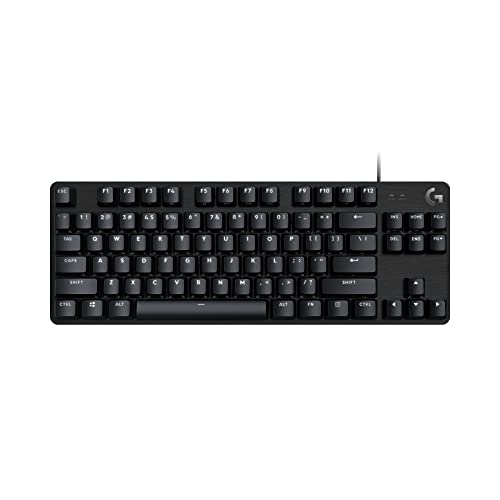
Is a Gaming Keyboard Necessary?
 By Theo LangUpdated
No, a gaming keyboard is not necessary to play games. A standard keyboard types the same keys, and a gaming keyboard adds mechanical switches, anti-ghosting, extra keys and lighting. Those features suit players who want them, but they do not gate who can play.
What a gaming keyboard adds
A gaming keyboard adds mechanical switches under the keys, anti-ghosting so key combinations register, and extra keys for macros and media. The AULA F75 Pro models use pre-lubed switches with a hot-swappable base, and the Redragon K671 uses hot-swappable red switches. The Redragon K521 gives a mechanical feeling with 19 keys anti-ghosting and 12 multimedia keys. RGB backlight and a control knob add lighting and media controls.
Mechanical switches and hot-swap
Mechanical switches put a separate switch under each key, and hot-swappable boards let you pull a switch out and push another in without soldering. The AULA F75 Pro models and the Redragon K671 have hot-swappable switches, so you can change the feel without buying a new board. The Redragon K521 is a mechanical-feeling keyboard, while the AULA F75 Pro models and the Redragon K671 are mechanical keyboards. Check the switch type before you buy.
Connections and layout
The AULA F75 Pro models connect over Bluetooth 5.0, 2.4GHz wireless and USB, and switch between up to five devices. The Redragon K521 and K671 are wired keyboards that plug in with a cable. The K521 needs no driver and works plug and play. The AULA F75 Pro models use a 75% layout with 81 keys, while the Redragon K521 keeps 104 keys. Pick the layout that fits your desk and the keys you use.
Backlight, macros and extras
Gaming keyboards add lighting, macros and media keys. The black AULA F75 Pro offers 16.8 million RGB colors with 16 preset lighting effects and a knob for brightness and media. The Redragon K671 offers 11 backlit modes with 5 brightness levels and macro editing, and the Redragon K521 offers a rainbow LED backlight with 12 multimedia keys. The AULA F75 Pro models carry a 4000mAh battery for wireless use.
What you need

AULA F75 Pro Wireless Mechanical Keyboard
A 75% mechanical keyboard with 81 keys, hot-swappable reaper switches, RGB backlight, a knob and tri-mode connections.
View on Amazon
AULA F75 Pro Wireless Mechanical Keyboard
A 75% mechanical keyboard with 81 keys, hot-swappable star vector switches, RGB backlight and a knob.
View on Amazon
Redragon K521 Upgrade Rainbow LED Gaming Keyboard
A wired 104-key keyboard with a mechanical feeling, rainbow LED backlight, 19 keys anti-ghosting and 12 multimedia keys.
View on Amazon
Redragon Mechanical Gaming Keyboard Wired
A wired mechanical keyboard with hot-swappable red switches, 11 backlit modes, macro editing and full-key anti-ghosting.
View on AmazonThese come from our ranked list Best Gaming Keyboard, which compares them spec by spec.
FAQ
Do I need a gaming keyboard to play games?
No. A standard keyboard types the same keys, and games do not need mechanical switches, anti-ghosting or RGB lighting. A gaming keyboard adds those features for players who want them.
What does a mechanical keyboard change?
It puts a separate switch under each key, and hot-swappable boards let you change switches without soldering. The AULA F75 Pro models and the Redragon K671 have hot-swappable switches, and the Redragon K521 is a mechanical-feeling keyboard.
Can a gaming keyboard connect to more than one device?
The AULA F75 Pro models connect over Bluetooth 5.0, 2.4GHz wireless and USB, and switch between up to five devices. The Redragon K521 and K671 are wired, so they plug into one device at a time.