How to Use a Portable Monitor as a Second Screen
 By Theo LangUpdated
Connect the portable monitor to your laptop with a USB-C or HDMI cable, then set the display to Extend in your display settings. The monitor then works as a second screen for extra windows, while your laptop screen stays as the main display. Check that the USB-C port on your laptop supports video output before you buy a cable.
Check which ports your laptop has
Look at the sides of your laptop for USB-C and HDMI ports. A USB-C port that supports video output can run a portable monitor with one cable, while an HDMI port needs a second cable for power on some monitors. The KEFEYA extender, for example, needs an extra USB-A to USB-C cable for power when you use HDMI. Check your laptop manual for video output on the USB-C port before you order a cable.
Connect the monitor with one cable
Plug a USB-C cable from the monitor into the video USB-C port on your laptop. The Yodoit monitor runs on one USB-C cable, and the ARZOPA monitor takes USB-C or HDMI. If your laptop sends video over HDMI, use HDMI for video and add an extra USB-A to USB-C cable for power. Wait for the laptop to show the new screen before you change settings.
Set the display to Extend
Open display settings on your laptop and find the second screen. Choose Extend so each screen shows its own windows, or Mirror if you want both screens to show the same picture. The KEFEYA extender also offers landscape and portrait modes and rotates 180 degrees, so turn the screen to match the way you work. Drag a window across the edge to move it to the second screen.
Arrange the screens to match your desk
In display settings, drag the screen icons so the second screen sits where the monitor sits on your desk. If the portable monitor stands to the left of your laptop, put its icon on the left, so the mouse moves across in the right direction. The Lenovo L15 has a height-adjustable stand, so set the monitor height to match your laptop screen. Pick which screen is the main display if you want the taskbar and apps to open there.
Fix a blank second screen
If the second screen stays blank, check the cable first: push both ends in firmly and try another port on the laptop. Then check that the USB-C port you used supports video output, and that the monitor has power. The Yodoit monitor takes power over its USB-C cable, while the KEFEYA needs a separate USB-A to USB-C power cable when you use HDMI. If the screen still stays blank, restart the laptop with the monitor connected.
What you need

KEFEYA Laptop Screen Extender
A 14-inch dual-screen extender for 13-17 inch laptops with 1080p IPS panels, USB-C and HDMI, plus mirror, extend and portrait modes.
View on Amazon
ARZOPA 16-inch 2.5K Portable Monitor Z1RC
A 16-inch 2.5K IPS monitor at 2560x1600 with USB-C and HDMI, a built-in stand and a 2-year warranty.
View on Amazon
Lenovo L15 Portable Monitor
A 15.6-inch Full HD IPS monitor with two USB-C ports and a height-adjustable stand.
View on Amazon
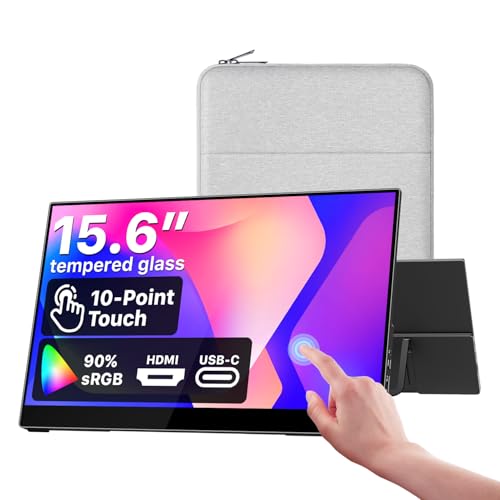
Yodoit Portable Monitor 15.6-inch Travel Screen Display
A 15.6-inch 1920x1080 IPS monitor that runs on one USB-C cable, with built-in speakers and a smart cover.
View on AmazonThese come from our ranked list Best Portable Monitor Screen, which compares them spec by spec.
FAQ
Can I use a portable monitor with a phone or tablet?
It depends on the monitor and the phone. The ARZOPA connects to phones and tablets over USB-C or HDMI, and the KEFEYA lists Type-C phones among its supported devices. Check that the phone or tablet supports video output over USB-C before you connect it.
Do I need a separate power adapter for a portable monitor?
Not always. The Yodoit monitor runs on one USB-C cable with no separate power adapter, and the ARZOPA runs over USB-C or HDMI. The KEFEYA needs an extra USB-A to USB-C cable for power when you use HDMI, so check what power the monitor needs before you buy.
Can a portable monitor work as the only screen for a laptop?
Yes, if the laptop sends video to it. Connect the monitor, then close the laptop lid or set the laptop to show its picture only on the external screen. Check your laptop settings for the option to use only the second screen.