Gaming Keyboard Types Explained
 By Theo LangUpdated
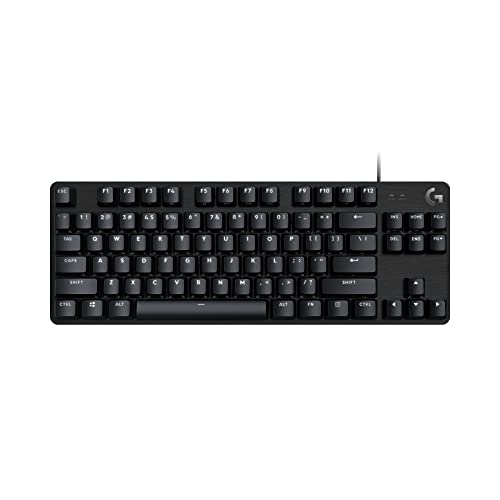
Gaming keyboards differ in switch type, size, connection and backlighting. A mechanical keyboard has a switch under each key, a mechanical-feeling keyboard copies that feel without the switches, and a 75% layout drops the number pad to save desk space. The four keyboards below cover those types: two wireless mechanical boards, one wired mechanical board and one wired mechanical-feeling board.
Mechanical switches or mechanical feeling
A mechanical keyboard has a separate switch under each key. The AULA keyboards use LEOBOG switches, the black board with Reaper switches and the white board with Star Vector switches, and both are hot-swappable, so the switches can be replaced without soldering. The Redragon K671 also has hot-swappable red switches, with 4 spare switches in the box. The Redragon K521 uses keys designed for a mechanical feeling, with 19 keys anti-ghosting.
Full size or 75% layout
Size is the next choice. The Redragon K521 has 104 keys in a full-size layout with 12 multimedia keys. The AULA keyboards use an 81-key 75% layout that keeps the arrow keys while saving desk space. The Redragon K671 is a wired mechanical board with 12 multimedia key shortcuts. Pick the layout that fits the desk and the keys you use: a full-size board keeps the number pad, while a 75% board drops it.
Wireless or wired connection
The AULA keyboards connect three ways: Bluetooth 5.0, 2.4GHz wireless and USB wired, and they can connect up to five devices at the same time. The Redragon K521 needs no driver: plug it in and it works. The K671 is wired too, with backlight effects adjusted by software. A wireless board suits a desk where the cable gets in the way, while a wired board suits a desk where the keyboard stays put. Check that the keyboard's connection matches the ports on the computer.
Backlighting and extra keys
Backlighting differs across the four boards. The AULA keyboards have 16.8 million RGB lighting colors with 16 pre-set lighting effects, and a knob that adjusts brightness and switches effects. The Redragon K671 has 11 backlit modes with brightness in 5 levels, and the K521 has a rainbow LED backlight with a one-touch on and off button. Both Redragon boards have 12 multimedia keys, and the AULA boards have a knob for volume and playback.
What you need

AULA F75 Pro Wireless Mechanical Keyboard
A 75% wireless mechanical keyboard in black with LEOBOG Reaper switches, a knob, RGB backlighting, a 4000mAh battery and a 6-month warranty.
View on Amazon
AULA F75 Pro Wireless Mechanical Keyboard
A 75% wireless mechanical keyboard with LEOBOG Star Vector switches, a knob, RGB backlighting, in white, and a 1-year warranty.
View on Amazon
Redragon K521 Upgrade Rainbow LED Gaming Keyboard
A wired 104-key keyboard with a mechanical feeling, rainbow LED backlighting, 19-key anti-ghosting and 12 multimedia keys.
View on Amazon
Redragon Mechanical Gaming Keyboard Wired
A wired mechanical keyboard with hot-swappable red switches, 11 backlit modes, 4 spare switches and a 24-month warranty.
View on AmazonThese come from our ranked list Best Gaming Keyboard, which compares them spec by spec.
FAQ
What is the difference between mechanical and mechanical-feeling keyboards?
A mechanical keyboard has a switch under each key, while a mechanical-feeling keyboard copies that feel with keys designed for it. The AULA boards and the Redragon K671 have mechanical switches, and the Redragon K521 has mechanical-feeling keys.
Can I swap the switches on these keyboards?
Yes, on three of them. Both AULA keyboards and the Redragon K671 are hot-swappable, so switches can be replaced without soldering.
Do these keyboards work with a Mac?
The AULA keyboards work with laptops, tablets and mobile phones, and the Redragon K521 works with Mac as well as PC, PS4/5 and Xbox. The Redragon K671 is listed for PC and Mac. Check the connection your computer needs before buying.