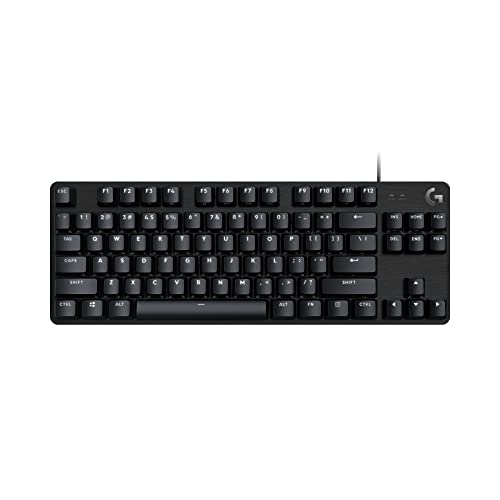
Does Your Keyboard Affect Gaming?
 By Theo LangUpdated
Yes. A keyboard changes how your inputs register, how comfortable long sessions feel, and how much desk space you have for your mouse. The switch type, layout, connection and anti-ghosting shape how reliably keys register when you press several at once. The keyboard does not change what your PC or monitor can do, so check the specs of your game and your hardware first.
How switches shape a press
Switches sit under the keys and decide how a press feels and registers. Mechanical keyboards use a switch under each key, and the switch type shapes how a press feels. The Redragon K671 uses red switches that need less force to press down, as listed for that model. Try the switch type in a shop when you can, since feel is personal.
Why layout and size matter
A 75% layout keeps the arrow keys and drops the number pad, which leaves more room for mouse movement. A full-size layout with 104 keys keeps the number pad and the full row of function keys. The AULA F75 Pro uses a 75% layout that saves desktop space, as listed for that model, while a 104-key layout includes the number pad. Measure your desk before you choose.
Wired or wireless connection
A wired keyboard connects through a USB cable and draws power from the PC, so there is no battery to charge. A wireless keyboard connects through Bluetooth or a 2.4GHz receiver and needs charging, and it can switch between devices. Some wireless boards also work through a USB cable when you plug them in. Pick wired when you want a fixed setup, and pick wireless when you move the keyboard between devices.
Anti-ghosting and key rollover
Anti-ghosting lets the keyboard register several keys pressed at the same time, which matters when a game uses key combinations. N key rollover is a spec that describes keys registering on their own when many are held down. Check how many keys the board handles at once in its spec sheet, since boards differ. When a game needs several keys held together, this spec matters more than backlight colour.
Comfort, lighting and extra controls
Backlighting helps you see keys in a dark room, and a knob can adjust volume or light brightness without opening a menu. Hot-swappable boards let you change switches without soldering, which suits players who want to try a different switch feel later. Keycap material and board weight change how the keyboard feels under your hands. Treat lighting and extras as comfort features, and check switches, layout and connection for the board you choose.
What you need

AULA F75 Pro Wireless Mechanical Keyboard
A 75% hot-swappable board with LEOBOG reaper switches, RGB backlighting, a control knob and Bluetooth 5.0, 2.4GHz wireless and USB wired connection.
View on Amazon
AULA F75 Pro Wireless Mechanical Keyboard
A 75% hot-swappable board with LEOBOG star vector switches, side-printed PBT keycaps, RGB backlighting and a control knob for light and volume.
View on Amazon
Redragon K521 Upgrade Rainbow LED Gaming Keyboard
A wired 104-key board with rainbow LED backlighting, 19-key anti-ghosting and 12 multimedia keys, with plug-and-play connection and no driver to install.
View on Amazon
Redragon Mechanical Gaming Keyboard Wired
A wired board with hot-swappable red switches, 11 backlit modes, full-key anti-ghosting and macro editing through software.
View on AmazonThese come from our ranked list Best Gaming Keyboard, which compares them spec by spec.
FAQ
Does a mechanical keyboard make you better at games?
No. It changes how inputs feel and register, but skill, practice and your PC and monitor decide how you play. A keyboard that suits your hands helps you play comfortably for longer sessions.
Is a wireless keyboard fine for gaming?
Yes, when it connects through a stable link and holds a charge for your session. Wireless boards need charging and can switch between devices, as listed for the F75 models.
Do I need RGB lighting to play well?
No. Lighting only changes how the board looks and how easy the keys are to see in the dark. Spend your attention on the switch feel, the layout and the connection first.