
Best Wireless Mouse for PC Gaming (2026): 8 Picks Compared
 By Theo LangUpdated
The Logitech G502 X Plus Wireless RGB Gaming Mouse suits PC gamers who want 13 buttons, a HERO 25K sensor, and LIGHTSPEED wireless in one mouse. Its LIGHTFORCE hybrid optical-mechanical switches and customizable 8-LED LIGHTSYNC RGB lighting cover control and lighting in the same configuration. The other mice trade button counts, DPI figures, connections, and battery designs.
Your shortlist at a glance
PCKitHQ scores range from 9.2 to 9.8. See how we pick.
| Product and key specifications | Score and retailer |
|---|---|
01 Best Overall Logitech G502 X Plus Wireless RGB Gaming Mouse | 9.8PCKitHQ scoreView on Amazon |
02 | 9.7PCKitHQ scoreView on Amazon |
03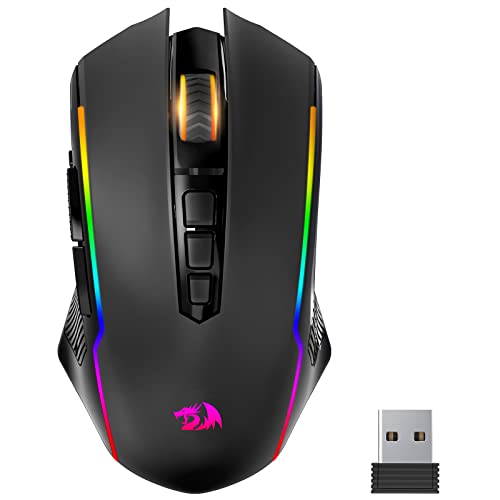 | 9.6PCKitHQ scoreView on Amazon |
04 Also Consider Razer DeathAdder V3 Pro Wireless Gaming Mouse | 9.5PCKitHQ scoreView on Amazon |
05 Also Consider Razer Orochi V2 Wireless Gaming Mouse | 9.5PCKitHQ scoreView on Amazon |
06 Also Consider Logitech G309 Lightspeed Wireless Gaming Mouse | 9.4PCKitHQ scoreView on Amazon |
07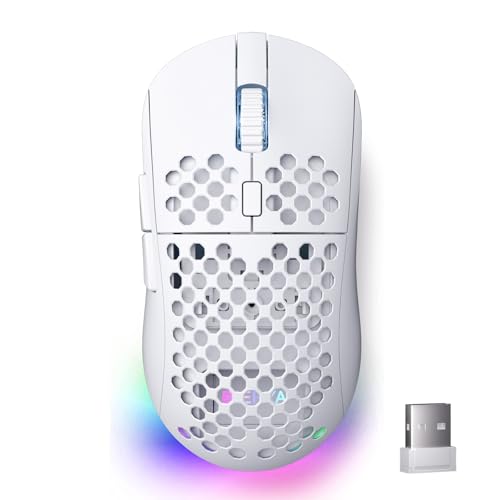 Also Consider DIERYA M1 Wireless Gaming Mouse | 9.3PCKitHQ scoreView on Amazon |
08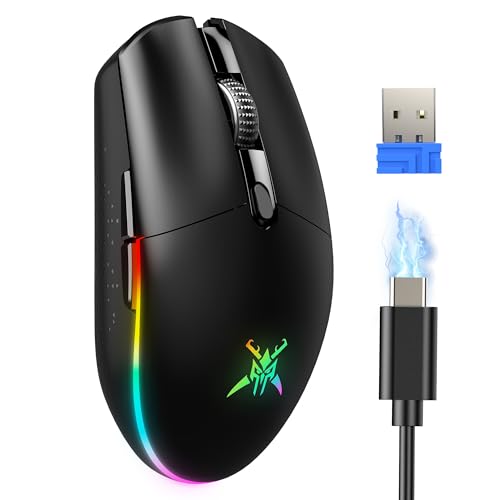 | 9.2PCKitHQ scoreView on Amazon |
A closer look at each configuration
Logitech G502 X Plus Wireless RGB Gaming Mouse
score
The Logitech G502 X Plus pairs 13 buttons with a HERO 25K sensor.
- Buttons
- 13
- Sensor
- HERO 25K
- Wireless
- Yes
- Backlight
- Yes
- Connection
- LIGHTSPEED wireless
The Logitech G502 X Plus Wireless RGB Gaming Mouse has 13 buttons, an infinite scroll toggle, and LIGHTFORCE hybrid optical-mechanical switches. Its HERO 25K sensor works with LIGHTSPEED wireless for PC and MacOS use. LIGHTSYNC RGB lighting uses 8 LEDs with startup and power-down effects. Logitech states battery life under 130 hours, and the mouse supports USB-C and wireless charging. It carries a 2 year manufacturer warranty.
Choose it if
- You want 13 buttons on one mouse
- You want LIGHTSPEED wireless for PC gaming
Consider another if
- You need more than 13 buttons
- You need battery life beyond 130 hours
Redragon Wireless Gaming Mouse
score
The Redragon M914 pairs a PAW3395 sensor and 12000 DPI with tri-mode connections.
- Sensor resolution
- 12000 DPI
- Sensor
- PAW3395
- Wireless
- Yes
- Backlight
- Yes
- Connection
- Tri-Mode 2.4G/USB-C/Bluetooth
The Redragon M914 wireless gaming mouse uses a PAW3395 sensor with sensitivity up to 12000 DPI and dedicated DPI buttons. It switches between 2.4G, USB-C wired, and Bluetooth connections for laptop, PC, and iPad use. Nine programmable buttons support remapping and macros through the driver on Windows. Six RGB backlight effects draw from 16.8 million colors. Redragon states up to 70 hours per charge with RGB off in 2.4G mode.
Choose it if
- You want 12000 DPI from a PAW3395 sensor
- You want 2.4G, USB-C, and Bluetooth modes
Consider another if
- You need DPI settings above 12000
- You need more than 9 buttons
Redragon Gaming Mouse
score
The Redragon M910KS pairs 8000 DPI and adjustable polling rates with a fire button.
- Sensor resolution
- 8000 DPI
- Wireless
- Yes
- Backlight
- Yes
The Redragon M910KS wireless gaming mouse adjusts DPI from 250 to 8000 and polling rates across 125Hz, 250Hz, 500Hz, and 1000Hz. Its fire button registers 3 clicks from 1 click. All buttons support programming and macro editing through the driver. Nine RGB light effects use 16.8 million color combinations. Redragon states battery life between 35 hours with RGB on and 70 hours with RGB off. It carries a 2 Year warranty.
Choose it if
- You want a fire button that registers three clicks
- You want DPI adjustment from 250 to 8000
Consider another if
- You need DPI settings above 8000
- You need polling rates above 1000Hz
Razer DeathAdder V3 Pro Wireless Gaming Mouse
score
The Razer DeathAdder V3 Pro pairs a 63g body with HyperSpeed Wireless.
- Sensor
- Focus Pro 30K
- Wireless
- Yes
- Connection
- HyperSpeed Wireless
The Razer DeathAdder V3 Pro Wireless Gaming Mouse weighs 63g and uses a Focus Pro 30K optical sensor. HyperSpeed Wireless handles the connection for PC gaming. Five programmable buttons cover the control layout. Optical Mouse Switches Gen-3 carry a 90-million click lifecycle rating. Razer states up to 90 hours of continuous play per charge, with recharging by USB Type C. It carries a 2 year manufacturer warranty.
Choose it if
- You want a 63g wireless gaming mouse
- You want a Focus Pro 30K sensor
Consider another if
- You need more than 5 buttons
- You need battery life beyond 90 hours
Razer Orochi V2 Wireless Gaming Mouse
score
The Razer Orochi V2 pairs Bluetooth and 2.4GHz with AA or AAA power.
- Sensor
- Razer Focus X 18K
- Wireless
- Yes
- Connection
- Bluetooth & 2.4GHz Wireless Connectivity
- Weight
- 0.13 lb
The Razer Orochi V2 Wireless Gaming Mouse weighs 0.13 lb, and under 60g without a battery. It switches between Bluetooth and HyperSpeed Wireless through its Bluetooth and 2.4GHz wireless connectivity. The Razer Focus X 18K optical sensor handles tracking for PC and Mac use. Razer states up to 1100 hours on Bluetooth or 445 hours on HyperSpeed Wireless. A hybrid slot accepts one AA or AAA battery. It carries a 2 Year manufacturer warranty.
Choose it if
- You want Bluetooth and 2.4GHz wireless modes
- You want AA or AAA battery power
Consider another if
- You need DPI settings above 18K
- You need battery life beyond 1100 hours
Logitech G309 Lightspeed Wireless Gaming Mouse
score
The Logitech G309 pairs LIGHTSPEED wireless and Bluetooth connectivity with 6 programmable buttons.
- Sensor
- HERO 25K
- Wireless
- Yes
- Connection
- LIGHTSPEED wireless and Bluetooth connectivity
The Logitech G309 Lightspeed Wireless Gaming Mouse switches between LIGHTSPEED wireless and Bluetooth connectivity. Its HERO 25K sensor and LIGHTFORCE optical-mechanical switches cover tracking and clicks. Up to 6 programmable buttons support custom shortcuts. The mouse weighs 86 g with the included AA battery or 68 g battery-free with the POWERPLAY wireless charging system. Logitech states 300+ hours with the AA battery. It carries a 1 Year Limited Hardware Warranty.
Choose it if
- You want LIGHTSPEED wireless plus Bluetooth
- You want 68g weight with POWERPLAY charging
Consider another if
- You need more than 6 buttons
- You need warranty coverage beyond 1 Year
DIERYA M1 Wireless Gaming Mouse
score
The DIERYA M1 pairs 24,000 DPI with tri-mode connections and 6 buttons.
- Wireless
- Yes
- Backlight
- Yes
- Connection
- Tri-Mode (2.4G/BT5.2/USB-C)
- Weight
- 0.2 lb
The DIERYA M1 Wireless Gaming Mouse customizes sensitivity from 200 up to 24,000 DPI, with six preset levels from 400 to 6400. It switches between 2.4GHz wireless, Bluetooth 5.2 with dual-device pairing, and USB-C wired modes. Six programmable buttons support macros through the driver software. The symmetrical shell weighs 90 grams. DIERYA states up to 180 hours in ECO mode or 48 hours with full RGB lighting from the 1000mAh battery. It carries a 1 Year manufacturer warranty.
Choose it if
- You want DPI settings up to 24,000
- You want 2.4G, Bluetooth 5.2, and USB-C
Consider another if
- You need DPI settings above 24,000
- You need more than 6 buttons
TECKNET Dual-Mode Wireless & Wired Gaming Mouse 8000 DPI -Black
score
The TECKNET gaming mouse pairs 8,000 DPI with 2.4G and USB-C modes.
- Wireless
- Yes
- Backlight
- Yes
- Connection
- 2.4G+USB-C
The TECKNET Dual-Mode Wireless and Wired Gaming Mouse adjusts its optical sensor from 800 to 8,000 DPI across 6 levels with a 1000Hz polling rate. It connects by 2.4 GHz wireless with a 10 m range or by USB-C wired mode. Six customizable buttons support macros and shortcuts. Six RGB lighting modes sync to the active DPI level. TECKNET states up to 100 hours from the 900 mAh battery with RGB disabled. The contoured shell weighs 72 g.
Choose it if
- You want 2.4 GHz wireless or USB-C wired
- You want 6 DPI levels to 8,000
Consider another if
- You need DPI settings above 8,000
- You need more than 6 buttons
Make the choice for your setup
Match DPI figures to your games
The DIERYA M1 customizes sensitivity from 200 up to 24,000 DPI, with six preset levels from 400 to 6400. The Razer Orochi V2 carries an 18K DPI figure with its Razer Focus X 18K optical sensor. The Redragon M914 reaches 12000 DPI through a PAW3395 sensor with dedicated DPI buttons. The Redragon M910KS and the TECKNET gaming mouse each reach 8000 DPI, the TECKNET across 6 levels from 800. The Logitech G502 X Plus and G309 name HERO 25K sensors, and the Razer DeathAdder V3 Pro names a Focus Pro 30K optical sensor. The Redragon M910KS adjusts DPI from 250 to 8000 through its driver, and the TECKNET sensor restores its DPI setting from on-board memory after power-off.
Choose the connection you need
The Logitech G502 X Plus connects by LIGHTSPEED wireless, and the Razer DeathAdder V3 Pro connects by HyperSpeed Wireless. The Logitech G309 switches between LIGHTSPEED wireless and Bluetooth connectivity. The Razer Orochi V2 uses Bluetooth and 2.4GHz wireless connectivity with HyperSpeed Wireless for gaming sessions. The Redragon M914 and DIERYA M1 each offer tri-mode connections across 2.4G, Bluetooth, and USB-C wired modes. The TECKNET gaming mouse connects by 2.4 GHz wireless or USB-C wired mode. Match the named connection to the PC and devices in your setup. The Redragon M914 driver supports 2.4G wireless and wired modes on Windows systems for its tri-mode setup. For a closely related choice, read our guide to the Best Left Handed Gaming Mouse.
Weigh buttons and battery designs
The Logitech G502 X Plus has 13 buttons, the Redragon M914 has 9 programmable buttons, and the Razer DeathAdder V3 Pro has 5 programmable buttons. The Logitech G309, DIERYA M1, and TECKNET gaming mouse each have 6 buttons. Razer states up to 1100 hours on Bluetooth for the Orochi V2 and up to 90 hours for the DeathAdder V3 Pro. Logitech states 300+ hours with an AA battery for the G309. DIERYA states up to 180 hours in ECO mode, and TECKNET states up to 100 hours with RGB disabled. The Redragon M914 states up to 70 hours with RGB off in 2.4G mode, and the Redragon M910KS states 35 hours with RGB on.
Before you decide, also read Best Mouse.
FAQ: Wireless Mouse for PC Gaming
What DPI figures do these gaming mice offer?
The DIERYA M1 reaches 24,000 DPI, and the Razer Orochi V2 carries an 18K DPI figure. The Redragon M914 reaches 12000 DPI. The Redragon M910KS and the TECKNET gaming mouse each reach 8000 DPI. The Logitech mice name HERO 25K sensors, and the Razer DeathAdder V3 Pro names a Focus Pro 30K sensor.
Which mice connect by Bluetooth as well as wireless?
The Razer Orochi V2 uses Bluetooth and 2.4GHz wireless connectivity. The Logitech G309 switches between LIGHTSPEED wireless and Bluetooth. The Redragon M914 offers Bluetooth within its tri-mode connections, and the DIERYA M1 offers Bluetooth 5.2 within its tri-mode connections. The TECKNET gaming mouse connects by 2.4 GHz wireless or USB-C wired mode.
Which mice use rechargeable batteries?
The Razer DeathAdder V3 Pro recharges by USB Type C, and the DIERYA M1 uses a 1000mAh rechargeable battery. The TECKNET gaming mouse uses a 900 mAh rechargeable battery, and both Redragon mice are rechargeable. The Logitech G309 runs on an AA battery, and the Razer Orochi V2 accepts one AA or AAA battery.


