Best USB C Monitor for MacBook (2026): 4 Picks Compared
 By Theo LangUpdated
Choose the Dell 27 Plus QHD USB-C Monitor if you want one USB-C cable to carry video and up to 65W of power to your MacBook. Its 27-inch 2560x1440 display runs at 144Hz, with HDMI and DisplayPort 1.4. The LG 27U631A-B keeps the 27-inch QHD size with 15W USB-C charging. The ASUS ProArt PA247CV pairs a 24-inch 1920x1080 IPS panel with 65W USB-C power delivery. The INNOCN 27-inch 4K monitor adds 3840x2160 over USB-C.
Your shortlist at a glance
PCKitHQ scores range from 9.2 to 9.8. See how we pick.
| Product and key specifications | Score and retailer |
|---|---|
01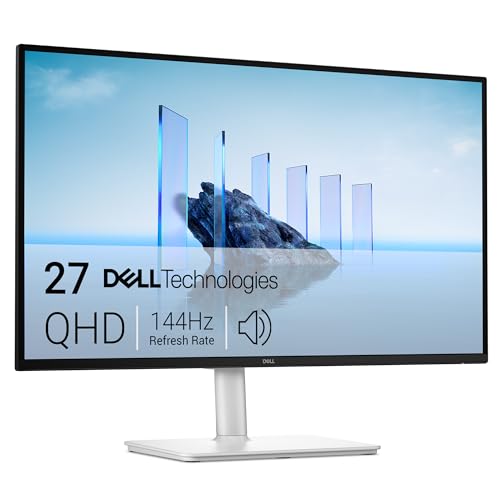 | 9.8PCKitHQ scoreView on Amazon |
02 | 9.6PCKitHQ scoreView on Amazon |
03 | 9.4PCKitHQ scoreView on Amazon |
04 | 9.2PCKitHQ scoreView on Amazon |
A closer look at each configuration
Dell 27 Plus USB-C Monitor S2725DC
score
The single USB-C connection with up to 65W power delivery and the 27-inch 2560x1440 display at 144Hz suit a one-cable MacBook desk setup.
- Resolution
- 2560x1440
- Native refresh rate
- 144 Hz
- Screen size
- 27 in
- USB-C
- Yes
- HDMI
- Yes
- DisplayPort
- Yes
- Weight
- 14.29 lb
- Warranty
- 1-year Advanced Exchange Service and Premium Panel Exchange
The Dell 27 Plus QHD USB-C Monitor shows 2560x1440 on a 27-inch display with a 144Hz refresh rate and 1ms Moving Picture Response Time. A single USB-C connection carries video and up to 65W of power delivery, and a pop-out port adds a USB-C connection with up to 15W power delivery plus a USB Type-A connection. HDMI and DisplayPort 1.4 give two more video inputs. Dual 3W speakers are built into the display, and the stand adjusts height, tilt, pivot, and swivel. The display has a 1500:1 contrast ratio and AMD FreeSync support. The monitor weighs 14.29 lb. The display suits a home setup where one cable keeps the desk clear. The warranty is a 1-year Advanced Exchange Service and Premium Panel Exchange.
Choose it if
- You connect your MacBook with one USB-C cable
- You want a 27-inch 2560x1440 display at 144Hz
Consider another if
- You need the 3840x2160 resolution of the INNOCN monitor
- You need the 24-inch screen of the ASUS ProArt
LG 27U631A-B 27-inch Computer Monitor
score
The 27-inch 2560x1440 IPS display at 100Hz and USB-C with 15W power delivery suit a MacBook setup with a second screen input over HDMI.
- Resolution
- 2560 x 1440
- Native refresh rate
- 100 Hz
- Screen size
- 27 in
- Panel
- IPS
- USB-C
- Yes
- HDMI
- Yes
- Weight
- 9.7 lb
- Warranty
- 1 Year Manufacturer
The LG 27U631A-B shows 2560x1440 on a 27-inch IPS display with a 100Hz refresh rate and 5ms response time. USB Type-C carries video and up to 15W of power delivery, and HDMI adds a second video input. HDR10 and up to 99% sRGB color gamut expression describe the color output. The Switch app splits the screen into up to 6 sections, and the built-in webOS streaming platform runs on the monitor. The stand is ultra-slim, and the screen is virtually borderless on three sides. The ultra-slim stand minimizes desk clutter and keeps the workspace organized. The monitor weighs 9.7 lb. The warranty runs 1 year.
Choose it if
- You want a 27-inch IPS display for wide viewing angles
- You connect a MacBook over USB-C with 15W charging
Consider another if
- You need 65W USB-C power delivery for your laptop
- You need the 3840x2160 resolution of the INNOCN monitor
ASUS ProArt PA247CV 24-inch USB-C Professional Monitor
score
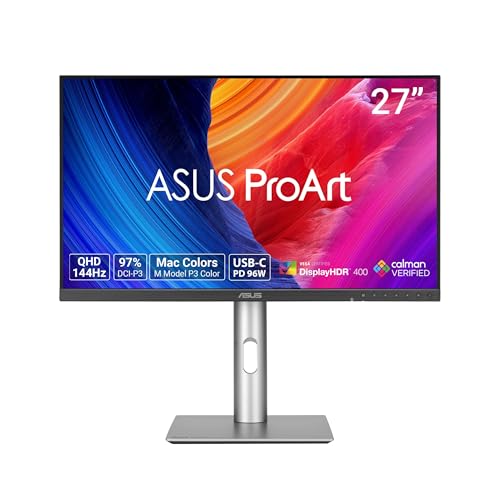
The 24-inch 1920x1080 IPS panel with Calman Verified Delta E < 2 and 65W USB-C power delivery suits color work from a MacBook.
- Resolution
- 1920 x 1080
- Screen size
- 24 in
- Panel
- IPS
- USB-C
- Yes
- HDMI
- Yes
- DisplayPort
- Yes
- Weight
- 13.89 lb
- Warranty
- 3 years
The ASUS ProArt PA247CV shows 1920x1080 on a 24-inch IPS display with a 178-degree wide viewing angle. It carries 100% sRGB and 100% Rec. 709 color gamut coverage, and Calman Verified factory calibration states Delta E < 2 color accuracy. DisplayPort over USB-C carries video with 65W power delivery, and DisplayPort and HDMI add wired video inputs. A USB 3.1 hub adds ports, and the DisplayPort daisy-chain function supports multi-monitor setups. The ergonomic stand adjusts the display position. The warranty runs 3 years, with a 2-year extension on online registration.
Choose it if
- You edit photos on a Calman Verified IPS panel
- You charge a laptop with 65W USB-C power delivery
Consider another if
- You need a 27-inch screen for your desk
- You need the 3840x2160 resolution of the INNOCN monitor
INNOCN 27-inch 4K USB-C Monitor for Laptop MacBook/Mac mini HDR400
score
The 27-inch 3840x2160 IPS display at 60Hz with USB-C, DisplayPort, and HDMI suits a MacBook owner who wants 4K desktop space.
- Resolution
- 3840 x 2160
- Native refresh rate
- 60 Hz
- Screen size
- 27 in
- Panel
- IPS
- USB-C
- Yes
- HDMI
- Yes
- Warranty
- 1 Year Manufacturer
The INNOCN 27-inch 4K monitor shows 3840x2160 on a 27-inch IPS display with a 60Hz refresh rate. Its USB-C, DisplayPort, and HDMI ports connect a laptop, Mac, Mini PC, phone, or tablet, and a 3.5mm audio jack adds wired audio. The display states HDR400, Delta E under 2, 1.07B colors, 400 nits maximum brightness, and a 1000:1 contrast ratio. The monitor includes built-in speakers, and the stand adjusts swivel, height, and pivot. The frameless design and 178-degree wide viewing angle suit shared viewing. The monitor works for working from home, office duty, design, and photo and video editing. The warranty runs 1 year.
Choose it if
- You want 3840x2160 resolution on a 27-inch screen
- You connect a MacBook over USB-C with one cable
Consider another if
- You need a 144Hz refresh rate for smooth motion
- You need the 24-inch screen of the ASUS ProArt
Make the choice for your setup
Match USB-C power to your MacBook
USB-C power delivery decides whether one cable charges your MacBook while it carries video. The Dell 27 Plus QHD USB-C Monitor supplies up to 65W through its USB-C port, and the ASUS ProArt PA247CV supplies 65W through DisplayPort over USB-C. The LG 27U631A-B supplies up to 15W through USB Type-C, below the 65W level of the Dell and ASUS. The INNOCN 27-inch 4K monitor carries a USB-C port alongside DisplayPort and HDMI. A pop-out port on the Dell adds a second USB-C connection with up to 15W power delivery and a USB Type-A connection for charging a second device. Match the stated wattage to the power your MacBook draws before you choose a single-cable setup.
Compare resolution and screen size
Resolution and screen size decide how much desktop space you get on a 27-inch or 24-inch screen. The INNOCN 27-inch monitor shows 3840x2160, the highest resolution here, on a 27-inch IPS display. The Dell 27 Plus QHD USB-C Monitor shows 2560x1440 on a 27-inch display. The LG 27U631A-B shows 2560x1440 on a 27-inch IPS display. The ASUS ProArt PA247CV shows 1920x1080 on a 24-inch IPS display. Native refresh rates are 144Hz on the Dell, 100Hz on the LG, and 60Hz on the INNOCN. Match the pixel count and the physical screen size to the documents and timelines you keep open side by side. For a closely related choice, read our guide to the Best Monitor Ergonomics.
Check color, ports, and warranty
Color accuracy, extra ports, and warranty terms separate these four monitors. The ASUS ProArt PA247CV carries 100% sRGB and 100% Rec. 709 with Calman Verified Delta E under 2, and the INNOCN 27-inch 4K monitor states Delta E under 2 with 1.07B colors. The LG 27U631A-B states up to 99% sRGB with HDR10. The Dell adds dual 3W speakers and a height, tilt, pivot, and swivel stand. The INNOCN stand adjusts swivel, height, and pivot, and the monitor mounts on a 75x75 VESA pattern. The ASUS warranty runs 3 years with a 2-year extension on online registration, while the Dell, LG, and INNOCN warranties run 1 year.
For a wider shortlist, start with 24 vs 27 Inch Monitor.
FAQ: USB C Monitor for MacBook
Which monitor here charges a MacBook over USB-C?
The Dell 27 Plus QHD USB-C Monitor supplies up to 65W through USB-C, and the ASUS ProArt PA247CV supplies 65W through DisplayPort over USB-C. The LG 27U631A-B supplies up to 15W through USB Type-C. Compare the stated wattage with the power your MacBook draws.
Which monitor here has a 4K display?
The INNOCN 27-inch 4K monitor shows 3840x2160 on a 27-inch IPS display at 60Hz. The Dell 27 Plus QHD USB-C Monitor and the LG 27U631A-B show 2560x1440 on 27-inch displays. The ASUS ProArt PA247CV shows 1920x1080 on a 24-inch IPS display.
Which monitor here is best for color work?
The ASUS ProArt PA247CV carries 100% sRGB and 100% Rec. 709 with Calman Verified Delta E under 2. The INNOCN 27-inch 4K monitor states Delta E under 2 with 1.07B colors and HDR400. The LG 27U631A-B states up to 99% sRGB with HDR10.