Best Type C Mechanical Keyboard (2026): 4 Picks Compared
 By Theo LangUpdated
Buy the AULA F75 75% Wireless Mechanical Keyboard if you want tri-mode BT5.0, 2.4GHz wireless and USB wired connection with LEOBOG graywood V3 switches in a compact 81-key layout. The 4000mAh battery, hot-swappable base and 16.8 million RGB backlight cover gaming and office use from one keyboard. The Keychron K10 suits full-size typing with a number pad, while the Meidosa AK96 suits wired 96% setups.
Your shortlist at a glance
PCKitHQ scores range from 9.2 to 9.8. See how we pick.
| Product and key specifications | Score and retailer |
|---|---|
01 Best Overall AULA F75 75% Wireless Mechanical KeyboardSwitch type: LEOBOG graywood V3, Layout: 75%, Wireless: Yes | 9.8PCKitHQ scoreView on Amazon |
02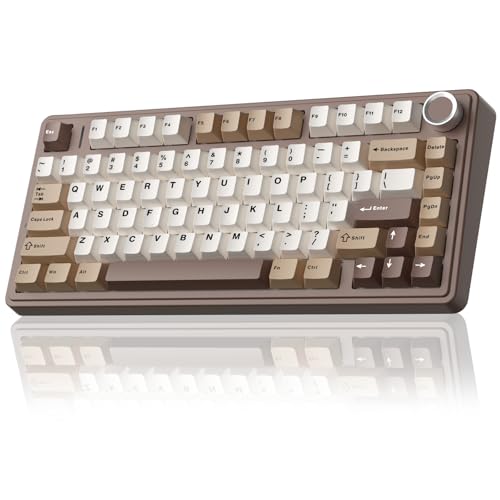 | 9.6PCKitHQ scoreView on Amazon |
03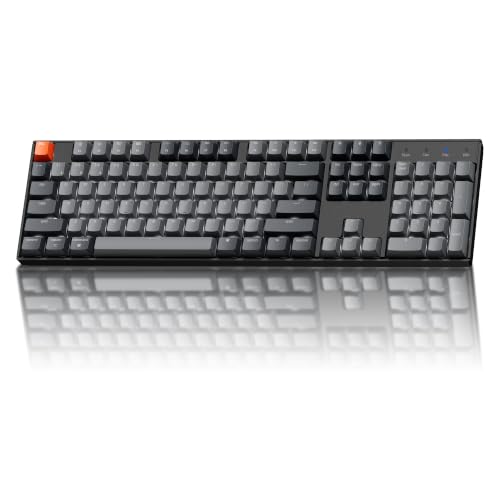 Also Consider Keychron K10 QMK Wireless Mechanical KeyboardSwitch type: Keychron Silent K Pro Red Switch, Layout: Full size, Wireless: Yes | 9.4PCKitHQ scoreView on Amazon |
04 Also Consider AK96 Red Switch Mechanical Keyboard 96 KeysSwitch type: Red Switch, Layout: 96%, Backlight: Yes | 9.2PCKitHQ scoreView on Amazon |
A closer look at each configuration
AULA F75 75% Wireless Mechanical Keyboard
score
The AULA F75 pairs tri-mode BT5.0, 2.4GHz and USB wired connection with pre-lubed LEOBOG graywood V3 switches and a 4000mAh battery.
- Switch type
- LEOBOG graywood V3
- Layout
- 75%
- Wireless
- Yes
- Backlight
- Yes
- Hot-swappable
- Yes
- Connection
- BT5.0, 2.4GHz wireless and USB wired
- Weight
- 2.25 lb
- Warranty
- 6 Months
This AULA F75 configuration uses LEOBOG graywood V3 switches on a hot-swappable base that takes 3-pin or 5-pin switches, so the switches can change without soldering. The 81-key 75% layout keeps the arrow keys while saving desktop space, and the multi-function knob adjusts backlight brightness in gaming mode and volume in office mode. Connection covers BT5.0, 2.4GHz wireless and USB wired, with up to five devices at the same time. The 4000mAh battery is rechargeable. RGB backlight runs to 16.8 million colors with 16 lighting effects, plus 10 music rhythm effects with the driver. The keyboard weighs 2.25 lb and carries a 6 Months warranty.
Choose it if
- You want BT5.0, 2.4GHz wireless and USB wired connection in one keyboard
- You want a hot-swappable 75% layout with RGB backlight and a control knob
Consider another if
- You want a full-size layout with a number pad
- You want a warranty longer than 6 months
AULA F75 75% Wireless Mechanical Keyboard
score
The White&Brown AULA F75 pairs tri-mode connection with pre-lubed linear switches, an 81-key 75% layout and a control knob.
- Switch type
- linear
- Layout
- 75%
- Wireless
- Yes
- Backlight
- Yes
- Hot-swappable
- Yes
- Connection
- BT5.0, 2.4GHz wireless and USB wired
- Weight
- 2.25 lb
- Warranty
- 6 Months
This configuration pairs pre-lubed linear switches with the AULA F75 hot-swappable base, which takes 3-pin or 5-pin switches for changes without soldering. The 81-key 75% layout keeps the arrow keys, and the multi-function knob controls backlight brightness in gaming mode and volume in office mode. BT5.0, 2.4GHz wireless and USB wired connection cover up to five devices at the same time, and the 4000mAh battery is rechargeable. RGB backlight offers 16.8 million colors with 16 lighting effects, plus 10 music rhythm effects with the driver. The knob switches between gaming mode and office mode with a long press of about 5 seconds. The keyboard weighs 2.25 lb and carries a 6 Months warranty.
Choose it if
- You want linear switches in a hot-swappable 75% keyboard
- You want BT5.0, 2.4GHz and USB wired connection for five devices
Consider another if
- You want LEOBOG graywood V3 switches instead of linear switches
- You want a full-size layout with a number pad
Keychron K10 QMK Wireless Mechanical Keyboard
score
The Keychron K10 pairs a full-size 104-key layout with silent K Pro Red switches, Bluetooth for 3 devices and Type-C wired mode.
- Switch type
- Keychron Silent K Pro Red Switch
- Layout
- Full size
- Wireless
- Yes
- Backlight
- Yes
- Warranty
- 1 Year
This Keychron K10 configuration uses factory pre-lubed Silent K Pro Red linear switches with sound-dampening materials, a light 45±10 gf operating force and soft rebound. The full-size 104-key layout keeps the number pad, function row and navigation keys. Bluetooth pairs with up to 3 devices, and Type-C wired mode runs a 1000 Hz polling rate. The rechargeable 4000 mAh battery is rated for up to 240 hours with the backlight off, and the white LED backlight uses shine-through keycaps. QMK and the Keychron Launcher web app remap keys, create macros and adjust backlight settings on macOS, Windows or Linux. The keyboard carries a 1 Year warranty.
Choose it if
- You want a full-size 104-key layout with a number pad
- You want silent linear switches with a 4000 mAh battery
Consider another if
- You want RGB backlight instead of white LED lighting
- You want a compact 75% layout for a small desk
AK96 Red Switch Mechanical Keyboard 96 Keys
score
The Meidosa AK96 pairs a compact 96% layout with red switches, hot-swappable sockets, 17-mode RGB and a volume knob.
- Switch type
- Red Switch
- Layout
- 96%
- Backlight
- Yes
- Connection
- Type-C to USB
This Meidosa AK96 configuration uses red switches with full key rollover and a swappable switch design that changes switches without soldering. The compact 96% layout keeps the arrow keys and numpad, and PBT keycaps resist fading. RGB backlight offers 17 modes with dual-side LEDs, controlled by Fn shortcuts for modes, brightness and speed. The volume knob and dedicated media keys control volume and playback, and two adjustable kickstands with non-slip rubber pads set the typing angle. Connection is Type-C to USB for PC and Mac, with plug-and-play use.
Choose it if
- You want a 96% layout with a number pad and arrow keys
- You want a wired USB-C keyboard with a volume knob
Consider another if
- You want wireless Bluetooth or 2.4GHz connection
- You want a full-size 104-key layout
Make the choice for your setup
Choose the layout size
The AULA F75 keeps 81 keys in a 75% layout with arrow keys and no number pad. The Keychron K10 keeps a full-size 104-key layout with the number pad, function row and navigation keys. The Meidosa AK96 keeps 96 keys in a 96% layout with arrow keys and a numpad. Measure the desk space against the layout: the 75% board saves room while keeping arrow keys, the 96% board adds the numpad in a compact frame, and the full-size board keeps every key group. Pick the layout that holds the keys the work needs. The AULA F75 weighs 2.25 lb, and its five layers of filling add a solid feel under the keys. The number pad suits spreadsheets and data entry, which the Keychron K10 names as uses.
Compare the connection options
Both AULA F75 configurations connect by BT5.0, 2.4GHz wireless and USB wired, with up to five devices at the same time. The Keychron K10 pairs by Bluetooth with up to 3 devices, or by Type-C wired mode with a 1000 Hz polling rate. The Meidosa AK96 connects by Type-C to USB wired only. Count the devices the setup needs: five connections suit a desk shared across a PC, laptop, tablet, phone and console, while three Bluetooth connections suit a smaller set. A wired connection removes wireless pairing from the setup entirely. Switching uses shortcut keys or a side button on the AULA F75, while the Keychron K10 switches between its 3 paired devices. If that fits your setup better, see our guide to the Best Mechanical Keyboard for Productivity.
Match switches and backlight to the work
The Cool Black AULA F75 uses LEOBOG graywood V3 switches, while the White&Brown AULA F75 uses pre-lubed linear switches. The Keychron K10 uses Silent K Pro Red linear switches with a light 45±10 gf operating force and sound-dampening materials for quiet typing. The Meidosa AK96 uses red switches with full key rollover. For backlight, the AULA F75 offers 16.8 million RGB colors with 16 lighting effects, the Keychron K10 uses white LED lighting and is not RGB, and the AK96 offers 17-mode RGB with dual-side LEDs. Match the switch feel and the lighting to the room: quiet switches and white light suit shared spaces, while RGB suits a dark room.
Comparing more options? See Mechanical vs Membrane Keyboard.
FAQ: Type C Mechanical Keyboard
Which keyboard here connects to the most devices?
The AULA F75 connects to up to five devices at the same time by BT5.0, 2.4GHz wireless and USB wired. The Keychron K10 pairs by Bluetooth with up to 3 devices. The Meidosa AK96 connects by Type-C to USB wired only.
Which of these keyboards has a number pad?
The Keychron K10 has a full-size 104-key layout with the number pad, function row and navigation keys. The Meidosa AK96 keeps a numpad in its 96% layout. The AULA F75 is an 81-key 75% layout with arrow keys and no number pad.
Which keyboard has RGB backlight?
The AULA F75 offers 16.8 million RGB colors with 16 lighting effects, and the Meidosa AK96 offers 17-mode RGB with dual-side LEDs. The Keychron K10 uses white LED lighting, and this version is not RGB.