Best Portable Monitor Compatible with MacBook (2026): 8 Picks Compared
 By Theo LangUpdated
You need a second screen for your MacBook that stays large enough to work on all day, so choose the Upperizon Portable Monitor 21.5 inch FHD 110% sRGB 120Hz IPS for its 120Hz USB-C panel with a kickstand.
Your shortlist at a glance
PCKitHQ scores range from 9.2 to 9.8. See how we pick.
| Product and key specifications | Score and retailer |
|---|---|
01 | 9.8PCKitHQ scoreView on Amazon |
02 | 9.7PCKitHQ scoreView on Amazon |
03 | 9.6PCKitHQ scoreView on Amazon |
04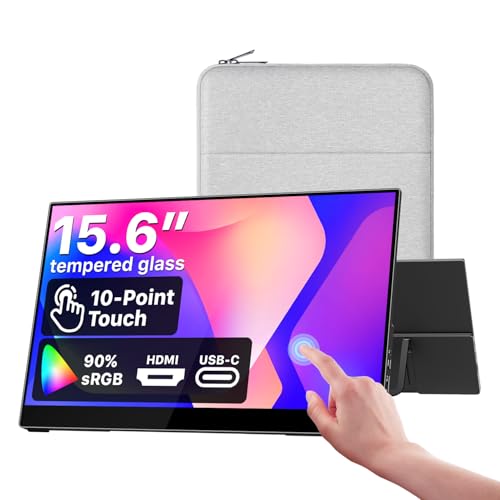 | 9.5PCKitHQ scoreView on Amazon |
05 | 9.5PCKitHQ scoreView on Amazon |
06 | 9.4PCKitHQ scoreView on Amazon |
07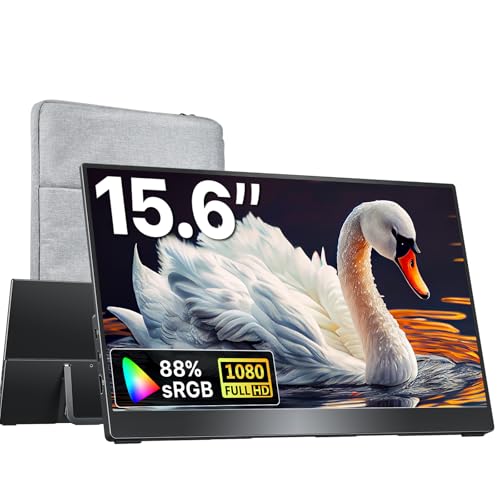 | 9.3PCKitHQ scoreView on Amazon |
08 | 9.2PCKitHQ scoreView on Amazon |
A closer look at each configuration
Upperizon Portable Monitor 21.5-inch 110% sRGB HDR
score
A 21.5-inch 1920x1080 IPS panel at 120Hz with USB-C and a kickstand defines this Upperizon.
- Resolution
- 1920x1080
- Native refresh rate
- 120 Hz
- Screen size
- 21.5 in
- Panel
- IPS
- USB-C
- Yes
- HDMI
- Yes
- Weight
- 3.79 lb
- Warranty
- 2 year
This Upperizon pairs a 21.5-inch 1920x1080 FHD IPS panel with 110% sRGB, 300 nits and a 1300:1 contrast ratio. The native 120Hz refresh rate runs over USB-C plug and play and over HDMI. An anti-glare coating reduces glare, flicker-free technology is built in, and built-in speakers cover video and casual games. The kickstand adjusts up to 90 degrees, with a 75x75mm VESA mount and a 2 year warranty.
Choose it if
- You want a 21.5-inch MacBook second screen
- You want 120Hz over a USB-C cable
Consider another if
- You need a screen under 2 lb
- You need a 2560x1600 resolution panel
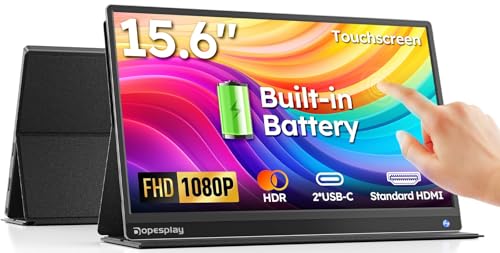
Yodoit Portable Monitor 15.6-inch Travel Screen Display
score
A 15.6-inch 1920x1080 IPS screen with USB-C plug and play and dual speakers defines this Yodoit.
- Resolution
- 1920×1080
- Panel
- IPS
- USB-C
- Yes
- HDMI
- Yes
This Yodoit pairs a 15.6-inch 1920x1080 FHD IPS screen with 300 nits, a matte anti-glare coating and a 178-degree viewing angle. One USB-C cable connects it to a MacBook with no driver install and no external power adapter. Dual speakers cover presentations and video previews, HDR boosts contrast for photo and video work, and a smart cover is included. The screen is 0.43 inches thick.
Choose it if
- You want one cable for power and video
- You want a 15.6-inch screen for travel
Consider another if
- You need a 21.5-inch screen for your desk
- You need a 2560x1600 resolution panel
Upperizon Portable Monitor 18.5-inch 125% sRGB HDR
score
An 18.5-inch 1080p IPS screen at 100Hz with 125% sRGB defines this Upperizon.
- Resolution
- 1080p FHD
- Native refresh rate
- 100 Hz
- Screen size
- 18.5 in
- Panel
- IPS
- USB-C
- Yes
- HDMI
- Yes
- Warranty
- 2 year
This Upperizon pairs an 18.5-inch 1080p FHD IPS screen with 125% sRGB, a 1200:1 contrast ratio and 8-bit color. The 100Hz refresh rate runs over a single USB-C cable with plug and play. An aluminum alloy body keeps the weight at 2.7 lb, a sleeve case is included, and built-in speakers cover video and games. A blue light filter, anti-glare coating and flicker-free function are built in.
Choose it if
- You want an 18.5-inch screen at 100Hz
- You want 125% sRGB color on IPS
Consider another if
- You need a 21.5-inch screen for your desk
- You need a 144Hz refresh rate
cocopar Portable Monitor Touchscreen 15.6-inch 90% sRGB Travel Monitor
score
A 15.6-inch 1920x1080 IPS touchscreen with macOS gestures and one-cable USB-C defines this cocopar.
- Resolution
- 1920x1080
- Panel
- IPS
- Touchscreen
- Yes
- USB-C
- Yes
- HDMI
- Yes
- Weight
- 2 lb
- Warranty
- 2 year
This cocopar pairs a 15.6-inch 1920x1080 FHD IPS touchscreen with 90% sRGB, 270 nits and a 178-degree viewing angle. Native touch gestures work on macOS and Windows, with single-finger slide, pinch-to-zoom and drag and drop. A single USB-C cable carries power, video and touch, with no drivers needed. A tempered glass surface, a metal frame and an adjustable kickstand are built in, with a 2 year warranty.
Choose it if
- You want touch gestures on macOS and Windows
- You want one cable for power, video and touch
Consider another if
- You need a 21.5-inch screen for your desk
- You need a 2560x1600 resolution panel
kksmart Portable Monitor for Laptop MacBook Surface PC Xbox PS5
score
An 18.5-inch 1080P FHD IPS screen at 100Hz with 128% sRGB defines this kksmart.
- Resolution
- 1080P FHD
- Native refresh rate
- 100 Hz
- Screen size
- 18.5 in
- Panel
- IPS
- USB-C
- Yes
- HDMI
- Yes
- Weight
- 2.18 lb
- Warranty
- 2 YEAR
This kksmart pairs an 18.5-inch 1080P FHD IPS screen with 128% sRGB, 300 nits, 16.7M colors and 8-bit color depth. The 100Hz refresh rate runs over a single USB-C display cable with plug and play. Two USB-C ports and one HDMI port connect it to a MacBook, Surface, laptop or PC. The screen weighs 2.18 lb with a 4-side frameless design and an adjustable kickstand.
Choose it if
- You want an 18.5-inch screen at 100Hz
- You want 128% sRGB color on IPS
Consider another if
- You need a 21.5-inch screen for your desk
- You need a 144Hz refresh rate
Upperizon Portable Monitor 15.6-inch 87% sRGB HDR
score
A 15.6-inch 1920x1080 FHD IPS screen at 60Hz with FreeSync defines this Upperizon.
- Resolution
- 1920 x 1080P FHD
- Native refresh rate
- 60 Hz
- Screen size
- 15.6 in
- Panel
- IPS
- USB-C
- Yes
- HDMI
- Yes
- Warranty
- 2 year
This Upperizon pairs a 15.6-inch 1920x1080 FHD IPS screen with 87% sRGB, a 1200:1 contrast ratio and 300 nits. FreeSync runs at 60Hz with a 178-degree viewing angle and low blue light. Two USB-C ports and one HDMI port connect it to a MacBook, Surface or laptop. The aluminum body weighs 1.54 lb, it works in landscape and portrait mode, and it carries a 2 year warranty.
Choose it if
- You want a 1.54 lb screen for travel
- You want a 60Hz screen with FreeSync
Consider another if
- You need a 120Hz refresh rate
- You need a 2560x1600 resolution panel
kksmart Portable Monitor for Laptop MacBook Surface PC Xbox PS5
score
A 15.6-inch 1080P screen at 60Hz with 88% sRGB and HDR defines this kksmart.
- Resolution
- 1080P
- Native refresh rate
- 60 Hz
- Screen size
- 15.6 in
- USB-C
- Yes
- HDMI
- Yes
- Weight
- 1.5 lb
- Warranty
- 2 YEAR
This kksmart pairs a 15.6-inch 1080P screen with 88% sRGB and a 60Hz refresh rate. HDR support is built in for everyday tasks and media viewing. Dual USB-C ports and an HDMI port connect it to a MacBook or PC, with a single USB-C display cable for plug and play. The screen weighs 1.5 lb with a 3-side frameless design, a built-in speaker and a kickstand.
Choose it if
- You want a 1.5 lb screen for travel
- You want HDR for everyday tasks and media
Consider another if
- You need a 120Hz refresh rate
- You need a 21.5-inch screen for your desk
Upperizon Portable Monitor 16-inch 2K 145% sRGB
score
A 16-inch 2560x1600 screen at 144Hz over USB-C with 145% sRGB defines this Upperizon.
- Resolution
- 2560*1600
- Native refresh rate
- 144 Hz
- Screen size
- 16 in
- USB-C
- Yes
- HDMI
- Yes
- Weight
- 1.6 lb
- Warranty
- 2 year
This Upperizon pairs a 16-inch 2560x1600 screen with a 16:10 aspect ratio, 145% sRGB, 100% DCI-P3 and 400 nits. The 144Hz refresh rate runs over USB-C and 120Hz over HDMI. An aluminum alloy chassis and a kickstand that adjusts from 0 to 180 degrees are built in, with VESA mounting. The screen weighs 1.6 lb, with a sleeve case, two USB-C cables and an HDMI cable included.
Choose it if
- You want 2560x1600 at 144Hz over USB-C
- You want 145% sRGB and 100% DCI-P3
Consider another if
- You need a 21.5-inch screen for your desk
- You need a 1080p FHD resolution panel
Make the choice for your setup
Match the screen size and resolution
Screen size and resolution decide what fits on the second screen. The Upperizon 21.5-inch panel is 21.5 inches at 1920x1080, and the 2 18.5-inch panels pair 1080p with 100Hz. The Upperizon 16-inch panel is the only one at 2560x1600, with 144Hz over USB-C and 120Hz over HDMI. The 4 15.6-inch panels are 1080-class: the Yodoit, the cocopar and the Upperizon are 1920x1080, and the kksmart is 1080P. Match the panel size to the bag and the desk, and the resolution to the words you read on screen. Color gamut runs from 87% sRGB on the Upperizon 15.6-inch to 145% sRGB on the 16-inch.
Check the USB-C connection
Every panel here connects over USB-C, and every one also has an HDMI port. A single USB-C cable carries power and video on the Yodoit, the cocopar and the kksmart 18.5-inch, and the cocopar carries touch over the same cable. Confirm the MacBook USB-C port supports Thunderbolt 3, 4 or 5, or a full-featured USB-C port with DisplayPort Alt Mode before you buy. The Upperizon 21.5-inch panel runs 120Hz over USB-C and over HDMI where the device has HDMI 1.4 or higher, and the Upperizon 16-inch panel runs 144Hz over USB-C and 120Hz over HDMI. Use the HDMI port where the USB-C port does not carry video for a MacBook. Shoppers with a related need can compare our guide to the Best Portable Monitor for MacBook Air.
Weigh size against travel weight
Weight decides whether the panel rides in a bag or stays on a desk. The Upperizon 21.5-inch panel weighs 3.79 lb, the Upperizon 18.5-inch panel 2.7 lb and the kksmart 18.5-inch panel 2.18 lb. The cocopar weighs 2 lb, the Upperizon 16-inch panel 1.6 lb, the Upperizon 15.6-inch panel 1.54 lb and the kksmart 15.6-inch panel 1.5 lb. Kickstands are built into the Upperizon panels, the cocopar and both kksmart panels, with VESA mounting on the Upperizon 21.5-inch, both kksmart panels and the Upperizon 16-inch. Sleeve cases come with the Upperizon 18.5-inch, the cocopar, the Upperizon 15.6-inch and the Upperizon 16-inch panels for travel.
Before you decide, also read Best Portable Monitor.
FAQ: Portable Monitor Compatible with MacBook
Which panel has a 21.5-inch screen for a MacBook desk setup?
The Upperizon Portable Monitor 21.5 inch FHD 110% sRGB 120Hz IPS has a 21.5-inch 1920x1080 IPS panel at 120Hz with USB-C plug and play. Its kickstand adjusts up to 90 degrees, and it carries a 2 year warranty.
Which panels here have a touchscreen for macOS?
Only the cocopar Portable Monitor Touchscreen 15.6 Inch 1080P FHD 90% sRGB has a touchscreen, with native touch gestures for macOS and Windows. Single-finger slide, pinch-to-zoom and drag and drop work on both systems, and one USB-C cable carries power, video and touch.
Do these panels work with a MacBook over one cable?
Yes, where the MacBook USB-C port supports Thunderbolt 3, 4 or 5, or DisplayPort Alt Mode. The Yodoit, the cocopar and the kksmart 18.5-inch panels each connect with a single USB-C cable, and every panel here also has an HDMI port.