
Best Mini PC for TV (2026): 4 Picks Compared
 By Theo LangUpdated
Choose the ACEMAGIC K1 Mini PC AMD Ryzen Pro 7330U 16GB 256 if you want a TV computer with 16GB of memory, a 256GB SSD and triple 4K display output. The KAMRUI Pinova P1 matches the processor at 8GB of memory.
Your shortlist at a glance
PCKitHQ scores range from 9.2 to 9.8. See how we pick.
| Product and key specifications | Score and retailer |
|---|---|
01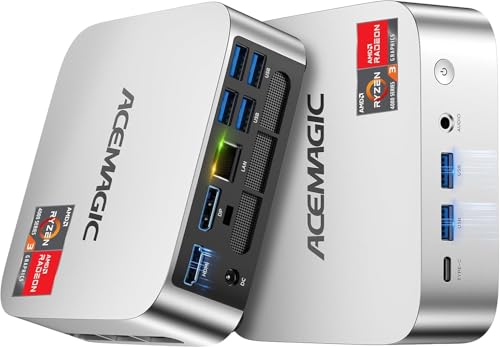 | 9.8PCKitHQ scoreView on Amazon |
02 | 9.6PCKitHQ scoreView on Amazon |
03 | 9.4PCKitHQ scoreView on Amazon |
04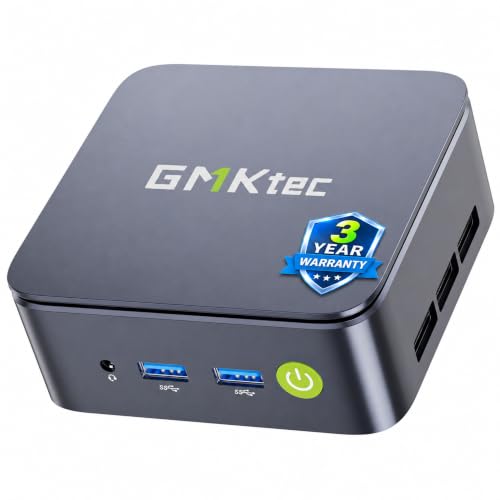 | 9.2PCKitHQ scoreView on Amazon |
A closer look at each configuration
ACEMAGIC K1 Mini PC
score
Its Ryzen Pro 7330U processor, 16GB of memory and triple 4K display output suit a TV setup.
- Installed memory
- 16 GB
- Installed storage
- 256GB
- Graphics
- AMD Radeon Graphics
- Operating system
- Win11 Pro
- HDMI
- Yes
- Wi-Fi
- Yes
- Ethernet
- Yes
- Weight
- 1.1 lb
- Warranty
- 3-Year quality assurance
The ACEMAGIC K1 uses an AMD Ryzen Pro 7330U processor with 4 cores and 8 threads, a 2.3GHz base clock and up to 4.3GHz. It has 16GB of DDR4 memory and a 256GB M.2 2280 SSD, with room to add an M.2 NVMe or M.2 SATA SSD to expand storage to 2TB. It has 6 USB 3.2 Type-A ports, a USB 3.2 Gen2 Type-C port at 10Gbps, Gigabit Ethernet and a 3.5mm audio jack, plus WiFi 5 and Bluetooth 4.2. It measures 5 by 5 by 1.6 inches and weighs 1.1 lb, with a VESA bracket. The box includes an HDMI cable and a mounting bracket, and it carries a 3-year quality assurance.
Choose it if
- You want 16GB of memory for streaming and multitasking on a TV
- You want triple 4K display output over HDMI and Type-C
Consider another if
- You need more than 256GB of installed storage
- You need WiFi 6 instead of WiFi 5
KAMRUI Pinova P1 Mini PC
score
Its Ryzen 3 Pro 7330U processor and 4K at 60Hz triple display output suit a TV setup.
- Installed memory
- 8 GB
- Installed storage
- 256GB
- Processor
- AMD Ryzen 3 Pro 7330U
- Operating system
- W-11 Pro Professional
- HDMI
- Yes
- Wi-Fi
- Yes
- Ethernet
- Yes
- Weight
- 1.37 lb
- Warranty
- 2 Year Manufacturer
The KAMRUI Pinova P1 runs W-11 Pro Professional on an AMD Ryzen 3 Pro 7330U processor with 4 cores and 8 threads, 4MB cache and up to 4.3GHz. It has 8GB of RAM and a 256GB M.2 SSD. Dual-band WiFi 5 on 2.4GHz and 5GHz, Gigabit Ethernet and Bluetooth 4.2 handle wireless and wired connections. It measures 5.06 by 5.06 by 2.01 inches, weighs 1.37 lb and mounts on a VESA bracket. It supports Linux, PXE, Wake on LAN, RTC Wake and Auto Power On, and it carries a 2-year manufacturer warranty.
Choose it if
- You want 4K at 60Hz output to a TV over HDMI
- You want a Ryzen 3 Pro 7330U processor at up to 4.3GHz
Consider another if
- You need more than 8GB of installed memory
- You need a 512GB SSD installed
GMKtec G5S Mini PC
score
Its 2.8-inch square body, dual HDMI ports and USB-C power suit a small TV setup with WiFi 6.
- Installed memory
- 8 GB
- Installed storage
- 128GB
- Processor
- Intel N5095
- USB-C
- Yes
- HDMI
- Yes
- Wi-Fi
- Yes
- Ethernet
- Yes
- Warranty
- 1 year replacement
The GMKtec G5S measures 2.8 by 2.8 by 1.75 inches and weighs 7.3 ounces, with an Intel N5095 processor, 8GB of LPDDR4 memory and a 128GB M.2 SSD. Storage expands up to 4TB, with a microSD slot up to 128GB. Dual HDMI ports support 4K UHD at 60Hz at 4096 by 2160, so two monitors or TVs connect at once. Power comes through USB-C at 12V and 3A, so compatible power banks, portable laptop chargers and universal USB-C power supplies can run it. The ports include 3 USB 3.2 ports, Gigabit Ethernet, a 3.5mm audio jack and a microSD slot, with WiFi 6 and Bluetooth 5.2. It carries a 1-year replacement warranty.
Choose it if
- You want a mini PC that fits in a 2.8-inch square body
- You want USB-C power from a portable power bank
Consider another if
- You need more than 128GB of installed storage
- You need triple 4K display output
GMKtec G10 Mini PC
score
Its 512GB SSD, 16GB of memory and triple 4K at 60Hz output suit a TV setup with a 2.5GbE wired connection.
- Installed memory
- 16 GB
- Installed storage
- 512GB
- Processor
- AMD Ryzen 5 3500U
- Graphics
- Radeon Vega 8 Graphics
- USB-C
- Yes
- HDMI
- Yes
- Wi-Fi
- Yes
- Ethernet
- Yes
The GMKtec G10 runs on an AMD Ryzen 5 3500U processor with 4 cores and 8 threads and up to 3.7GHz, with Radeon Vega 8 Graphics up to 1200MHz. It has 16GB of dual-channel DDR4 memory and a 512GB M.2 PCIe 3.0 SSD, with room to upgrade to 32GB of RAM and two 8TB SSDs through dual M.2 2280 PCIe 3.0 slots. Triple 4K at 60Hz display output runs through HDMI 2.1, DisplayPort 1.4 and USB-C. A 2.5GbE RJ45 LAN port gives wired internet up to 2500Mbps, with WiFi 5 and Bluetooth 5.2 for wireless connections. The ports include dual USB 3.2 Gen1, USB 2.0, a full-function USB-C port, DisplayPort, HDMI and a 3.5mm audio jack. It mounts on a VESA bracket and carries a 1-year warranty.
Choose it if
- You want a 512GB SSD installed for local media files
- You want a 2.5GbE wired connection for a media server
Consider another if
- You need a processor that reaches up to 4.3GHz
- You need two HDMI ports for two TVs
Make the choice for your setup
Memory and storage for a TV PC
Installed memory runs from 8GB on the KAMRUI Pinova P1 and GMKtec G5S to 16GB on the ACEMAGIC K1 and GMKtec G10. Installed storage runs from 128GB on the G5S through 256GB on the K1 and Pinova P1 to 512GB on the G10. The K1 expands storage to 2TB with an added M.2 NVMe or M.2 SATA SSD, the G5S expands up to 4TB with a microSD slot up to 128GB, and the G10 upgrades to 32GB of RAM and two 8TB SSDs through dual M.2 slots. For a TV computer, installed memory and storage decide how many apps and files sit on the machine, and the G10 holds the most installed storage at 512GB.
Display output and ports
Three picks drive three 4K displays: the ACEMAGIC K1, the KAMRUI Pinova P1 at 4K and 60Hz, and the GMKtec G10 at triple 4K and 60Hz. The G10 runs its triple display through HDMI 2.1, DisplayPort 1.4 and USB-C. The GMKtec G5S drives two 4K displays through dual HDMI ports at 60Hz. USB ports run from 3 USB 3.2 ports on the G5S through 4 on the Pinova P1 and dual USB 3.2 Gen1 on the G10 to 6 USB 3.2 Type-A ports on the K1. Wired networking runs from Gigabit Ethernet on three picks to 2.5GbE at up to 2500Mbps on the G10. For a closely related choice, read our guide to the Best Mini Desktop for Work.
Size, mounting and power
The GMKtec G5S measures 2.8 by 2.8 by 1.75 inches and weighs 7.3 ounces. The ACEMAGIC K1 measures 5 by 5 by 1.6 inches and weighs 1.1 lb, and the KAMRUI Pinova P1 measures 5.06 by 5.06 by 2.01 inches and weighs 1.37 lb. The K1, Pinova P1 and G10 all mount on a VESA bracket, and the G5S mounts behind a monitor. WiFi 6 and Bluetooth 5.2 come on the G5S, while the K1, Pinova P1 and G10 use WiFi 5. The K1 uses a built-in power supply with one cable for power, and the G5S draws power through USB-C at 12V and 3A.
Before you decide, also read Best Mini PC.
FAQ: Mini PC for TV
Which mini PC here has the most installed storage?
The GMKtec G10 has a 512GB SSD installed, ahead of the 256GB SSD in the ACEMAGIC K1 and KAMRUI Pinova P1 and the 128GB SSD in the GMKtec G5S. The G10 also upgrades to two 8TB SSDs through dual M.2 slots.
Can these mini PCs drive more than one 4K display?
Yes. The ACEMAGIC K1, KAMRUI Pinova P1 and GMKtec G10 each support triple 4K display output, and the GMKtec G5S drives two 4K displays through dual HDMI ports at 60Hz. The K1 uses HDMI 2.0, DisplayPort 1.4 and Type-C, and the G10 uses HDMI 2.1, DisplayPort 1.4 and USB-C.
Which of these mini PCs run Win11 Pro?
The ACEMAGIC K1 runs Win11 Pro, and the KAMRUI Pinova P1 runs W-11 Pro Professional. The K1 also supports Auto Power On and Wake on LAN, and the Pinova P1 supports Linux, PXE, Wake on LAN, RTC Wake and Auto Power On.


