
Best Laptop for College for Engineering (2026): 4 Picks Compared
 By Theo LangUpdated
Buy the ist computers Dell Pro 16 PC16250 Laptop for engineering coursework: its Intel Core 7 150U processor reaches up to 5.4 GHz, with 32GB DDR5 memory and a 1TB SSD for large project files. The 16-inch 1920x1200 anti-glare display, Thunderbolt 4 port, Ethernet and Windows 11 Pro cover lab work, lectures and group projects. The other three 16-inch configurations in this guide trade processor, screen brightness or storage capacity.
Your shortlist at a glance
PCKitHQ scores range from 9.2 to 9.8. See how we pick.
| Product and key specifications | Score and retailer |
|---|---|
01 | 9.8PCKitHQ scoreView on Amazon |
02 | 9.6PCKitHQ scoreView on Amazon |
03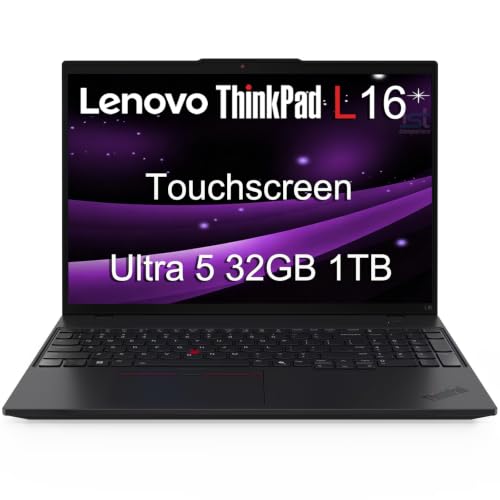 | 9.4PCKitHQ scoreView on Amazon |
04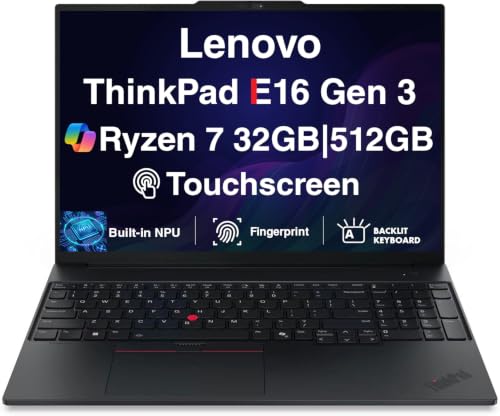 | 9.2PCKitHQ scoreView on Amazon |
A closer look at each configuration
Dell Pro 16 PC16250 Laptop
score
The Intel Core 7 150U processor, 32GB DDR5 memory and 1TB SSD suit demanding engineering coursework and large project files.
- Installed memory
- 32 GB
- Installed storage
- 1TB
- Operating system
- Windows 11 Pro
- Screen size
- 16 in
- Resolution
- 1920x1200
- USB-C
- Yes
- HDMI
- Yes
- Ethernet
- Yes
- Weight
- 4.2 lb
- Warranty
- 1 year
This configuration pairs the Intel Core 7 150U processor, with 10 cores and speeds up to 5.4 GHz, with 32GB DDR5 memory and a 1TB PCIe SSD. The 16-inch 1920x1200 display has 300-nit brightness and an anti-glare coating, and it supports three external monitors through HDMI, USB-C and Thunderbolt 4 at up to 4K at 60Hz. Connectivity includes Thunderbolt 4, USB-C, USB-A, HDMI 2.1, Ethernet, Wi-Fi 6E and Bluetooth 5.3. Windows 11 Pro comes preinstalled with Copilot, BitLocker encryption, Remote Desktop and Hyper-V virtualization. The backlit keyboard and numeric keypad support late-night problem sets, and the FHD+ IR camera supports facial recognition login. It weighs 4.2 lb and carries a 1-year warranty.
Choose it if
- You want the Intel Core 7 150U processor at up to 5.4 GHz
- You want 32GB DDR5 memory with a 1TB SSD
Consider another if
- You want the 400-nit touchscreen of the ThinkPad L16
- You want the 3.8 lb carrying weight of the ThinkPad E16
Dell Pro 16 Laptop
score
The Intel Core Ultra 5 235U processor with 12 cores, 32GB DDR5 and a 1TB SSD handle heavy multitasking for engineering students.
- Installed memory
- 32 GB
- Installed storage
- 1TB
- Processor
- Intel Core Ultra 5 235U
- Operating system
- Windows 11 Pro
- Screen size
- 16 in
- Resolution
- 1920 x 1200
- Wi-Fi
- Yes
- Weight
- 4.27 lb
This Dell Pro 16 Business Laptop runs on the Intel Core Ultra 5 235U processor with 12 cores, 14 threads and speeds up to 4.9GHz, paired with 32GB DDR5 memory and a 1TB SSD. The 16-inch WUXGA display measures 1920x1200 with 300-nit brightness, and the 16:10 aspect ratio gives extra vertical space for spreadsheets, documents, web browsing, video meetings and everyday multitasking. Wi-Fi 6E and Bluetooth 5.3 cover wireless connections, and the fingerprint reader provides biometric sign-in. Windows 11 Pro comes preinstalled. The backlit keyboard helps in low-light rooms, and the configuration weighs 4.27 lb.
Choose it if
- You want the 12-core Intel Core Ultra 5 235U processor
- You want a fingerprint reader for biometric sign-in
Consider another if
- You want the 400-nit touchscreen of the ThinkPad L16
- You want the 3.8 lb carrying weight of the ThinkPad E16
Lenovo ThinkPad L16 PC Laptop (16-inch Touchscreen
score
The 400-nit touchscreen, two Thunderbolt 4 ports and 32GB DDR5 memory suit lab work and note-taking on one machine.
- Installed memory
- 32 GB
- Installed storage
- 1TB
- Graphics
- Intel Graphics
- Operating system
- Windows 11 Pro
- Resolution
- 1920x1200
- HDMI
- Yes
- Wi-Fi
- Yes
- Ethernet
- Yes
- Touchscreen
- Yes
- Weight
- 3.96 lb
This ThinkPad L16 runs on the Intel Core Ultra 5 225U processor with 12 cores and speeds up to 4.8 GHz, with Intel Graphics, 32GB DDR5 memory and a 1TB SSD. The 16-inch WUXGA IPS touchscreen measures 1920x1200 with 400-nit brightness and an anti-glare coating, and it supports three external monitors through HDMI at up to 4K at 60Hz or Thunderbolt 4 at up to 8K at 60Hz. Connectivity includes two Thunderbolt 4 ports, two USB-A 3.2 ports, USB-A 2.0, Ethernet, HDMI 2.1, Wi-Fi 6E and Bluetooth 5.3. A fingerprint reader and TPM 2.0 are included, and the 5MP IR camera has a privacy shutter. It weighs 3.96 lb.
Choose it if
- You want a 400-nit touchscreen for notes and diagrams
- You want two Thunderbolt 4 ports for external monitors
Consider another if
- You want the Intel Core 7 150U processor at up to 5.4 GHz
- You want the AMD Radeon 780M graphics of the ThinkPad E16
Lenovo ThinkPad E16 Gen 3 Laptop 16-inch Touch
score
The AMD Ryzen 7 250 processor, Radeon 780M graphics and touchscreen give this ThinkPad E16 a distinct configuration at 3.8 lb.
- Installed memory
- 32 GB
- Installed storage
- 512GB
- Graphics
- AMD Radeon 780M
- Operating system
- Windows 11 Pro
- Resolution
- 1920x1200
- USB-C
- Yes
- HDMI
- Yes
- Wi-Fi
- Yes
- Ethernet
- Yes
- Touchscreen
- Yes
- Weight
- 3.8 lb
- Warranty
- 1 year
This ThinkPad E16 Gen 3 runs on the AMD Ryzen 7 250 processor with 8 cores, 16 threads and speeds up to 5.10 GHz, paired with AMD Radeon 780M graphics, 32GB DDR5 memory and a 512GB PCIe SSD. The built-in NPU provides up to 38 TOPS. The 16-inch touchscreen measures 1920x1200 with 300-nit brightness and an anti-glare coating, and it supports three external monitors through HDMI or USB-C 4.0 at up to 4K at 60Hz. Connectivity includes HDMI 2.1, USB-C 4.0, USB-C 3.2, two USB-A 3.2 ports, Ethernet, Wi-Fi 6 and Bluetooth 5.4. A fingerprint reader, TPM 2.0, Dolby Atmos speakers, a backlit keyboard and a numeric keypad are included. It weighs 3.8 lb and carries a 1-year warranty.
Choose it if
- You want the AMD Ryzen 7 250 processor with 8 cores
- You want a touchscreen at a 3.8 lb carrying weight
Consider another if
- You want the 1TB SSD capacity of the other three configurations
- You need Wi-Fi 6E for your campus network
Make the choice for your setup
Match the processor to your coursework
The four configurations split between Intel and AMD processors, and the numbers on the page are the only basis for comparison. The top configuration uses an Intel Core 7 150U with 10 cores and speeds up to 5.4 GHz. The Dell Pro 16 Business Laptop uses an Intel Core Ultra 5 235U with 12 cores, 14 threads and speeds up to 4.9GHz. The ThinkPad L16 uses an Intel Core Ultra 5 225U with 12 cores and speeds up to 4.8 GHz. The ThinkPad E16 uses an AMD Ryzen 7 250 with 8 cores, 16 threads and speeds up to 5.10 GHz, plus AMD Radeon 780M graphics. All four carry 32GB DDR5 memory. Compare the core counts and maximum speeds listed for each processor, then check the software your courses require against Windows 11 Pro, which all four configurations run.
Weigh screen size against carrying weight
The four configurations share a 16-inch 1920x1200 display, so the choice is brightness, touch input and weight rather than size. The ThinkPad L16 has a 400-nit touchscreen, and the ThinkPad E16 has a 300-nit touchscreen. The Dell Pro 16 PC16250 has a non-touch display with 300-nit brightness, and the Dell Pro 16 Business Laptop has a 16-inch 1920x1200 display with 300-nit brightness. The ThinkPad E16 weighs 3.8 lb, the ThinkPad L16 weighs 3.96 lb, the Dell Pro 16 PC16250 weighs 4.2 lb and the Dell Pro 16 Business Laptop weighs 4.27 lb. A 16-inch screen gives room for side-by-side windows during lab reports and code review, and the numeric keypads on the Dell Pro 16 PC16250, the ThinkPad L16 and the ThinkPad E16 support data entry. Check the weights against the bag you carry across campus each day. For a closely related choice, read our guide to the Best Laptop for College Computer Science.
Check storage and ports before you buy
Three configurations carry a 1TB SSD, while the ThinkPad E16 carries a 512GB SSD, so compare the installed drive against the files, projects and applications you keep on the machine. All four configurations have 32GB DDR5 memory. For ports, the top configuration offers Thunderbolt 4, USB-C, USB-A, HDMI 2.1 and Ethernet. The ThinkPad L16 offers two Thunderbolt 4 ports, two USB-A 3.2 ports, USB-A 2.0, Ethernet and HDMI 2.1. The ThinkPad E16 offers HDMI 2.1, USB-C 4.0, USB-C 3.2, two USB-A 3.2 ports and Ethernet. All four run Windows 11 Pro, and three of them have Wi-Fi 6E while the ThinkPad E16 has Wi-Fi 6. Match the ports and wireless standard to the lab equipment and campus network you use.
Comparing more options? See Best Laptop.
FAQ: Laptop for College for Engineering
Which configuration should engineering students choose first?
The ist computers Dell Pro 16 PC16250 Laptop is the first choice in this guide. It pairs the Intel Core 7 150U processor at up to 5.4 GHz with 32GB DDR5 memory, a 1TB SSD and a 16-inch 1920x1200 anti-glare display. Thunderbolt 4, HDMI 2.1 and Ethernet cover lab connections.
How much storage do these laptop configurations include?
Three configurations include a 1TB SSD: the Dell Pro 16 PC16250, the Dell Pro 16 Business Laptop and the ThinkPad L16. The ThinkPad E16 includes a 512GB SSD. All four include 32GB DDR5 memory. Compare the installed drive capacity with the files and applications you keep on the machine.
Which configuration has a touchscreen display?
The ThinkPad L16 has a 16-inch 1920x1200 IPS touchscreen with 400-nit brightness, and the ThinkPad E16 has a 16-inch 1920x1200 touchscreen with 300-nit brightness. The Dell Pro 16 PC16250 has a non-touch 16-inch 1920x1200 display. Touch input suits handwritten notes and on-screen diagrams.


