
Best Internal Hard Drive (2026): Our 4 Picks Ranked
 By Theo LangUpdated
Western Digital 16TB WD Red Pro NAS Internal Hard Drive suits a multi-bay NAS that runs around the clock: it carries 16TB at 7200 RPM on SATA 6 Gb/s with a 512 MB cache and CMR recording and a rated 550TB/yr workload. Its 5-year manufacturer's limited warranty is the longest term here. The Seagate BarraCuda 8TB and 2TB drives and the Western Digital 12TB WD Blue cover desktop storage at lower capacities.
Your shortlist at a glance
PCKitHQ scores range from 9.2 to 9.8. See how we pick.
| Product and key specifications | Score and retailer |
|---|---|
01 | 9.8PCKitHQ scoreView on Amazon |
02 | 9.6PCKitHQ scoreView on Amazon |
03 | 9.4PCKitHQ scoreView on Amazon |
04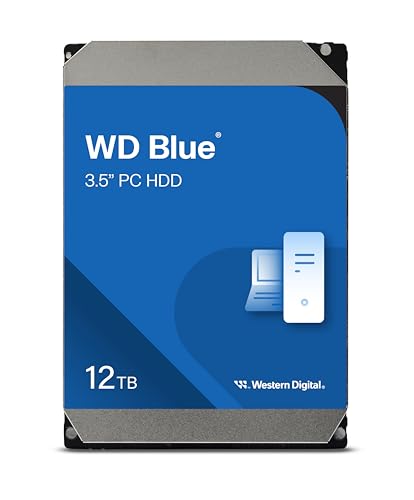 | 9.2PCKitHQ scoreView on Amazon |
A closer look at each configuration
Western Digital WD161KFGX
score
A 16TB NAS drive at 7200 RPM with a 512 MB cache and a rated 550TB/yr workload for multi-bay RAID systems.
- Capacity
- 16TB
- Interface
- SATA 6 Gb/s
- Drive size
- 3.5"
- Weight
- 1.52 lb
- Warranty
- 5-year manufacturer's limited warranty
This 16TB WD Red Pro drive runs at 7200 RPM on a SATA 6 Gb/s interface with CMR recording and a 512 MB cache in a 3.5-inch form factor. It carries a rated 550TB/yr workload rate for RAID-optimized NAS systems with an unlimited number of bays, and it is designed for high-intensity 24x7 multi-user NAS environments. Western Digital tests the drive with a wide range of NAS system vendors for compatibility with most NAS enclosures. The drive weighs 1.52 lb and carries a 5-year manufacturer's limited warranty. Capacities in this drive family range from 2TB to 22TB, while this configuration holds 16TB.
Choose it if
- You run a multi-bay NAS and want 16TB at 7200 RPM
- You want a 5-year manufacturer's limited warranty on a NAS drive
Consider another if
- You need the 0.99 lb weight of the BarraCuda 2TB
- You need free cloning software like the WD Blue
Seagate 8TB BarraCuda Internal Hard Drive
score
An 8TB desktop drive on SATA 6 Gb/s with a rated 190MB/s sustained transfer rate and a 2-year limited warranty.
- Capacity
- 8TB
- Interface
- SATA 6 Gb/s
- Weight
- 1.39 lb
- Warranty
- 2-year limited
This 8TB BarraCuda runs on a SATA 6 Gb/s interface with a rated sustained transfer rate of 190MB/s. It suits desktop PCs for everyday storage, gaming, music, video, and photo editing. The drive weighs 1.39 lb and carries a 2-year limited warranty with a 2-year Rescue service. It ships in frustration-free packaging as an anti-static bag with no cables and no box. The drive is the go-to SATA hard drive solution for nearly every PC application, from music to video to photo editing to PC gaming. Capacities and form factors in this drive line vary, while this configuration holds 8TB.
Choose it if
- You want 8TB for a desktop PC with gaming and media files
- You want a 190MB/s rated sustained transfer rate
Consider another if
- You need 16TB of capacity like the WD Red Pro
- You need a 5-year warranty like the WD Red Pro
Seagate BarraCuda
score
A 2TB desktop drive at 7200 RPM with a 256MB cache and free DiscWizard cloning software.
- Capacity
- 2TB
- Interface
- SATA 6Gb/s
- Drive size
- 3.5 Inch
- Weight
- 0.99 lb
- Warranty
- 2-year limited
This 2TB BarraCuda runs at 7200 RPM on a SATA 6Gb/s interface with a 256MB cache in a 3.5-inch form factor. It suits desktop PCs for gaming, music, video, and photo editing. Free Seagate DiscWizard software migrates and clones data from old drives with ease. The drive weighs 0.99 lb and carries a 2-year limited warranty. It ships in frustration-free packaging. The drive is the go-to SATA hard drive solution for nearly every PC application, from music to video to photo editing to PC gaming. The drive suits desktop setups and gaming computers with a variety of capacities and form factors.
Choose it if
- You want 2TB at 7200 RPM for a desktop PC
- You want free DiscWizard software for migrating data
Consider another if
- You need 16TB of capacity like the WD Red Pro
- You need a 512 MB cache like the WD Red Pro
Western Digital WD120EAGZ
score
A 12TB desktop drive at 7200 RPM with a 512 MB cache and free Acronis cloning software.
- Capacity
- 12TB
- Interface
- SATA 6 Gb/s
- Drive size
- 3.5"
- Weight
- 1.65 lb
- Warranty
- 2 year limited warranty
This 12TB WD Blue runs at 7200 RPM on a SATA 6 Gb/s interface with a 512 MB cache in a 3.5-inch form factor. It covers everyday computing. Free Acronis True Image WD Edition cloning software comes included. The drive weighs 1.65 lb and carries a 2 year limited warranty. Capacities in this drive family reach up to 12TB, and this configuration holds 12TB. The drive is a 3.5-inch internal hard drive for desktop use. The 512 MB cache matches the cache on the WD Red Pro, and the drive covers everyday computing tasks on a desktop PC.
Choose it if
- You want 12TB at 7200 RPM for everyday computing
- You want free Acronis cloning software with your drive
Consider another if
- You need a 550TB/yr rated workload like the WD Red Pro
- You need the 0.99 lb weight of the BarraCuda 2TB
Make the choice for your setup
Capacity and interface
Capacity runs from 2TB on the BarraCuda 2TB to 8TB on the BarraCuda 8TB, 12TB on the WD Blue, and 16TB on the WD Red Pro. All four drives use a SATA 6 Gb/s interface. Three of the drives state 7200 RPM: the WD Red Pro, the BarraCuda 2TB, and the WD Blue. The WD Red Pro and the WD Blue use a 3.5-inch form factor, and the BarraCuda 2TB is also a 3.5-inch drive. The WD Red Pro family ranges from 2TB to 22TB, while the WD Blue family reaches up to 12TB. Match the installed capacity to the files you keep on the drive, and check the interface against your desktop or NAS. All four drives share the SATA 6 Gb/s interface, so the interface does not separate them.
Cache, workload and transfer rate
Cache differs across the drives. The WD Red Pro and the WD Blue each carry a 512 MB cache, while the BarraCuda 2TB carries a 256MB cache. The WD Red Pro carries a rated 550TB/yr workload rate for RAID-optimized NAS systems with an unlimited number of bays. The BarraCuda 8TB carries a rated sustained transfer rate of 190MB/s. The WD Red Pro is designed for high-intensity 24x7 multi-user NAS environments, while the BarraCuda drives suit desktop PCs for gaming, music, video, and photo editing. Compare the cache, the rated workload, and the rated transfer rate against the work the drive will do. The WD Red Pro cache of 512 MB matches the WD Blue cache of 512 MB, and the BarraCuda 8TB transfer rate of 190MB/s is a rated sustained figure. For a closely related choice, read our guide to the Best 1tb Laptop Hard Drive.
Warranty, weight and software
Warranty terms run from 2 years on the BarraCuda 8TB, the BarraCuda 2TB, and the WD Blue to 5 years on the WD Red Pro, which carries a 5-year manufacturer's limited warranty. The BarraCuda 8TB also names a 2-year Rescue service. Weights run from 0.99 lb on the BarraCuda 2TB to 1.39 lb on the BarraCuda 8TB, 1.52 lb on the WD Red Pro, and 1.65 lb on the WD Blue. Free cloning software comes with two drives: DiscWizard on the BarraCuda 2TB and Acronis True Image WD Edition on the WD Blue. Both BarraCuda drives ship in frustration-free packaging. The BarraCuda 8TB ships in frustration-free packaging as an anti-static bag with no cables and no box.
Need a narrower fit? See Best PS5 SSD Internal Hard Drive.
FAQ: Internal Hard Drive
What capacities do these internal hard drives have?
The WD Red Pro holds 16TB, the WD Blue holds 12TB, the BarraCuda 8TB holds 8TB, and the BarraCuda 2TB holds 2TB. All four use a SATA 6 Gb/s interface. The WD Red Pro family ranges from 2TB to 22TB, while the WD Blue family reaches up to 12TB.
Which of these drives include free cloning software?
The BarraCuda 2TB includes free Seagate DiscWizard software for migrating and cloning data from old drives with ease. The WD Blue includes free Acronis True Image WD Edition cloning software for the same cloning job.
What warranties do these hard drives carry?
The WD Red Pro carries a 5-year manufacturer's limited warranty. The BarraCuda 8TB, the BarraCuda 2TB, and the WD Blue each carry a 2-year limited warranty, and the BarraCuda 8TB also names a 2-year Rescue service.

