
Best Gaming Mouse for Mac (2026): Our 8 Picks Ranked
 By Theo LangUpdated
If you play games on your Mac and want a light wireless mouse, choose the Logitech G305 LIGHTSPEED Wireless Gaming Mouse. Its HERO sensor reaches 12,000 DPI, LIGHTSPEED wireless runs at a 1 ms report rate, and it weighs 3.4 oz. A Lilac G305 offers the same sensor and wireless, while the Razer Orochi V2 reaches 18K DPI.
Your shortlist at a glance
PCKitHQ scores range from 9.2 to 9.8. See how we pick.
| Product and key specifications | Score and retailer |
|---|---|
01 Best Overall Logitech G305 LIGHTSPEED Wireless Gaming Mouse | 9.8PCKitHQ scoreView on Amazon |
02 | 9.7PCKitHQ scoreView on Amazon |
03 | 9.6PCKitHQ scoreView on Amazon |
04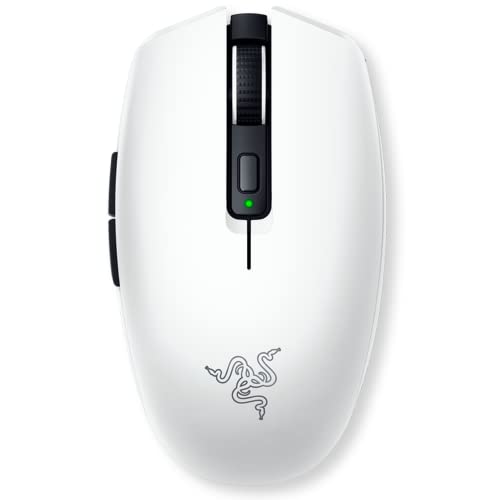 Also Consider Razer Orochi V2 Wireless Gaming Mouse | 9.5PCKitHQ scoreView on Amazon |
05 Also Consider Redragon M602 Wired RGB Gaming Mouse 7200 DPI | 9.5PCKitHQ scoreView on Amazon |
06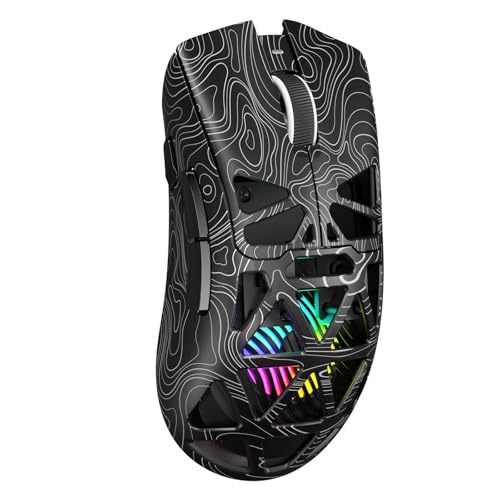 Also Consider Aula SC620 Wireless Gaming Mouse | 9.4PCKitHQ scoreView on Amazon |
07 Also Consider AULA SC580 Wireless Gaming Mouse | 9.3PCKitHQ scoreView on Amazon |
08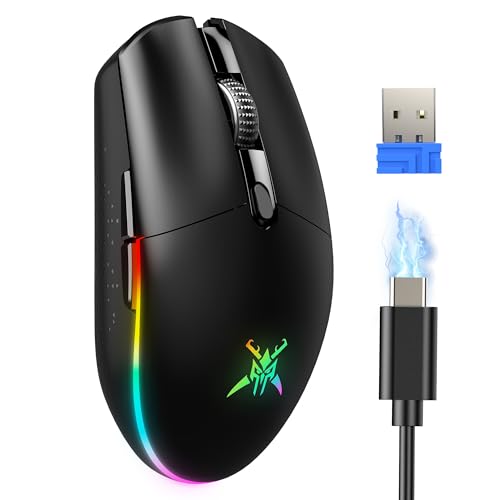 | 9.2PCKitHQ scoreView on Amazon |
A closer look at each configuration
Logitech G305 LIGHTSPEED Wireless Gaming Mouse
score
The HERO sensor at 12,000 DPI, LIGHTSPEED wireless with a 1 ms report rate, and 3.4 oz weight define this Mac gaming mouse.
- Sensor
- HERO
- Wireless
- Yes
- Connection
- LIGHTSPEED wireless
The Logitech G305 LIGHTSPEED Wireless Gaming Mouse pairs a HERO sensor with up to 12,000 DPI sensitivity and 400 IPS precision. LIGHTSPEED wireless runs at a 1 ms report rate, and the mouse carries 6 programmable buttons with on-board memory. Logitech states 250 hours of continuous gameplay on one AA battery, and Endurance mode through Logitech G HUB software extends battery life up to 9 months. It carries a 2-year Limited hardware warranty.
Choose it if
- You want LIGHTSPEED wireless with a 1 ms report rate
- You want a 3.4 oz mouse with 12,000 DPI
Consider another if
- You need Bluetooth for your Mac
- You need more than 12,000 DPI
Logitech G305 LIGHTSPEED Wireless Gaming Mouse
score
The same HERO sensor, LIGHTSPEED wireless, and 12,000 DPI arrive in Lilac with 250 hours of play on one AA battery.
- Sensor
- HERO
- Wireless
- Yes
- Connection
- LIGHTSPEED wireless
The Lilac G305 carries the HERO sensor with up to 12,000 DPI sensitivity and 400 IPS precision, plus LIGHTSPEED wireless at a 1 ms report rate. It has 6 programmable buttons with on-board memory and built-in nano receiver storage for travel. Logitech states 250 hours of continuous gameplay on one AA battery, and Endurance mode through Logitech G HUB software extends battery life up to 9 months. It weighs 3.4 oz and works with PC and Mac. It carries a 1 Year Limited Hardware Warranty.
Choose it if
- You want the G305 in Lilac
- You want 250 hours of play on one AA battery
Consider another if
- You need more than 6 programmable buttons
- You need tri-mode BT, 2.4G, and wired connections
Redragon Wireless Gaming Mouse
score
Tri-mode BT, 2.4G, and wired connections, a 12,000 DPI PAW3395 sensor, and 9 programmable buttons define this Redragon mouse.
- Sensor resolution
- 12000 DPI
- Sensor
- PAW3395
- Wireless
- Yes
- Backlight
- Yes
- Connection
- BT/2.4G/Wired
The Redragon M914 connects through BT, 2.4G, and wired modes, and its PAW3395 sensor reaches 12,000 DPI with on-the-fly adjustment through dedicated DPI buttons. It has 9 programmable buttons for remapping and macros, plus RGB backlighting with 6 preset effects and nearly 16.8 million colors. The rechargeable battery lasts up to 70 hours with RGB off in 2.4G mode, and the mouse works wired while charging. The driver supports 2.4G and wired modes on Windows systems only. It works with laptop, PC, and Mac.
Choose it if
- You want tri-mode BT, 2.4G, and wired connections
- You want 12,000 DPI with 9 programmable buttons
Consider another if
- You need driver-based remapping on macOS
- You need more than 70 hours of battery life
Razer Orochi V2 Wireless Gaming Mouse
score
The 18K DPI sensor, dual HyperSpeed and Bluetooth wireless, and under-60g body define this Razer mouse for Mac.
- Sensor
- Razer 5G Advanced 18K DPI Optical Sensor
- Wireless
- Yes
- Connection
- HyperSpeed & Bluetooth
The Razer Orochi V2 pairs a Razer 5G Advanced 18K DPI optical sensor with dual wireless modes: Bluetooth for everyday use and Razer HyperSpeed Wireless for gaming. Battery life runs up to 950 hours on Bluetooth and up to 425 hours on HyperSpeed Wireless. The mouse weighs under 60g excluding battery weight and runs on a single AA or AAA battery in a hybrid battery slot. It works with PC and Mac and carries a 2 year manufacturer warranty.
Choose it if
- You want up to 950 hours of battery on Bluetooth
- You want an 18K DPI sensor for precise aiming
Consider another if
- You need a rechargeable battery instead of AA cells
- You need 950 hours of battery on HyperSpeed wireless
Redragon M602 Wired RGB Gaming Mouse 7200 DPI
score
A wired connection, 7,200 DPI, 9 programmable buttons, and RGB lighting define this Redragon mouse for Mac gaming.
- Backlight
- Yes
- Connection
- Wired
The Redragon M602 is a wired mouse with up to 7,200 adjustable DPI and a high-precision sensor for consistent tracking. It has 9 programmable buttons for remapping, macros, and light settings through the Redragon software, plus RGB backlighting with 7 modes and effects. The ergonomic shape has dedicated positions for fingers and suits different grips. The mouse supports PC, Windows, laptop, and Mac. The software download is available on redragon.com.
Choose it if
- You want a wired mouse with 7,200 DPI
- You want 9 programmable buttons with RGB lighting
Consider another if
- You need wireless play on your Mac
- You need more than 7,200 DPI
Aula SC620 Wireless Gaming Mouse
score
Tri-mode 2.4GHz, BT5.3, and wired USB connections, 12,000 DPI, and a 67g body define this Aula mouse for Mac.
- Wireless
- Yes
- Backlight
- Yes
- Connection
- 2.4GHz wireless, BT5.3, and wired USB
The Aula SC620 switches between 2.4GHz wireless, BT5.3, and wired USB, and it stores up to 4 devices for quick switching. It offers 6 adjustable DPI levels from 800 to 12,000 with a 1000Hz polling rate. It has 7 programmable buttons for remapping, macros, and DPI adjustment, plus a dedicated Fire Button for one-click commands. RGB backlighting is adjustable through the AULA driver. The mouse weighs 67g and works with Windows, Mac OS, Linux, and Android. It carries a 1 Year warranty.
Choose it if
- You want tri-mode 2.4GHz, BT5.3, and wired USB
- You want a 67g mouse with 7 programmable buttons
Consider another if
- You need a mouse under 60g like the Orochi V2
- You need driver-based macro programming on macOS
AULA SC580 Wireless Gaming Mouse
score
Tri-mode 2.4G, BT, and USB-C connections, 12,000 DPI, and 6 programmable buttons define this AULA mouse for Mac.
- Wireless
- Yes
- Connection
- 2.4G wireless/2 BT5.0/USB-C wired connection
It offers 6 DPI levels from 800 to 12,000 with a 1000Hz polling rate. It has 6 programmable buttons for macro editing through the driver software. The built-in 500mAh rechargeable battery lasts 10 to 14 days with 5 hours of daily use. The ergonomic design suits right-handed users at 82g, with anti-slip stickers for grip. It works with Windows, Mac OS, Linux, and Android. It carries a 6 Months warranty.
Choose it if
- You want tri-mode 2.4G, BT, and USB-C
- You want 12,000 DPI with 6 programmable buttons
Consider another if
- You need driver support on macOS
- You need a mouse under 67g like the Orochi V2
TECKNET Dual-Mode Wireless & Wired Gaming Mouse 8000 DPI -Black
score
Dual-mode 2.4G and USB-C connections, 8,000 DPI, and up to 100 hours of battery define this TECKNET mouse for Mac.
- Wireless
- Yes
- Backlight
- Yes
- Connection
- 2.4G+USB-C
The TECKNET mouse adjusts from 800 to 8,000 DPI across 6 levels with a 1000Hz polling rate, and on-board DPI memory restores your preferred setting after power-off. It connects through 2.4 GHz wireless or USB-C wired mode. The built-in 900 mAh battery delivers up to 100 hours of continuous gameplay with RGB disabled, and the mouse recharges through USB-C. It has 6 RGB lighting modes that sync to the active DPI level and 6 customizable buttons for macros and shortcuts. It works with Windows XP, 7, 8, 10, and 11 and Mac OS X 10.4 or later.
Choose it if
- You want dual-mode 2.4G and USB-C connections
- You want up to 100 hours of battery life
Consider another if
- You need more than 8,000 DPI
- You need Bluetooth for your Mac
Make the choice for your setup
Compare sensor resolution and DPI levels
DPI sets how far the cursor moves for each inch of mouse travel, so compare the rated figures across this guide. The Razer Orochi V2 reaches 18K DPI with its Razer 5G Advanced sensor. The Logitech G305 models, the Redragon M914, the Aula SC620, and the AULA SC580 each reach 12,000 DPI. The TECKNET mouse reaches 8,000 DPI across 6 levels, and the Redragon M602 reaches 7,200 DPI. The G305 pairs 12,000 DPI with 400 IPS precision, while the SC620 and SC580 pair 12,000 DPI with a 1000Hz polling rate. Match the DPI range to the sensitivity you use in your games.
Match the connection to your Mac
Connection decides how the mouse links to your Mac and whether its driver supports your Mac. The G305 models use LIGHTSPEED wireless with a nano receiver, and the Razer Orochi V2 uses HyperSpeed wireless and Bluetooth. The Redragon M914, the Aula SC620, and the AULA SC580 each offer tri-mode BT, 2.4G, and wired connections, while the TECKNET mouse offers dual-mode 2.4G and USB-C. The Redragon M602 is wired only. Note the driver limits: the M914 driver supports 2.4G and wired modes on Windows only, and the Aula drivers support Windows only in 2.4GHz and wired modes. Check each connection against the ports and wireless options on your Mac. A related shortlist covers the Best Gaming Mouse Under $30.
Weigh battery life against weight
Battery life and weight pull in opposite directions, so compare the stated figures. The Razer Orochi V2 runs up to 950 hours on Bluetooth and up to 425 hours on HyperSpeed Wireless, and it weighs under 60g excluding battery weight. The G305 models run 250 hours of continuous gameplay on one AA battery at 3.4 oz. The TECKNET mouse runs up to 100 hours with RGB disabled at 72g, and the Redragon M914 runs up to 70 hours with RGB off in 2.4G mode. The Aula SC620 weighs 67g and the AULA SC580 weighs 82g with a 500mAh rechargeable battery. Pick the balance that fits how long you play between charges.
Comparing more options? See Best Mouse.
FAQ: Gaming Mouse for Mac
Which mice in this guide work with a Mac?
The G305 models, the Redragon M914, the Razer Orochi V2, the Redragon M602, the Aula SC620, the AULA SC580, and the TECKNET mouse all work with a Mac. The G305 models work with PC and Mac, and the TECKNET mouse supports Mac OS X 10.4 or later.
Which mouse has the longest battery life?
The Razer Orochi V2 runs up to 950 hours on Bluetooth and up to 425 hours on HyperSpeed Wireless. The G305 models run 250 hours of continuous gameplay on one AA battery. The TECKNET mouse runs up to 100 hours with RGB disabled, and the Redragon M914 runs up to 70 hours with RGB off in 2.4G mode.
Which mice offer tri-mode connections?
The Redragon M914, the Aula SC620, and the AULA SC580 each offer tri-mode connections. The M914 uses BT, 2.4G, and wired modes. The SC620 uses 2.4GHz, BT5.3, and wired USB, and the SC580 uses 2.4G, Bluetooth 5.0, and USB-C wired modes.

