
Best Computer Not Recognizing Flash Drive in USB (2026): 4 Picks Compared
 By Theo LangUpdated
The SANDISK 16GB Ultra Flair USB 3.0 Flash Drive is the pick for a buyer whose files fit within 16GB and who wants read speeds up to 130MB/s. The Lexar E31 64GB USB 3.2 Gen 1 Flash Drive holds 64GB, the Maspen USB Flash Drive 32GB holds 32GB, and the Verbatim 16GB USB Drive Store 'n' Stay Nano USB 3.2 holds 16GB in a low-profile body.
Your shortlist at a glance
PCKitHQ scores range from 9.2 to 9.8. See how we pick.
| Product and key specifications | Score and retailer |
|---|---|
01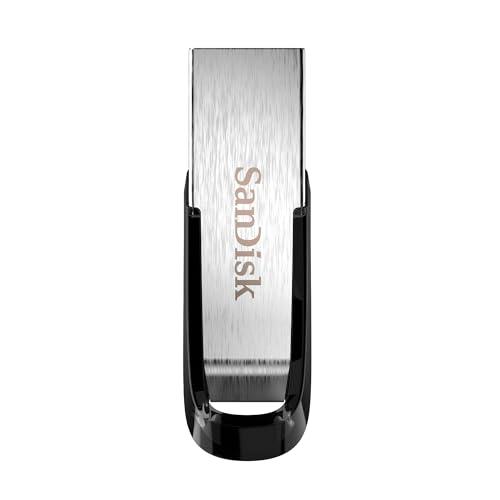 | 9.8PCKitHQ scoreView on Amazon |
02 | 9.6PCKitHQ scoreView on Amazon |
03 | 9.4PCKitHQ scoreView on Amazon |
04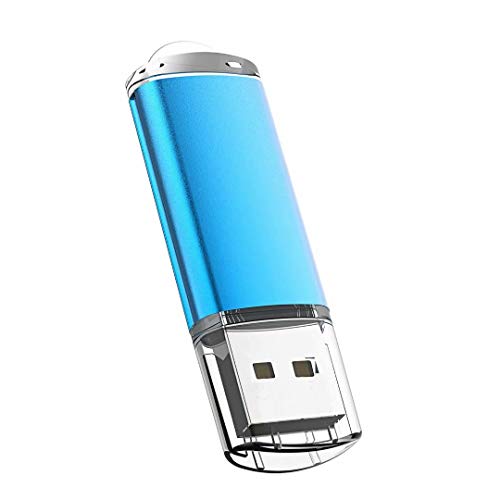 | 9.2PCKitHQ scoreView on Amazon |
A closer look at each configuration
SanDisk 16GB Ultra Flair USB 3.0 Flash
score
The 16GB capacity, USB 3.0 read speeds up to 130MB/s and metal casing define this SanDisk configuration.
- Capacity
- 16GB
- Rated read speed
- 130 MB/s
- Interface
- USB 3.0
- Weight
- 0.01 lb
This SanDisk configuration holds 16GB and connects over USB 3.0. Rated read speed is up to 130MB/s, and transfers run up to 15 times faster than standard USB 2.0 drives. A full-length movie transfers in less than 30 seconds with a USB 3.0 host device, based on a 1.2GB MPEG-4 video transfer. The casing is metal. Password protection for private files uses 128-bit AES encryption, supported by Windows 7, Windows 8, Windows 10 and Mac OS X v10.9, with a software download required for Mac. The drive weighs 0.01 lb. The 1.2GB MPEG-4 video transfer behind the movie claim used a USB 3.0 host device, and results may vary based on host device, file attributes and other factors. The casing is black metal, sleek and durable.
Choose it if
- Your files fit within the 16GB capacity
- You want USB 3.0 read speeds up to 130MB/s
Consider another if
- You need the 64GB capacity of the Lexar
- You need a USB 3.2 Gen 1 connection
Lexar E31 64GB USB 3.2 Gen 1
score
The 64GB capacity and USB 3.2 Gen 1 read speeds up to 100MB/s define this Lexar configuration.
- Capacity
- 64GB
- Rated read speed
- 100 MB/s
- Interface
- USB 3.2 Gen 1
- Weight
- 0.01 lb
- Warranty
- 2-year limited warranty
This Lexar configuration holds 64GB and connects over USB 3.2 Gen 1, with rated read speeds up to 100MB/s and backward compatibility for USB 2.0 ports. The body is all metal, with an integrated keyring loop for attachment to keychains or lanyards. No software installation is required: plug the drive into any USB port and start transferring files. It works with PCs, laptops, TVs, car audio systems and other USB-enabled devices. The durable metal build suits everyday storage and transfer of photos, videos, documents and digital files. The drive weighs 0.01 lb and carries a 2-year limited warranty. The drive is grey, with a sturdy and reliable all-metal body.
Choose it if
- Your local files call for the 64GB capacity
- You want a USB 3.2 Gen 1 connection
Consider another if
- You need the 130MB/s read speed of the SanDisk
- You need the low-profile Nano body of the Verbatim
Verbatim 16GB USB Drive Store 'n' Stay
score
The 16GB capacity, USB 3.2 Gen 1 connection and low-profile Nano body define this Verbatim configuration.
- Capacity
- 16GB
- Interface
- USB 3.2 Gen 1
- Weight
- 0.01 lb
- Warranty
- Verbatim Limited Lifetime Warranty
This Verbatim configuration holds 16GB and connects over USB 3.2 Gen 1, with data transfers up to 10 times faster than USB 2.0 and backward compatibility for USB 2.0 ports. The 16GB capacity provides additional storage for documents, music, photos and other everyday files on compatible USB-enabled devices. The Nano body is low-profile and dime-sized, small enough to remain connected to a laptop or car stereo without getting in the way. The dime-sized design can be removed easily when needed for file sharing. It works with Windows, macOS and Linux systems. The drive is USB-A, weighs 0.01 lb and carries a Verbatim Limited Lifetime Warranty.
Choose it if
- Your files fit within the 16GB capacity
- You want a low-profile drive that stays connected
Consider another if
- You need the 64GB capacity of the Lexar
- You need the 130MB/s read speed of the SanDisk
USB Flash Drive
score
The 32GB capacity and USB2.0 connection define this Maspen configuration, with an LED that stays solid red when connected and flashes while writing.
- Capacity
- 32GB
- Interface
- USB2.0
This Maspen configuration holds 32GB and connects over USB2.0, backward compatible with USB 1.1. A tiny LED inside is solid red when connected and flashes when the drive is being written to. The end of the drive has a loop for a lanyard or key ring, and a protective cap covers the USB connector. The casing is metal, with a matt finish that resists slipping and fingerprints. The flash memory can read and write for 50,000 times. It works with Windows 7, Windows 8, Windows 10, Vista, XP, Unix, 2000, ME, NT, Linux and Mac OS. Customer service answers quality questions within 24 hours.
Choose it if
- Your files fit within the 32GB capacity
- You want a USB2.0 connection with a protective cap
Consider another if
- You need the 64GB capacity of the Lexar
- You need a USB 3.2 Gen 1 connection
Make the choice for your setup
Match capacity to your files
The SanDisk and Verbatim configurations each hold 16GB, the Maspen holds 32GB, and the Lexar holds 64GB. Compare those installed capacities against the files you intend to keep locally: a larger capacity holds a larger local file collection on one drive, and the Lexar holds 64GB. The Maspen's 32GB sits between the 16GB picks and the Lexar. The SanDisk transfers a full-length movie in less than 30 seconds with a USB 3.0 host device, based on a 1.2GB MPEG-4 video transfer. Capacity here is the installed figure for the named drive, so do not add a second drive to it when comparing. Choose the capacity that covers the files you carry, and leave room for files added later.
Check the connection and the port
The Lexar and Verbatim drives connect over USB 3.2 Gen 1, the SanDisk over USB 3.0, and the Maspen over USB2.0. The Lexar and Verbatim drives remain backward compatible with USB 2.0 ports, and the Maspen is compatible with USB2.0 and backwards with USB 1.1. The Verbatim drive is USB-A. Match the drive's connection to the port on the computer, and check the port the computer offers before choosing. A drive that does not seat in the port cannot be read. A USB 3.2 Gen 1 drive in a USB 2.0 port still connects through the older port, and the Lexar and Verbatim drives both state that backward compatibility. The connection on the named drive is the figure to compare against the computer's ports. If that fits your setup better, see our guide to the Best Quality Flash Drive.
Read speed, warranty and build
Rated read speed is up to 130MB/s for the SanDisk and up to 100MB/s for the Lexar; those are rated figures, not measured results. The Verbatim rates transfers up to 10 times faster than USB 2.0. The SanDisk, Lexar and Maspen drives have metal casings, and the Lexar adds an integrated keyring loop for attachment to keychains or lanyards. The Verbatim Nano body stays connected to a laptop or car stereo without getting in the way. The Lexar carries a 2-year limited warranty and the Verbatim carries a Verbatim Limited Lifetime Warranty. Compare the rated speed, the casing and the warranty term on the named drive before choosing, and keep the rated figure separate from any result on your own computer.
Comparing more options? See Best Flash Drive.
FAQ: Computer Not Recognizing Flash Drive in USB
Which capacity do these flash drives hold?
The SanDisk and Verbatim configurations each hold 16GB, the Maspen holds 32GB, and the Lexar holds 64GB. Those are the installed capacities of the named drives. A larger capacity holds a larger local file collection on one drive, so match the figure to the files you carry. Compare them against the files you intend to keep locally before choosing.
What read speeds do the SanDisk and Lexar drives rate?
The SanDisk rates read speeds up to 130MB/s over USB 3.0, and the Lexar rates transfer speeds up to 100MB/s over USB 3.2 Gen 1. Those are rated figures, not measured results, and each applies to its own named drive.
Which drives carry a stated warranty term?
The Lexar carries a 2-year limited warranty, and the Verbatim carries a Verbatim Limited Lifetime Warranty. Those are the warranty terms stated for the named drives in this guide, and each term applies to the whole device it names. A 2-year term covers two years from purchase. Compare the two stated terms before choosing.

