
Best Chromebook for Business (2026): 6 Picks Compared
 By Theo LangUpdated
Choose the Acer 15.6” FHD Touch Chromebook for business and study: its 15.6-inch FHD touchscreen, Intel N50 processor, 8GB DDR5 memory and 128GB eMMC storage cover daily ChromeOS work. The 2 USB-C ports, 2 USB-A ports and HDMI output connect your office setup. The five other Chromebooks below trade screen size, storage and convertible designs against that balance.
Your shortlist at a glance
PCKitHQ scores range from 9.2 to 9.8. See how we pick.
| Product and key specifications | Score and retailer |
|---|---|
01 | 9.8PCKitHQ scoreView on Amazon |
02 | 9.7PCKitHQ scoreView on Amazon |
03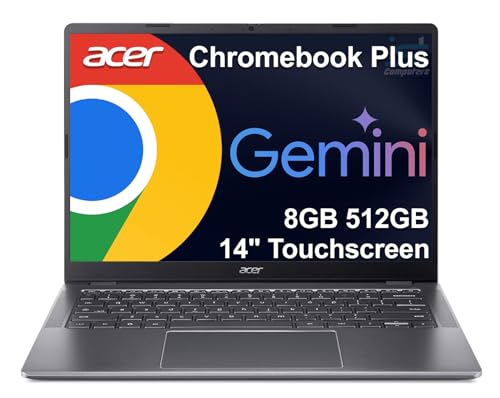 | 9.6PCKitHQ scoreView on Amazon |
04 | 9.4PCKitHQ scoreView on Amazon |
05 | 9.3PCKitHQ scoreView on Amazon |
06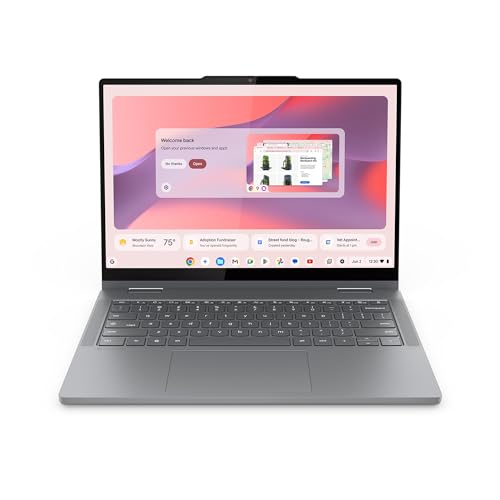 | 9.2PCKitHQ scoreView on Amazon |
A closer look at each configuration
Acer 15.6-inch Touch Chromebook
score
The 15.6-inch FHD touchscreen, Intel N50 and 8GB DDR5 define this Acer Chromebook configuration.
- Installed memory
- 8 GB
- Installed storage
- 128GB
- Processor
- Intel Processor N50
- Operating system
- Chrome OS
- Screen size
- 15.6 in
- Resolution
- 1920 x 1080
- USB-C
- Yes
- HDMI
- Yes
- Touchscreen
- Yes
- Weight
- 3.68 lb
- Warranty
- 1 Year Limited Warranty
This Acer 15.6-inch Chromebook pairs an Intel N50 processor, rated up to 3.4 GHz, with 8GB DDR5 memory and 128GB eMMC storage, running Chrome OS. The 15.6-inch 1920×1080 Full HD AntiGlare touchscreen gives business and study work a larger display for documents and video calls. Ports cover 2 USB-C 3.2 Gen1, 2 USB-A 3.2 Gen1, HDMI output and a headphone jack. The machine weighs 3.68 lb, and a 1 Year Limited Warranty covers the unit.
Choose it if
- You want a 15.6-inch FHD touchscreen for business work
- You want 2 USB-C ports, 2 USB-A ports and HDMI
Consider another if
- You need the 512GB SSD of the Chromebook Plus 514
- You need the 14-inch WUXGA screen of the Spin 314
Lenovo Flagship Chromebook
score
The 14-inch FHD touchscreen, Kompanio 520 processor and 64GB eMMC define this Lenovo configuration.
- Installed memory
- 4 GB
- Processor
- MediaTek Kompanio 520
- Operating system
- Chrome OS
- Resolution
- 1920 x 1080
- USB-C
- Yes
- Wi-Fi
- Yes
- Touchscreen
- Yes
- Weight
- 2.86 lb
- Warranty
- 90-days Warranty
This Lenovo Flagship Chromebook pairs an 8-core MediaTek Kompanio 520 processor with 4GB RAM and 64GB eMMC storage, running Chrome OS. The 14-inch 1920×1080 touchscreen uses IPS technology for wide viewing angles, and the integrated 720p HD webcam carries a privacy shutter with a dual array microphone. Ports cover 1 USB-A 3.2 Gen 1, 1 USB-C 3.2 Gen 1, a microSD card reader and a headphone and microphone combo jack. Wi-Fi 6 and Bluetooth 5.1 connect wireless peripherals. The machine measures 13.23 inches by 8.7 inches by 0.73 inches, weighs 2.86 lb, and carries a 90-days warranty.
Choose it if
- You want a 14-inch FHD touchscreen at 2.86 lb
- You want Wi-Fi 6 with a microSD card reader
Consider another if
- You need the 128GB eMMC of the Acer 15.6-inch model
- You need the 8GB RAM of the Acer 15.6-inch model
Acer Chromebook Plus 514 Laptop
score
The 14-inch 1920×1200 touchscreen, Core i3-N355 and 512GB SSD define this Chromebook Plus configuration.
- Installed memory
- 8 GB
- Installed storage
- 512GB
- Processor
- Intel Core i3-N355
- Graphics
- Intel Graphics
- Operating system
- ChromeOS
- Resolution
- 1920x1200
- USB-C
- Yes
- HDMI
- Yes
- Wi-Fi
- Yes
- Touchscreen
- Yes
- Warranty
- 1 year warranty
This Acer Chromebook Plus 514 pairs an 8-core Intel Core i3-N355 processor with 8GB LPDDR5X RAM and a 512GB SSD, running ChromeOS. The 14-inch WUXGA 1920×1200 IPS touchscreen runs at 300-nit brightness, and the 1080p webcam carries a privacy shutter. The machine supports 3 external monitors through HDMI at up to 4K at 30Hz or USB Type-C at up to 4K at 60Hz. Wi-Fi 6E and Bluetooth 5.3 connect wireless peripherals, and a white backlit keyboard is included. The machine weighs 3.09 lb and meets MIL-STD 810H. A one-year seller warranty covers the unit.
Choose it if
- You want a 14-inch 1920×1200 touchscreen with 300-nit brightness
- You want a 512GB SSD for files, apps and media
Consider another if
- You need the 15.6-inch screen of the Acer Touch Chromebook
- You need the 360-degree convertible design of the ASUS Flip
ASUS Chromebook Flip CX1 Convertible Laptop
score
The 360-degree 14-inch FHD touchscreen, Celeron N4500 and 128GB eMMC define this ASUS configuration.
- Installed memory
- 8 GB
- Installed storage
- 128GB
- Processor
- Intel Celeron N4500
- Operating system
- ChromeOS
- Screen size
- 14 in
- Resolution
- 1920x1080
- Wi-Fi
- Yes
- Touchscreen
- Yes
- 2-in-1 design
- Yes
- Weight
- 3.59 lb
- Warranty
- 1 Year
This ASUS Chromebook Flip CX1 pairs an Intel Celeron N4500 processor with 8GB RAM and 128GB eMMC storage, running ChromeOS. The 14-inch FHD 1920×1080 NanoEdge touchscreen flips 360 degrees, and the convertible 2-in-1 design covers clamshell, tent, stand and tablet modes. Battery life runs up to 11 hours. Ports cover 2 USB 3.2 Gen 1 Type-C with display and power delivery support, 2 USB 3.2 Gen 1 Type-A, a microSD card reader and 2 audio jacks. Wi-Fi 6 and Bluetooth 5.2 connect wireless peripherals. The machine weighs 3.59 lb, is built to MIL-STD 810H, and carries a 1 Year warranty.
Choose it if
- You want a 360-degree touchscreen that folds into tablet mode
- You want battery life of up to 11 hours
Consider another if
- You need the 512GB SSD of the Chromebook Plus 514
- You need the 15.6-inch screen of the Acer Touch Chromebook
Acer Chromebook Spin 314 CP314-2HN-30V1 Convertible Laptop
score
The 14-inch 1920×1200 Gorilla Glass display, Core i3-N305 and 128GB eMMC define this Acer configuration.
- Installed memory
- 8 GB
- Installed storage
- 128GB
- Processor
- Intel Core i3-N305
- Graphics
- Intel UHD Graphics
- Operating system
- ChromeOS
- Resolution
- 1920 x 1200
- USB-C
- Yes
- HDMI
- Yes
- Wi-Fi
- Yes
- 2-in-1 design
- Yes
- Weight
- 3.46 lb
- Warranty
- One-year International Travelers Limited Warranty (ITW)
This Acer Chromebook Spin 314 pairs an Intel Core i3-N305 processor, rated 1.8GHz with Turbo Boost up to 3.8GHz, with 8GB LPDDR5 memory and 128GB eMMC storage, running ChromeOS. The 14-inch WUXGA 1920×1200 IPS display uses matte Corning Gorilla Glass multi-touch and supports a USI stylus. Ports cover a USB Type-C port with DisplayPort over USB-C and USB charging, 2 USB 3.2 Gen 1 Type-A ports and an HDMI 1.4 port. Wi-Fi 6E and Bluetooth 5.2 connect wireless peripherals. A protective sleeve is included, and a One-year International Travelers Limited Warranty covers the unit.
Choose it if
- You want a 14-inch 1920×1200 display with Gorilla Glass
- You want a 360-degree convertible design with stylus support
Consider another if
- You need the 512GB SSD of the Chromebook Plus 514
- You need the 15.6-inch screen of the Acer Touch Chromebook
Lenovo Chromebook 2-in-1
score
The 14-inch WUXGA touchscreen, Intel N150 and 128GB UFS storage define this Lenovo configuration.
- Installed memory
- 4 GB
- Installed storage
- 128GB
- Processor
- Intel® N150
- Graphics
- Integrated Intel® Graphics
- Resolution
- WUXGA
- USB-C
- Yes
- HDMI
- Yes
- Touchscreen
- Yes
- 2-in-1 design
- Yes
- Warranty
- 1 Year Limited Parts and Labor
This Lenovo Chromebook 2-in-1 pairs an Intel N150 processor with 4GB RAM and 128GB UFS storage, with integrated Intel Graphics. The 14-inch WUXGA IPS touchscreen flips between laptop, tent and tablet modes, and audio is tuned by Waves MaxxAudio. The FHD webcam carries a physical shutter for privacy during video calls. Ports cover 2 USB-C ports, 2 USB-A ports and an HDMI port. Google Gemini is built in for help with planning, writing and learning. The machine is 0.69 inches thick, weighs 3.3 lb, and carries a 1 Year Limited Parts and Labor warranty.
Choose it if
- You want a 14-inch WUXGA touchscreen in a 2-in-1 design
- You want 2 USB-C ports, 2 USB-A ports and HDMI
Consider another if
- You need the 512GB SSD of the Chromebook Plus 514
- You need the 8GB RAM of the Acer 15.6-inch model
Make the choice for your setup
Compare screen size and resolution
Screen size splits this guide. The Acer 15.6-inch model uses a 15.6-inch display with 1920×1080 resolution, while the other five models use 14-inch screens. Resolution differs too: the Chromebook Plus 514 and the Spin 314 use 1920×1200 WUXGA panels, while the Acer 15.6-inch model, the Lenovo Flagship and the ASUS Flip CX1 use 1920×1080 panels. All six models in this guide have a touchscreen: the Acer 15.6-inch model, the Lenovo Flagship, the Chromebook Plus 514, the ASUS Flip CX1, the Spin 314 and the Lenovo 2-in-1. Match the screen to your workspace: a 15.6-inch panel gives more room for documents, while a 14-inch panel gives a smaller footprint. Check the screen size of the named model before you choose.
Match memory and storage to your files
Memory and storage differ across this guide. The Chromebook Plus 514 carries 8GB LPDDR5X RAM with a 512GB SSD, while the other five models carry 128GB or 64GB of storage. The Acer 15.6-inch model, the ASUS Flip CX1 and the Spin 314 each carry 8GB RAM with 128GB of storage. The Lenovo Flagship carries 4GB RAM with 64GB eMMC storage, and the Lenovo 2-in-1 carries 4GB RAM with 128GB UFS storage. Local storage is distinct from cloud storage, so compare your local files with the installed figure of the model you are considering. A 512GB SSD holds more local files than a 128GB eMMC drive or a 64GB eMMC drive. If that fits your setup better, see our guide to the Best HP Chromebook Touchscreen.
Check convertible designs, ports and warranty
Three models in this guide fold into more than one mode. The ASUS Flip CX1 covers clamshell, tent, stand and tablet modes, the Spin 314 uses 360-degree convertible modes, and the Lenovo 2-in-1 flips between laptop, tent and tablet modes. The Chromebook Plus 514 lists a white backlit keyboard, and the Spin 314 includes a protective sleeve. Ports differ too: the Acer 15.6-inch model lists 2 USB-C and 2 USB-A ports with HDMI, while the Lenovo Flagship lists 1 USB-C, 1 USB-A and a microSD reader. Warranty terms differ as well: the Lenovo Flagship carries a 90-days warranty, while the other five models carry a 1-year warranty.
Comparing more options? See Best Chromebook.
FAQ: Chromebook for Business
Which Chromebooks here have a 1920×1200 screen?
The Chromebook Plus 514 and the Spin 314 use 1920×1200 WUXGA screens. Three of the other four models in this guide use 1920×1080 screens, while the Lenovo 2-in-1 uses a 1920×1200 WUXGA screen. Check the resolution of the named model before you choose. Both screens are touchscreens.
Which model carries a 512GB SSD?
The Chromebook Plus 514 carries a 512GB SSD. The Acer 15.6-inch model, the ASUS Flip CX1 and the Spin 314 carry 128GB of storage, while the Lenovo Flagship carries 64GB eMMC storage. The Lenovo 2-in-1 carries 128GB UFS storage.
Which models include a privacy shutter for the webcam?
The Lenovo Flagship carries a privacy shutter on its 720p HD webcam. The Chromebook Plus 514, the Spin 314 and the Lenovo 2-in-1 also list privacy shutters for their webcams. Check the webcam of the named model before you choose.

