Best Apple MacBook Laptop (2026): Our 8 Picks Ranked
 By Theo LangUpdated
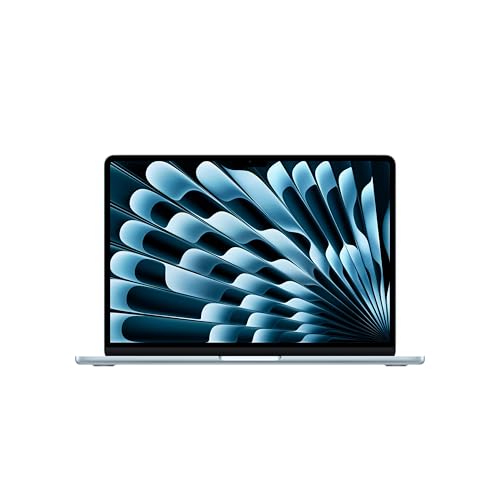
You should choose the Apple 2026 MacBook Air 15-inch Laptop with M5 chip if your work calls for a 15.3-inch Liquid Retina display with 24GB of unified memory and a 1TB SSD installed. That configuration weighs 3.33 lb and includes two Thunderbolt 4 ports. The other MacBook configurations in this guide change screen size, memory, storage, and chip, so compare each installed configuration before you decide.
Your shortlist at a glance
PCKitHQ scores range from 9.2 to 9.8. See how we pick.
| Product and key specifications | Score and retailer |
|---|---|
01 | 9.8PCKitHQ scoreView on Amazon |
02 | 9.7PCKitHQ scoreView on Amazon |
03 | 9.6PCKitHQ scoreView on Amazon |
04 | 9.5PCKitHQ scoreView on Amazon |
05 | 9.5PCKitHQ scoreView on Amazon |
06 | 9.4PCKitHQ scoreView on Amazon |
07 | 9.3PCKitHQ scoreView on Amazon |
| 08 | 9.2PCKitHQ scoreView on Amazon |
A closer look at each configuration
Apple MacBook Air 15-inch Laptop 24GB
score
This MacBook Air pairs a 15.3-inch Liquid Retina display with 24GB memory and a 1TB SSD.
- Installed memory
- 24 GB
- Installed storage
- 1TB
- Processor
- M5
- Operating system
- macOS
- Screen size
- 15.3 in
- Wi-Fi
- Yes
- Weight
- 3.33 lb
- Warranty
- Apple One (1) Year Limited Warranty
This configuration uses the Apple M5 chip with 24GB of unified memory and a 1TB SSD. The 15.3-inch Liquid Retina display supports 1 billion colors. Connection options include two Thunderbolt 4 ports, a MagSafe charging port, and a headphone jack. It supports up to two external displays and carries Wi-Fi 7 through the Apple N1 chip. Apple states up to 18 hours of battery life for this model. The 12MP Center Stage camera, three-mic array, and six-speaker sound system are part of this configuration. Weight is 3.33 lb in Midnight.
Choose it if
- You need a 15.3-inch screen with 24GB unified memory
- Your local files require the installed 1TB SSD capacity
Consider another if
- You need more than 24GB of unified memory installed
- You require the 16.2-inch screen size in this guide
Apple MacBook Neo 13-inch Laptop
score
The MacBook Neo combines a 13-inch Liquid Retina display with 8GB memory and 512GB storage.
- Installed memory
- 8 GB
- Installed storage
- 512GB
- Processor
- A18 Pro
- Operating system
- macOS
- Screen size
- 13 in
- Weight
- 2.71 lb
- Warranty
- Apple One (1) Year Limited Warranty
This MacBook Neo uses the A18 Pro chip with 8GB of unified memory and a 512GB SSD. The 13-inch Liquid Retina display supports 1 billion colors. Apple states up to 16 hours of battery life for this model. It includes a 1080p FaceTime HD camera, a dual-mic array, and two side-firing speakers. This configuration has Touch ID, and the color is Silver. Compare the 8GB memory figure against your own requirement before choosing it.
Choose it if
- You want a 13-inch screen at 2.71 lb
- Your local files fit within the 512GB SSD
Consider another if
- You need more than 8GB of unified memory installed
- You require more than 512GB of installed SSD storage
Apple MacBook Air 15-inch Laptop 16GB
score
This MacBook Air configuration gives you a 15.3-inch screen with 16GB memory and 512GB storage.
- Installed memory
- 16 GB
- Installed storage
- 512GB
- Processor
- M5
- Operating system
- macOS
- Screen size
- 15.3 in
- Wi-Fi
- Yes
- Weight
- 3.33 lb
- Warranty
- Apple One (1) Year Limited Warranty
This configuration uses the Apple M5 chip with 16GB of unified memory and a 512GB SSD in Silver. The 15.3-inch Liquid Retina display supports 1 billion colors. Connection options include two Thunderbolt 4 ports, a MagSafe charging port, and a headphone jack. It supports up to two external displays and carries Wi-Fi 7 through the Apple N1 chip. Apple states up to 18 hours of battery life for this model. This configuration has a 12MP Center Stage camera, three-mic array, and six-speaker sound system. Weight is 3.33 lb.
Choose it if
- You want the 15.3-inch screen with 16GB unified memory
- Your local files fit within the 512GB SSD
Consider another if
- You need more than 16GB of unified memory installed
- You require more than 512GB of installed SSD storage
Apple MacBook Pro Laptop 24GB
score
This 14.2-inch MacBook Pro pairs 24GB memory with a 1TB SSD and Thunderbolt 5 ports.
- Installed memory
- 24 GB
- Installed storage
- 1TB
- Processor
- Apple M5 Pro
- Graphics
- 16-core GPU
- Operating system
- macOS
- Screen size
- 14.2 in
- HDMI
- Yes
- Wi-Fi
- Yes
- Weight
- 3.53 lb
- Warranty
- Apple One (1) Year Limited Warranty
This MacBook Pro uses the Apple M5 Pro chip with a 15-core CPU and 16-core GPU. It has 24GB of unified memory and a 1TB SSD. The 14.2-inch Liquid Retina XDR display is rated at 1600 nits peak brightness and 1000 nits sustained brightness. Connection options include three Thunderbolt 5 ports, a MagSafe 3 charging port, an SDXC card slot, an HDMI port, and a headphone jack. It supports up to three external displays with M5 Pro and carries Wi-Fi 7. Weight is 3.53 lb in Space Black.
Choose it if
- You need three Thunderbolt 5 ports and HDMI
- Your work calls for a 14.2-inch XDR display
Consider another if
- You need more than 24GB of unified memory installed
- You require the 16.2-inch screen size in this guide
Apple MacBook Pro Laptop 24GB
score
This 16.2-inch MacBook Pro combines 24GB memory, a 1TB SSD, and a 20-core GPU.
- Installed memory
- 24 GB
- Installed storage
- 1TB
- Processor
- Apple M5 Pro
- Graphics
- 20-core GPU
- Operating system
- macOS
- Screen size
- 16.2 in
- HDMI
- Yes
- Wi-Fi
- Yes
- Weight
- 4.72 lb
- Warranty
- Apple One (1) Year Limited Warranty
This MacBook Pro uses the Apple M5 Pro chip with an 18-core CPU and 20-core GPU. It has 24GB of unified memory and a 1TB SSD. The 16.2-inch Liquid Retina XDR display is rated at 1600 nits peak brightness and 1000 nits sustained brightness. Connection options include three Thunderbolt 5 ports, a MagSafe 3 charging port, an SDXC card slot, an HDMI port, and a headphone jack. It supports up to three external displays with M5 Pro and carries Wi-Fi 7. Weight is 4.72 lb in Space Black.
Choose it if
- You need the 16.2-inch screen with 24GB memory
- Your connections require HDMI and an SDXC slot
Consider another if
- You need more than 24GB of unified memory installed
- You require more than 1TB of installed SSD storage
Apple MacBook Pro Laptop 48GB
score
This MacBook Pro pairs 48GB memory with a 2TB SSD and a 40-core GPU.
- Installed memory
- 48 GB
- Installed storage
- 2TB
- Processor
- Apple M5 Max
- Graphics
- 40-core GPU
- Operating system
- macOS
- Screen size
- 16.2 in
- HDMI
- Yes
- Wi-Fi
- Yes
- Weight
- 4.74 lb
- Warranty
- Apple One (1) Year Limited Warranty
This MacBook Pro uses the Apple M5 Max chip with an 18-core CPU and 40-core GPU. It has 48GB of unified memory and a 2TB SSD. The 16.2-inch Liquid Retina XDR display is rated at 1600 nits peak brightness and 1000 nits sustained brightness. Connection options include three Thunderbolt 5 ports, a MagSafe 3 charging port, an SDXC card slot, an HDMI port, and a headphone jack. It supports up to four external displays with M5 Max and carries Wi-Fi 7. Weight is 4.74 lb in Silver.
Choose it if
- You need 48GB memory with 2TB installed storage
- Your setup calls for up to four external displays
Consider another if
- You need more than 48GB of unified memory installed
- You require more than 2TB of installed SSD storage
Apple 14-inch MacBook Pro
score
This 14-inch MacBook Pro configuration installs 64GB of memory with a 1TB SSD.
- Installed memory
- 64 GB
- Installed storage
- 1TB
- Processor
- Apple M5 Pro
- Graphics
- 20-core GPU
- Weight
- 7.42 lb
- Warranty
- 1 Year Limited Manufacturer
This configuration is preconfigured with 64GB of memory and a 1TB SSD drive. Its chip is the Apple M5 Pro with an 18-core CPU and 20-core GPU. The display is a Liquid Retina XDR 14-inch display. The color is Space Black, and this is a Configure to Order Mac upgraded from base specifications. Keep the 64GB memory figure separate from the 1TB storage figure when you compare it with the other MacBook Pro configurations in this guide. Warranty is 1 Year Limited Manufacturer for this configuration.
Choose it if
- You need 64GB of memory installed in your MacBook
- Your local files fit within the 1TB SSD
Consider another if
- You need more than 64GB of memory installed
- You require more than 1TB of installed SSD storage
Apple MacBook Pro Laptop 16GB
score
This 14.2-inch MacBook Pro pairs 16GB memory with a 1TB SSD and three Thunderbolt 4 ports.
- Installed memory
- 16 GB
- Installed storage
- 1TB
- Processor
- Apple M5
- Graphics
- 10‑core GPU
- Operating system
- macOS
- Screen size
- 14.2 in
- HDMI
- Yes
- Weight
- 3.42 lb
- Warranty
- Apple One (1) Year Limited Warranty
This MacBook Pro uses the Apple M5 chip with a 10-core CPU and 10-core GPU. It has 16GB of unified memory and a 1TB SSD. The 14.2-inch Liquid Retina XDR display is rated at 1600 nits peak brightness and up to 1000 nits sustained brightness. Connection options include three Thunderbolt 4 ports, a MagSafe 3 charging port, an SDXC card slot, an HDMI port, and a headphone jack. It supports up to two external displays. Weight is 3.42 lb in Space Black.
Choose it if
- You need a 14.2-inch XDR screen with 1TB storage
- Your connections require HDMI and an SDXC slot
Consider another if
- You need more than 16GB of unified memory installed
- You require the 16.2-inch screen size in this guide
Make the choice for your setup
Match screen size to your workspace
Screen sizes in this guide run from 13 inches on the MacBook Neo to 16.2 inches on two MacBook Pro configurations. The MacBook Air configurations use a 15.3-inch Liquid Retina display. The 14.2-inch MacBook Pro configurations use a Liquid Retina XDR display rated at 1600 nits peak brightness. The 16.2-inch MacBook Pro configurations also use a Liquid Retina XDR display rated at 1600 nits peak brightness. Keep screen size separate from brightness figures when you compare them. A larger screen figure changes the physical display size, while the nit figures describe rated brightness. Choose the size that fits your desk and carrying routine, then check memory and storage in that same configuration.
Compare installed memory and storage
Installed memory runs from 8GB on the MacBook Neo to 64GB on one 14-inch MacBook Pro configuration. The 15.3-inch Air configurations install 24GB or 16GB of unified memory. MacBook Pro configurations in this guide install 24GB, 48GB, 64GB, or 16GB depending on the configuration. Installed storage runs from 512GB to 2TB. Compare the exact installed figures in the configuration you are considering, not optional capacities named elsewhere. Memory and storage are separate figures: a 1TB SSD does not change the memory figure, and 48GB of memory does not change the storage figure. Write down both numbers for each configuration before you decide. For a closely related choice, read our guide to the Best 2 in 1 Laptop for Business.
Check ports and external displays
Port sets differ by configuration, so check the exact model you are considering. The 15.3-inch Air configurations include two Thunderbolt 4 ports, a MagSafe charging port, and a headphone jack, and support up to two external displays. The 14.2-inch MacBook Pro with the M5 Pro chip and the 16.2-inch MacBook Pro configurations with the M5 Pro and M5 Max chips include three Thunderbolt 5 ports, a MagSafe 3 charging port, an SDXC card slot, an HDMI port, and a headphone jack. The M5 Pro configurations in that group support up to three external displays, and the M5 Max configuration supports up to four external displays. The 2025 14.2-inch MacBook Pro includes three Thunderbolt 4 ports and supports up to two external displays. Match the port names and display count to your own setup.
Before you decide, also read Best Laptop.
FAQ: Apple MacBook Laptop
What installed storage does the 16.2-inch MacBook Pro have?
The 16.2-inch MacBook Pro with the M5 Max chip installs a 2TB SSD with 48GB of unified memory. That installed storage figure is separate from its memory figure, and the two figures describe different parts of the same configuration.
What battery life does Apple state for the Air?
Apple states up to 18 hours of battery life for the 15.3-inch MacBook Air configurations with the M5 chip. Apple states up to 16 hours of battery life for the 13-inch MacBook Neo with the A18 Pro chip.
How many external displays do these models support?
The Air configurations support up to two external displays. The 14.2-inch and 16.2-inch MacBook Pro configurations with the M5 Pro chip support up to three external displays, the 16.2-inch M5 Max configuration supports up to four, and the 2025 M5 model supports up to two.