
Best 32 Inch Business Monitor (2026): Our 5 Picks Ranked
 By Theo LangUpdated
If your workday runs across spreadsheets and documents, the KTC 32 Inch 2K Monitor 120Hz gives you a 32-inch IPS screen at 2560 x 1440 with a 120Hz refresh rate. Its 109% sRGB coverage and HDR support keep text vivid, while HDMI and DisplayPort cover your laptop and desktop. The LG 32U631A-B adds USB-C with 15W power delivery, and the DJiEX 32 Inch 4K Computer Monitor steps up to 3840 x 2160 for finer detail.
Your shortlist at a glance
PCKitHQ scores range from 9.2 to 9.8. See how we pick.
| Product and key specifications | Score and retailer |
|---|---|
01 | 9.8PCKitHQ scoreView on Amazon |
02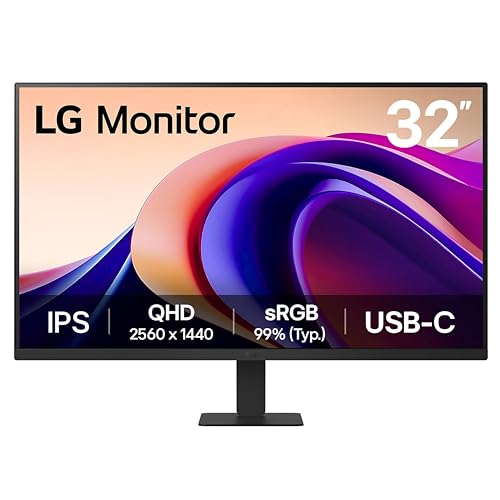 | 9.7PCKitHQ scoreView on Amazon |
03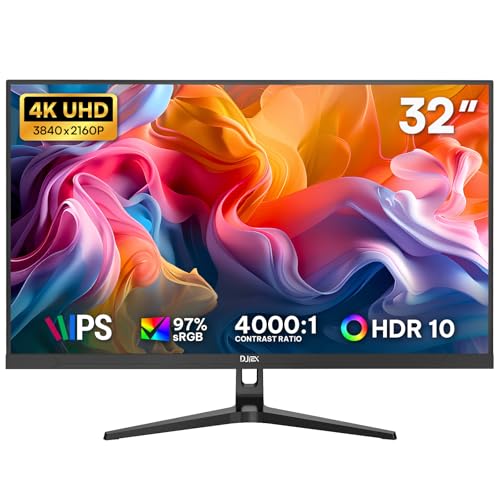 | 9.5PCKitHQ scoreView on Amazon |
04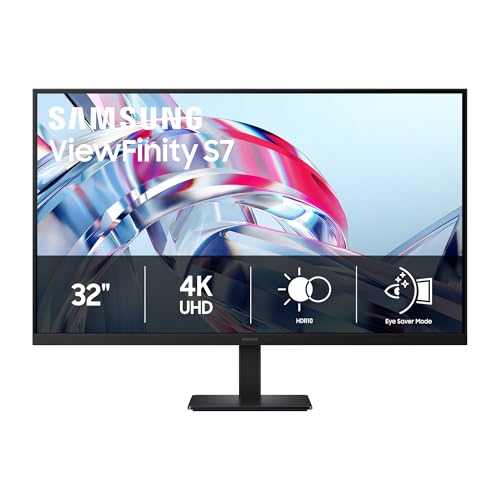 | 9.3PCKitHQ scoreView on Amazon |
05 | 9.2PCKitHQ scoreView on Amazon |
A closer look at each configuration
KTC 32-inch 2K Monitor H32T13
score
The 32-inch IPS screen at 2560 x 1440 and a 120Hz refresh rate make this the steady choice for daily office work.
- Resolution
- 2560 x 1440
- Native refresh rate
- 120 Hz
- Screen size
- 32 in
- Panel
- IPS
- HDMI
- Yes
- DisplayPort
- Yes
- Warranty
- 3 Year Manufacturer
This KTC monitor pairs a 32-inch IPS panel with 2560 x 1440 resolution and a 120Hz refresh rate, a combination aimed at long days of documents, spreadsheets, and presentations. The 109% sRGB gamut and HDR support add color depth to presentations and images, and the 16.7M colors reproduce vivid images while deeper blacks and brighter colors show more detail in dark and shadowy scenes. Flicker-free technology and low blue light support extended sessions at the desk. Two HDMI 2.0 ports and one DisplayPort 1.4 port connect a laptop, a desktop, and a Mac, and the tilt range of -5 degrees to 15 degrees plus VESA mounting let you set the viewing angle. The 3 Year Manufacturer warranty covers the whole device.
Choose it if
- You want a 32-inch 2560 x 1440 screen at 120Hz
- You connect through HDMI and DisplayPort daily
Consider another if
- You need 3840 x 2160 resolution for your work
- You need the USB-C 15W charging of the LG
LG 32U631A-B 32-inch Computer Monitor
score
The 100Hz refresh rate, USB-C with 15W power delivery, and 99% sRGB coverage suit a one-cable desk setup.
- Resolution
- 2560 x 1440
- Native refresh rate
- 100 Hz
- Screen size
- 32 in
- Panel
- IPS
- USB-C
- Yes
- HDMI
- Yes
- Weight
- 14.33 lb
- Warranty
- 1 Year Manufacturer
This LG monitor pairs a 32-inch QHD IPS screen at 2560 x 1440 with a 100Hz refresh rate and a 5ms response time, keeping motion smooth across documents and video. USB Type-C with up to 15W power delivery connects and charges a laptop through one cable, and HDMI covers a second device. The Switch app splits the screen into up to 6 sections for multitasking, and the virtually borderless design on three sides keeps the focus on the screen. It weighs 14.33 lb and carries a 1 Year Manufacturer warranty.
Choose it if
- You want USB-C with 15W power delivery
- You want a 32-inch 2560 x 1440 IPS screen
Consider another if
- You need 3840 x 2160 resolution for fine detail
- You need a 120Hz refresh rate for smoother motion
32-inch 4K Computer Monitor UHD 3840 x2160P
score
The 3840 x 2160 IPS screen with 97% sRGB suits detailed spreadsheets, reports, and presentations.
- Resolution
- 3840 x 2160
- Native refresh rate
- 60 Hz
- Screen size
- 32 in
- Panel
- IPS
- HDMI
- Yes
- DisplayPort
- Yes
- Warranty
- 1 year warranty
This DJiEX monitor puts 3840 x 2160 resolution on a 32-inch IPS screen, giving spreadsheets, reports, and presentations more room on screen. The 97% sRGB gamut and 1.07 billion colors keep visuals clear from different viewing angles, and HDR10 support adds detail to compatible content. Dual HDMI and dual DisplayPort inputs keep two work devices connected at once, and the 60Hz refresh rate with FreeSync keeps daily viewing stable while reducing screen tearing in video playback. Low Blue Light viewing supports long work sessions, and the 75 x 75mm VESA mount pattern fits wall mounting or a monitor arm. It carries a 1 year warranty.
Choose it if
- You want 3840 x 2160 resolution on a 32-inch screen
- You keep two devices connected through HDMI and DisplayPort
Consider another if
- You need a 120Hz refresh rate for smoother motion
- You need USB-C to connect and charge a laptop
Samsung 32-inch ViewFinity S7 (S70H) High-Resolution Monitor
score
The 4K UHD screen with HDR10 and Eye Saver Mode suits detailed documents and split screen setup.
- Resolution
- 3840x2160
- HDMI
- Yes
- Warranty
- 1 Year Manufacturer
This Samsung monitor pairs a 32-inch 4K UHD screen at 3840 x 2160 with HDR10 support, revealing fine detail in documents, dashboards, and presentations. The 178-degree wide viewing angle keeps brightness consistent across the screen from different viewing positions. HDMI and DP ports connect a laptop and a desktop, and Samsung Display Manager gives access to split screen setup, brightness adjustment, KVM, PIP, and PBP. Eye Saver Mode reduces eye strain by minimizing blue light and prevents screen flickering, supporting long sessions at the desk. It carries a 1 Year Manufacturer warranty.
Choose it if
- You want a 4K UHD screen for detailed documents
- You want a 178-degree wide viewing angle
Consider another if
- You need 10-point touch for document annotation
- You need a 3 Year Manufacturer warranty term
CUNPU 32-inch Nano Touchscreen Monitor for Workstation
score
The 10-point touch screen with 100% sRGB suits signing documents and annotating reports on Windows.
- Resolution
- FHD 1080P
- Panel
- Nano IPS
- USB-C
- Yes
- HDMI
- Yes
This CUNPU monitor pairs a 32-inch FHD 1080P Nano IPS panel with 100% sRGB color gamut for consistent color in graphic design, video editing, and client presentations. The 10-point multi-touch screen supports document annotation, on-screen digital signing, and app navigation on Windows PCs, laptops, and workstations, while macOS devices get basic single-touch functionality only. USB-C, HDMI, and VGA ports connect macOS laptops, Windows desktops, gaming consoles, and legacy office devices. The tilt-adjustable stand sets the viewing position, and VESA wall-mount compatibility saves desk space in compact home offices and multi-monitor business setups.
Choose it if
- You want 10-point touch for on-screen signing
- You connect a Mac or PC through USB-C
Consider another if
- You need 3840 x 2160 resolution for fine detail
- You need 10-point touch support on macOS devices
Make the choice for your setup
Match resolution to your documents
The KTC and LG monitors share 2560 x 1440 resolution on 32-inch IPS screens, while the DJiEX and Samsung monitors step up to 3840 x 2160. The CUNPU monitor uses FHD 1080P resolution with a Nano IPS panel. A 3840 x 2160 screen shows more detail in dense documents and dashboards, while 2560 x 1440 keeps text large and readable on the same 32-inch size. The 100% sRGB coverage of the CUNPU and the 109% sRGB coverage of the KTC add color depth to presentations, and the 97% sRGB coverage of the DJiEX keeps visuals clear. Choose the resolution that fits the documents you open most.
Choose the connections your desk needs
The KTC connects through two HDMI 2.0 ports and one DisplayPort 1.4 port, while the DJiEX offers dual HDMI and dual DisplayPort inputs for two work devices. The LG adds USB Type-C with up to 15W power delivery, so one cable connects and charges a laptop. The Samsung uses HDMI and DP ports. The CUNPU covers USB-C, HDMI, and VGA for macOS laptops, Windows desktops, and legacy office devices. Count the devices on your desk and the cables each one uses before choosing. A laptop that charges over USB-C pairs with the 15W power delivery of the LG, while a desktop and a laptop side by side suit the dual inputs of the DJiEX. Match the ports on the monitor to the ports on your devices. If that fits your setup better, see our guide to the Best 27 Inch Monitor for Home Office.
Weigh refresh rate and comfort features
The KTC runs at a 120Hz refresh rate and the LG at 100Hz, while the DJiEX runs at 60Hz with FreeSync for stable daily viewing. Flicker-free technology and low blue light appear on the KTC, low blue light appears on the DJiEX, Reader Mode appears on the LG, and Eye Saver Mode appears on the Samsung. The CUNPU adds 10-point touch for Windows workflows and a tilt-adjustable stand, while the KTC and the DJiEX add VESA mounting for a cleaner desk. Match the refresh rate to the motion you watch each day, and match the comfort features to the length of your sessions at the desk.
For a wider shortlist, start with 24 vs 27 Inch Monitor.
FAQ: 32 Inch Business Monitor
Which monitor suits a one-cable laptop desk?
The LG 32U631A-B connects through USB Type-C with up to 15W power delivery, so one cable links and charges a laptop. It pairs that connection with a 32-inch QHD IPS screen at 2560 x 1440 and a 100Hz refresh rate. HDMI covers a second device when you need one.
Which monitor gives the sharpest text for documents?
The DJiEX and Samsung monitors use 3840 x 2160 resolution on 32-inch screens, showing more detail in dense documents and dashboards. The DJiEX adds a 97% sRGB gamut and dual HDMI and dual DisplayPort inputs, while the Samsung adds HDR10 and Samsung Display Manager for split screen setup.
Which monitor supports touch for signing documents?
The CUNPU 32-inch FHD 1080P Nano IPS monitor supports 10-point multi-touch on Windows PCs, laptops, and workstations for document annotation and on-screen digital signing. On macOS devices it offers basic single-touch functionality only, while display, audio, and connection functions work fully.


