Best 27 Inch Monitor for Office Work (2026): 4 Picks Compared
 By Theo LangUpdated
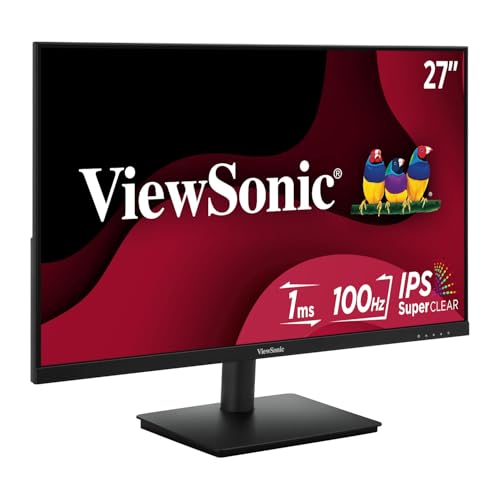
The Amazon Basics 27 Inch Monitor suits document editing, web browsing, and video calls with a 27-inch IPS panel at 1080P and 100Hz, built-in speakers, and four USB ports for a keyboard and mouse. The other monitors in this guide run at 120Hz or 144Hz, and one reaches 2560x1440, so the choice turns on refresh rate, resolution, and connections rather than screen size, which stays 27 inches throughout.
Your shortlist at a glance
PCKitHQ scores range from 9.2 to 9.8. See how we pick.
| Product and key specifications | Score and retailer |
|---|---|
01 | 9.8PCKitHQ scoreView on Amazon |
02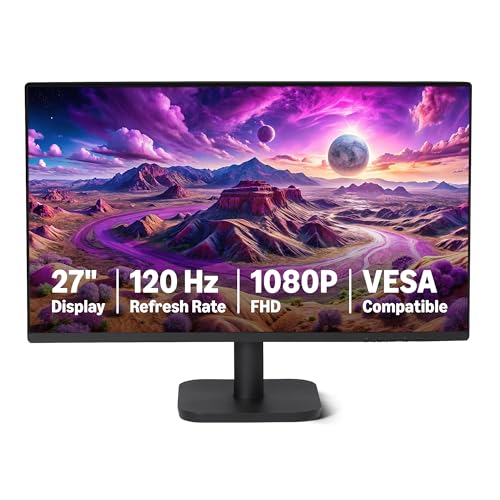 | 9.6PCKitHQ scoreView on Amazon |
03 | 9.4PCKitHQ scoreView on Amazon |
04 | 9.2PCKitHQ scoreView on Amazon |
A closer look at each configuration
Amazon Basics 27-inch Monitor
score
The 27-inch IPS panel at 100Hz, built-in speakers, and four USB ports make this Amazon Basics monitor the office choice here.
- Resolution
- 1080P
- Native refresh rate
- 100 Hz
- Panel
- IPS
This Amazon Basics monitor has a 27-inch IPS panel at 1080P with a 100Hz refresh rate. It is designed for office productivity and entertainment, including document editing, web browsing, and multimedia content consumption. The IPS panel delivers clear picture quality with wide viewing angles. Built-in speakers handle audio during video calls and media playback without external speakers. Four built-in USB ports connect a keyboard and mouse directly through the monitor with plug-and-play setup. The VESA-compatible design supports wall or arm mounting, and its dimensions are 24.07 x 17.96 x 9.05 inches. The warranty description is a 1 year limited warranty.
Choose it if
- You edit documents on a 27-inch 1080P screen
- You want built-in speakers for video calls
Consider another if
- You need the 120Hz refresh rate of the second Amazon Basics
- You need the 2560x1440 resolution of the KTC
Amazon Basics 27-inch Computer Monitor
score
The 120Hz IPS panel, HDMI and DisplayPort connections, and narrow bezel suit a clean multi-monitor office setup.
- Resolution
- 1920x1080
- Native refresh rate
- 120 Hz
- Panel
- IPS
- HDMI
- Yes
- DisplayPort
- Yes
This Amazon Basics monitor has a 27-inch IPS panel at 1920x1080 with a 120Hz refresh rate and Adaptive Sync technology. The 120Hz refresh rate with Adaptive Sync technology reduces lag and motion blur. Reaching the 120Hz rate needs a graphics card and drivers that support 120Hz output, an HDMI or DisplayPort connector with a certified 120Hz-capable cable, and the refresh rate set to 120Hz in Advanced Display Settings. Its panel shows 16.7 million colors, a 1500:1 contrast ratio, and 99% sRGB coverage. The monitor has LowBlue Light and Flicker-Free technology for viewing comfort. Connections are HDMI 1.4, DisplayPort 1.2, and a 3.5mm audio-out port, with built-in 2W x2 speakers. A four-sided narrow bezel suits clean multi-monitor setups.
Choose it if
- You want a 120Hz IPS panel for office work
- You connect through HDMI or DisplayPort
Consider another if
- You need the 144Hz refresh rate of the KTC
- You need the 2560x1440 resolution of the KTC
ViewSonic VA2756A-MHD 27-inch Computer Monitor
score
The 120Hz IPS panel, DisplayPort-out daisy chaining, and 3-year limited warranty suit a long-term home office.
- Resolution
- 1920 x 1080
- Native refresh rate
- 120 Hz
- Panel
- IPS
- HDMI
- Yes
- DisplayPort
- Yes
This ViewSonic monitor has a 27-inch IPS panel at 1920x1080 with a 120Hz refresh rate and SuperClear IPS technology for consistent colors and wide viewing angles. The wide viewing angles keep the picture clear for everyone around the screen, which suits collaboration or group viewing. ViewMode presets switch between Game, Movie, Web, Text, and Mono modes for different tasks. The monitor has Flicker-Free technology and a Blue Light Filter for eye comfort. It connects through HDMI, DisplayPort, and VGA, and DisplayPort-out supports daisy chaining multiple monitors from a single cable connection between displays. Its specifications include a 1ms response time, 250 nits brightness, and built-in speakers. The warranty is a 3-year limited warranty on parts, labor and backlight.
Choose it if
- You want a 120Hz IPS panel with eye care features
- You daisy-chain a second monitor through DisplayPort-out
Consider another if
- You need the 144Hz refresh rate of the KTC
- You need the 300 nits brightness of the KTC
KTC 27-inch Gaming Monitor 2K FreeSync & H27T27S
score
The 2560x1440 HVA panel at 144Hz with a 129% sRGB gamut suits sharper text and smoother motion.
- Resolution
- 2560x1440
- Native refresh rate
- 144 Hz
- Panel
- HVA
- HDMI
- Yes
- DisplayPort
- Yes
This KTC monitor has a 27-inch HVA panel at 2560x1440 with a 144Hz refresh rate, compatible with G-SYNC and FreeSync technologies. Its panel covers a 129% sRGB wide color gamut at 8-bit, with a 4000:1 contrast ratio and 300 nits brightness, plus HDR10 support. The monitor has Low Blue Light and Flicker-Free eye care. The tilt adjusts from -5 degrees to 15 degrees, and VESA support allows mounting. Connections are HDMI and DisplayPort, with a headphone output jack. The frameless and ultra-thin design makes installation easy, and the 16:9 aspect ratio gives a cinematic viewing experience. The warranty description is 3 YEAR.
Choose it if
- You want a 2560x1440 panel at 144Hz
- You want the 129% sRGB wide color gamut
Consider another if
- You prefer the 1920x1080 resolution of the second Amazon Basics or the ViewSonic
- You want the four USB ports of the top Amazon Basics
Make the choice for your setup
Match refresh rate to the work
All four monitors share a 27-inch screen, so refresh rate is one of the real differences. The first Amazon Basics monitor runs at 100Hz, which covers document editing, web browsing, and video calls. The first Amazon Basics monitor states a maximum 100Hz refresh rate for smooth visuals during everyday office tasks and entertainment. The second Amazon Basics monitor and the ViewSonic both run at 120Hz, and the KTC runs at 144Hz. The second Amazon Basics monitor needs a graphics card and drivers that support 120Hz output, a certified 120Hz-capable HDMI or DisplayPort cable, and the rate set to 120Hz in Advanced Display Settings. The KTC adds G-SYNC and FreeSync compatibility. Choose the rate that matches the work the screen will do each day.
Compare resolution and panel type
The first Amazon Basics monitor uses a 1080P IPS panel. The second Amazon Basics monitor and the ViewSonic each use a 1920x1080 IPS panel. The first Amazon Basics monitor states 1080P resolution on its IPS panel, and the ViewSonic pairs its 1920x1080 IPS panel with SuperClear IPS technology. The KTC uses a 2560x1440 HVA panel on the same 27-inch size. Color coverage also differs: the second Amazon Basics monitor has 99% sRGB coverage with 16.7 million colors and a 1500:1 contrast ratio, while the KTC has a 129% sRGB gamut, a 4000:1 contrast ratio, and 300 nits brightness. The ViewSonic has 250 nits. Compare these figures against the documents, spreadsheets, and media the screen will show. If that fits your setup better, see our guide to the Best 27 Inch Hd Monitor.
Check connections and mounting
The first Amazon Basics monitor has four built-in USB ports for a keyboard and mouse, plus built-in speakers. The second Amazon Basics monitor connects through HDMI 1.4 and DisplayPort 1.2, with a 3.5mm audio-out port and built-in 2W x2 speakers. The second Amazon Basics monitor also has a 3.5mm audio-out port for external audio. The ViewSonic connects through HDMI, DisplayPort, and VGA, and its DisplayPort-out supports daisy chaining a second monitor. The KTC connects through HDMI and DisplayPort, with a headphone output jack. For mounting, the first Amazon Basics monitor and the KTC support VESA mounting, and the second Amazon Basics monitor is VESA compatible. Match the ports to the computer and the peripherals already on the desk, and check the mount or arm against the VESA support named in this guide.
Comparing more options? See 24 vs 27 Inch Monitor.
FAQ: 27 Inch Monitor for Office Work
Which monitors here have a 120Hz refresh rate?
The second Amazon Basics monitor and the ViewSonic both have a 120Hz refresh rate. The first Amazon Basics monitor has a 100Hz rate, and the KTC has a 144Hz rate. The 120Hz rate on the second Amazon Basics monitor needs a graphics card and drivers that support 120Hz output, plus a certified 120Hz-capable cable.
Which monitor has the highest resolution?
The KTC has the highest resolution at 2560x1440. The other three monitors have 1920x1080 or 1080P resolution on 27-inch panels. Resolution is only one difference: the KTC also has a 144Hz refresh rate, while the others run at 100Hz or 120Hz.
Which monitors connect through DisplayPort?
The second Amazon Basics monitor, the ViewSonic, and the KTC all connect through DisplayPort. The ViewSonic adds DisplayPort-out for daisy chaining a second monitor. The first Amazon Basics monitor connects peripherals through four built-in USB ports and has built-in speakers.