Best 1440p Productivity Monitor (2026): 6 Picks Compared
 By Theo LangUpdated
KOORUI 27 Inch Curved Gaming Monitor QHD 180Hz is the pick for desk work that also runs games, with a 27-inch 2560×1440 VA panel at 180Hz and a 1500R curve. Its dual HDMI 2.0 ports and DisplayPort 1.4 connect a PC and a laptop, and the 90% DCI-P3 gamut and HDR10 support suit photo work. Five others below cover office setups, color-critical work, and a 34-inch ultrawide desk.
Your shortlist at a glance
PCKitHQ scores range from 9.2 to 9.8. See how we pick.
| Product and key specifications | Score and retailer |
|---|---|
01 | 9.8PCKitHQ scoreView on Amazon |
02 | 9.7PCKitHQ scoreView on Amazon |
03 | 9.6PCKitHQ scoreView on Amazon |
04 | 9.4PCKitHQ scoreView on Amazon |
05 | 9.3PCKitHQ scoreView on Amazon |
06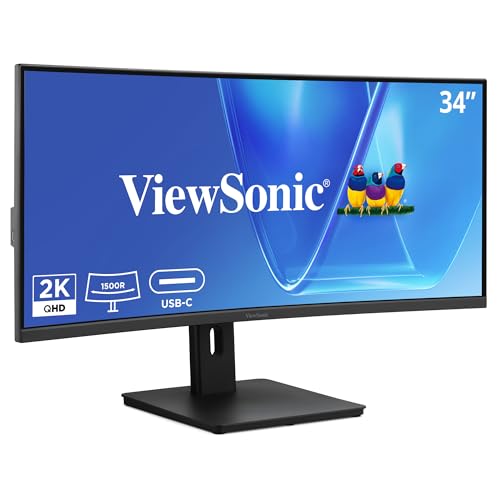 | 9.2PCKitHQ scoreView on Amazon |
A closer look at each configuration
KOORUI 27-inch Curved Gaming Monitor
score
A 27-inch 2560×1440 VA panel at 180Hz with a 1500R curve, dual HDMI 2.0, and DisplayPort 1.4 for a PC and a laptop.
- Resolution
- 2560×1440p
- Native refresh rate
- 180 Hz
- Screen size
- 27 in
- Panel
- VA
- Curved screen
- Yes
- HDMI
- Yes
- DisplayPort
- Yes
The KOORUI pairs a 27-inch 2560×1440 VA panel with a 180Hz refresh rate, 1ms GTG response time, HDR10, a 90% DCI-P3 gamut, and a 4000:1 contrast ratio. Dual HDMI 2.0 ports and DisplayPort 1.4 connect a PC and a laptop, while VESA 100×100 mounting and a stand that tilts from -5° to 15° set the viewing angle. Flicker-Free technology and a Low Blue Light mode are included. The display screen carries 1 year of backing, and other accessories carry 3 years.
Choose it if
- You want a curved 27-inch 2560×1440 screen at 180Hz
- You connect a PC and a laptop through HDMI and DisplayPort
Consider another if
- You want a flat panel instead of the 1500R curve
- You want a 34-inch ultrawide screen for side-by-side windows
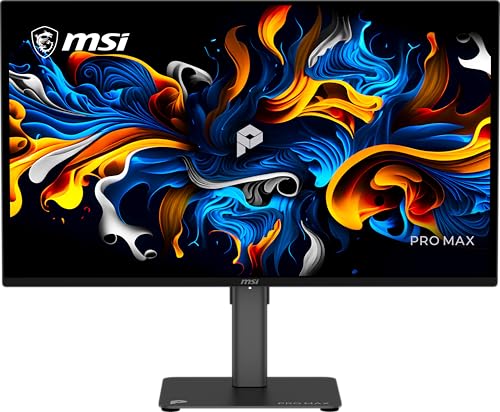
MSI PRO MP275Q 27-inch WQHD Office Monitor
score
A 27-inch 2560 x 1440 IPS office panel at 100Hz with 100% sRGB, built-in 2W speakers, and a tilt-adjustable stand.
- Resolution
- 2560 x 1440
- Native refresh rate
- 100 Hz
- Screen size
- 27 in
- Panel
- IPS
- HDMI
- Yes
- Weight
- 3.95 lb
- Warranty
- 3 year manufacturer
The PRO MP275Q uses a 27-inch IPS panel with WQHD 2560 x 1440 resolution at 100Hz, a 100% sRGB gamut, 300 nits brightness, and a 1300:1 contrast ratio. The tilt stand, 100mm VESA brackets, and cable clip fit a wall or arm mount. The MSI EyesErgo solution includes TÜV Rheinland Eye Comfort certified Less Blue Light and Anti-Flicker technology and Eye-Q Check software. The monitor weighs 3.95 lb and carries a 3 year manufacturer warranty.
Choose it if
- You want a 27-inch IPS office screen at 100Hz
- You want built-in 2W speakers for conference calls
Consider another if
- You want a 34-inch ultrawide screen for extra columns
- You want a 180Hz panel for fast-paced play
MSI PRO MP273Q E7 27-inch Computer Monitor
score
A 27-inch 2560×1440 IPS panel at 75Hz with Adaptive Sync, HDMI 2.0, DisplayPort 1.2a, and VESA mounting.
- Resolution
- 2560×1440
- Native refresh rate
- 75 Hz
- Screen size
- 27 in
- Panel
- IPS
- HDMI
- Yes
- DisplayPort
- Yes
- Weight
- 1 lb
- Warranty
- 3 Years
The PRO MP273Q E7 uses a 27-inch WQHD IPS monitor at 2560×1440 and 75Hz, with a 1000:1 contrast ratio and 178°/178° viewing angles. Adaptive Sync matches the refresh rate to the graphics card output, and HDMI 2.0 with HDMI-CEC plus DisplayPort 1.2a cover the connections. VESA 100×100 mounting and the tilt stand set the angle. TÜV Rheinland certified Flicker Free and Low Blue Light are included, with Eye-Q Check software. The monitor weighs 1.0 lb and carries a 3 year warranty.
Choose it if
- You want a 27-inch IPS screen at 75Hz
- You want HDMI 2.0 with HDMI-CEC control
Consider another if
- You want a 100Hz panel for smoother scrolling
- You want a 34-inch ultrawide screen
ASUS ProArt PA278QV 27-inch Professional Monitor
score
A 27-inch 2560 x 1440 IPS panel with 100% sRGB, Calman Verified Delta E under 2, and a height-adjustable stand.
- Resolution
- 2560 x 1440
- Screen size
- 27 in
- Panel
- IPS
- HDMI
- Yes
- DisplayPort
- Yes
- Weight
- 17 lb
- Warranty
- 3 years
The ProArt PA278QV is Calman Verified with Delta E under 2, and it covers 100% sRGB and 100% Rec. 709. The 27-inch WQHD IPS display runs at 2560 x 1440. DisplayPort, HDMI, DVI-D, and Mini DP join an integrated USB hub, and the ergonomic stand adjusts tilt, pivot, swivel, and height. ProArt Preset and Palette customize color and brightness. Flicker-free backlighting, a blue light filter, and an anti-glare coating are included. The monitor weighs 17 lb and carries a 3 year standard warranty, with a 2 year extension on registration.
Choose it if
- You want 100% sRGB and 100% Rec. 709 for photo work
- You want a height-adjustable stand with pivot and swivel
Consider another if
- You want a 34-inch ultrawide screen for documents
- You want a 1500R curved screen like the KOORUI
Lenovo L27q-4a
score
A 27-inch QHD IPS display at 100Hz with 1ms MPRT, dual 3W MaxxAudio speakers, and VESA MediaSync.
- Resolution
- QHD
- Native refresh rate
- 100 Hz
- Panel
- IPS
- Weight
- 12.43 lb
- Warranty
- 1 year manufacturer
The Lenovo L27q-4a uses a 27-inch QHD IPS display at 100Hz with a 1ms MPRT response time and an ultra-thin bezel that widens the visible workspace. VESA MediaSync keeps the refresh rate in step with video playback, and dual 3W speakers tuned by MaxxAudio carry meetings and streamed content. A cable management system tucks cords away, and VESA support fits a wall or arm mount. Eyesafe Display 2.0 and TÜV Low Blue Light hardware are included. The monitor weighs 12.43 lb and carries a 1 year manufacturer warranty.
Choose it if
- You want a 27-inch QHD screen at 100Hz
- You want dual 3W speakers for meetings
Consider another if
- You want a 34-inch ultrawide screen for spreadsheets
- You want a 180Hz panel for fast motion
ViewSonic VG3409C 34-inch Ultrawide Curved VA Computer Monitor
score
A 34-inch 3440 x 1440 ultrawide VA panel at 120Hz with 96W USB-C, KVM, and a 1500R curve.
- Resolution
- 3440 x 1440
- Native refresh rate
- 120 Hz
- Screen size
- 34 in
- Panel
- VA
- Curved screen
- Yes
- Ultrawide screen
- Yes
- USB-C
- Yes
- HDMI
- Yes
- DisplayPort
- Yes
- Weight
- 18.5 lb
- Warranty
- 3-Year limited warranty on parts, labor and backlight
The VG3409C spreads documents and creative work across a 34-inch ultrawide curved screen at 3440 x 1440 on a 21:9 VA panel. A 120Hz refresh rate, HDR10, and a 3000:1 static contrast ratio serve work and media. USB-C carries video, data, and up to 96W power delivery, and an integrated KVM with one USB upstream and three downstream ports manages peripherals. HDMI 2.1, DisplayPort, dual 2W speakers, and an adjustable stand complete the setup. The monitor weighs 18.5 lb and carries a 3 year limited warranty on parts, labor, and backlight.
Choose it if
- You want a 34-inch ultrawide screen for side-by-side documents
- You want 96W USB-C charging for a laptop
Consider another if
- You want a 27-inch screen for a small desk
- You want a flat panel instead of the 1500R curve
Make the choice for your setup
Match the screen to the work
Four monitors use a 27-inch 2560 x 1440 panel, the Lenovo L27q-4a uses a 27-inch QHD panel, and the ViewSonic VG3409C uses a 34-inch 3440 x 1440 ultrawide panel. The ultrawide panel holds two documents side by side without a second screen. The KOORUI and the ViewSonic curve at 1500R, and the other four panels stay flat. Refresh rates run from 75Hz on the MSI PRO MP273Q E7 to 180Hz on the KOORUI, with the MSI PRO MP275Q and the Lenovo L27q-4a at 100Hz and the ViewSonic at 120Hz. Match the panel width and the refresh rate to the documents and motion you view each day.
Weigh color coverage against refresh rate
The ASUS ProArt PA278QV is Calman Verified with Delta E under 2 and covers 100% sRGB and 100% Rec. 709, which suits photo and video work where color must match a standard. The MSI PRO MP275Q also covers 100% sRGB with a 10-bit panel. The KOORUI covers 90% DCI-P3 with HDR10 and a 4000:1 contrast ratio, and it pairs that color coverage with a 180Hz refresh rate and 1ms GTG response time. The ViewSonic pairs HDR10 and a 3000:1 contrast ratio with 120Hz. No single monitor here holds every color figure and the highest refresh rate, so decide which figure matters more. Shoppers with a related need can compare our guide to the Best Quality 1440p Monitor.
Check ports, stands, and warranty
The KOORUI, both MSI monitors, the ASUS, and the ViewSonic each connect through HDMI and DisplayPort. The ViewSonic VG3409C adds 96W USB-C power delivery, an RJ45 port, and a KVM with one USB upstream and three downstream ports. The KOORUI and both MSI monitors offer VESA 100 x 100 mounting. The ASUS stand adjusts tilt, pivot, swivel, and height. Warranty: the KOORUI screen carries 1 year with accessories at 3 years, both MSI monitors carry 3 years, the ASUS carries 3 years standard with a 2 year extension on registration, the Lenovo carries 1 year, and the ViewSonic carries a 3 year limited warranty on parts, labor, and backlight.
For a wider shortlist, start with 24 vs 27 Inch Monitor.
FAQ: 1440p Productivity Monitor
Which monitor suits a 27-inch 1440p desk setup?
The KOORUI runs at 180Hz with a curved VA panel. The MSI PRO MP275Q and the Lenovo L27q-4a run at 100Hz on IPS panels, and the MSI PRO MP273Q E7 runs at 75Hz on IPS. The ASUS ProArt PA278QV adds Calman Verified color.
Which monitor has the widest screen here?
The ViewSonic VG3409C has the widest screen: a 34-inch 3440 x 1440 ultrawide VA panel at 21:9 with a 1500R curve, a 120Hz refresh rate, 96W USB-C power delivery for a laptop, and an integrated KVM.
What warranty terms do these monitors carry?
The KOORUI screen carries 1 year with accessories at 3 years. Both MSI monitors carry 3 years. The ASUS carries 3 years standard with a 2 year extension on registration. The Lenovo carries 1 year. The ViewSonic carries a 3 year limited warranty.