
Are Gaming Keyboards Wireless?
 By Theo LangUpdated
Yes, many gaming keyboards are wireless, and plenty also work wired. A wireless gaming keyboard connects over Bluetooth or a 2.4GHz receiver, and many models let you switch between Bluetooth, 2.4GHz, and a USB cable. Wireless gives you a clear desk and room to move the keyboard, while a cable keeps it powered and connected without charging.
How wireless gaming keyboards connect
Most wireless gaming keyboards connect in one of two ways: Bluetooth, which pairs straight with a laptop, tablet, or phone, or a 2.4GHz receiver that plugs into a USB port on the computer. Many models offer both plus a wired USB connection, so you can switch modes with a key combination or a switch on the board. Some connect to more than one device at a time and let you switch between them.
Check the connection modes listed
Read the listing for the connection modes a keyboard supports before you buy. A board that lists Bluetooth 5.0, 2.4GHz, and USB-C covers a laptop, a desktop, and a tablet, while a board with only one mode limits where you can use it. Also check which systems the listing names, since some boards list Windows, Mac, Android, and iOS, and others list game consoles too.
Battery and charging
Wireless gaming keyboards run on a rechargeable battery, so check the battery size and how the keyboard charges. Most charge over a USB-C cable, and some show the battery level with an indicator light. If you play long sessions, keep the cable nearby so you can plug in and keep playing while the battery charges.
When a wired connection still makes sense
A wired connection removes charging from the picture and keeps the keyboard linked to the computer through the cable. Many wireless boards run wired too, so you can plug in the USB cable when the battery runs low and keep playing. If you share a desk between work and games, a board that switches between wired and wireless covers both setups with one keyboard.
What you need

AULA F75 Pro Wireless Mechanical Keyboard
A 75% wireless board with Bluetooth 5.0, 2.4GHz and USB-C connections, pre-lubed Reaper switches and a 4000mAh battery.
View on Amazon
AULA S99 Gaming Keyboard
A 96% membrane keyboard with Bluetooth 5.0, 2.4GHz and USB-C connections, a number pad and full-key macro programming.
View on Amazon
Redragon S101M-KS Gaming Keyboard and Mouse Wireless
A wireless keyboard and mouse combo with tri-mode connections, one 2.4G receiver for both, and a 4800 DPI mouse.
View on Amazon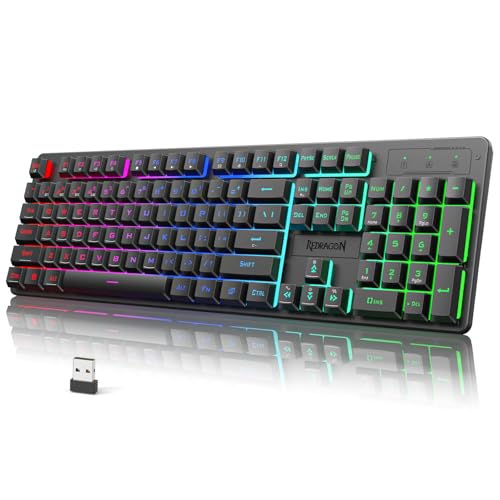
Redragon K521KS Wireless Gaming Keyboard
A full-size wireless keyboard with Bluetooth, 2.4GHz and USB-C connections, a 4000mAh battery and 12 multimedia keys.
View on AmazonThese come from our ranked list Best Wireless Gaming Keyboard, which compares them spec by spec.
FAQ
Do wireless gaming keyboards need a receiver?
It depends on the mode. A 2.4GHz connection needs the receiver that comes with the keyboard, plugged into a USB port. Bluetooth connects without a receiver, and a USB cable works when you plug the keyboard straight into the computer.
Can one receiver run a keyboard and a mouse?
Some combos can. The Redragon S101M-KS lists a 2-in-1 2.4G receiver that controls both the keyboard and the mouse at the same time. Check the listing for your set, since other keyboards use a receiver for the keyboard alone.
Do wireless gaming keyboards work with consoles?
Some list console support and some do not. The AULA F75 Pro lists PS and Xbox among the devices it works with. Check the listing for the consoles you own before you buy, since support varies by model.

